
christmas special tropes Bingo Cards - Print Free or Customize
Print free christmas special tropes bingo cards or personalize, unlimited prints! Choose from 20,900+ designs or use our bingo card generator. Add numbers, phrases, images, or all of them. Play using PDF printouts, virtual bingo cards, and our virtual bingo caller, or mix physical and digital.
About: This bingo card captures all the classic and quirky moments that make holiday movies so much fun to watch. With a mix of magical mishaps, heartwarming traditions, and familiar Christmas chaos, it’s perfect for a group movie night with friends or family who love spotting festive tropes and sharing a good laugh together.
How To: To get a PDF to print, click the Print button. You can alter the card quantity and other printing settings on the Print tab. Grid items and free space content can be edited on the Basic tab. Appearance can be entirely personalized on the relevant tabs, or you can quickly locate any option on the 🔍 tab.
How to play christmas special tropes Bingo Cards?
- Digital Players: Click on the Play button above, and then click on the 🎫 button.
- Paper Caller: Print PDF calling list & calling slips and physically pick the slips.
- Digital Caller: Click on the Play button above.
- Paper Players: Print PDF bingo cards and physically scratch the cards.
- Combo Mode: Pick any combination above. For instance, caller can be either Printed or Digital. And players can be Printed or Digital or a combination of both.
Step-By-Step:
- Start by downloading the christmas special tropes PDF by clicking on the "Print" button above.
- Open the PDF and print it.
- For random drawing, you can print another copy of the call list, cut, fold and then pick them randomly at play time.
- Cut the bingo cards at the cut lines if there are greater than 1 bingo cards per page.
- Distribute one card per player. For marking, you can use markers. Crayons are the cheapest.
- Pick one person to be the caller. If you are playing in a small group, the caller may also play along with their own Bingo card.
- The caller begins the play by randomly drawing an item from the call list and announcing it to everyone.
- The players scan their cards to see if they have the called word. If they do, they cross off that word.
- The first player to finish a horizontal, vertical, or a diagonal line of marked items shouts "Bingo!" and wins the game.
- The caller verifies that the items crossed off form a correct line as per the Bingo card and call list.
- You can play for different patterns or a full card blackout for a longer game.
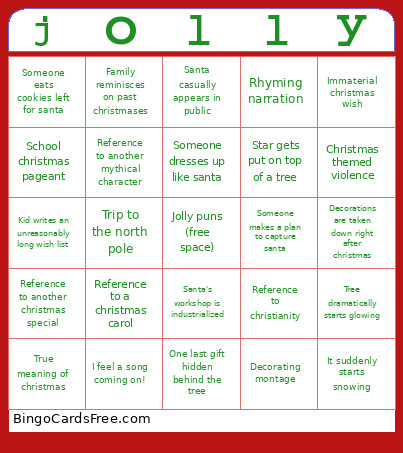 This christmas special tropes Bingo Cards Game contains following Words or Phrases: Someone is a santa denier, Main characters have to replace santa, Santa gets sick or injured, Grumpy character hates christmas, Someone makes a plan to capture santa, "It's a christmas miracle!", It suddenly starts snowing, Old man is later revealed to be santa, "He *is* real!", True meaning of christmas, Jolly profanity, "I guess christmas isn't coming this year", Kid writes an unreasonably long wish list, "Where's your christmas spirit?", Someone gets tangled in christmas lights, Decorating montage, Someone gets a gift they don't like, Christmas card photos, Unconvincing mall santa, Magical swirl, Reference to christianity, Does not reference christianity, Elf abuse, Christmas themed violence, Mistletoe scene, Immaterial christmas wish, Retail horror, Zoom out with sleigh bells, Reference to another mythical character, Family reminisces on past christmases, School christmas pageant, Running downstairs on christmas morning, Family member obsessed with christmas, Decorating contest, Santa casually appears in public, "And that's how (character) saved christmas", Character can't decide on the perfect gift, "This is the best christmas ever!", "This is the worst christmas ever!", Rhyming narration, Trip to the north pole, Santa's workshop is industrialized, Hanukkah is mentioned, Shaking a present, Comically large christmas tree, Tree dramatically starts glowing, Adults don't believe in santa when he's objectively real, Reference to another christmas special, Reference to a christmas carol, Snowball fight, Rude elves or reindeer, Decorations are taken down right after christmas, Someone eats cookies left for santa, Watching for santa out the window, One last gift hidden behind the tree, Bad singer attempts to sing christmas songs, Someone dresses up like santa, Star gets put on top of a tree, I feel a song coming on!.