
ANGELLIE Bingo Cards - Print Free or Customize
Print free ANGELLIE bingo cards or alter them, limitless cards! Pick from 20,900+ templates or use the bingo card generator. Add numbers, phrases, photos, or mix them all. Play using printed PDF, online bingo cards, and the online bingo caller, or mix physical and digital.
About: This bingo card celebrates the most beloved Christmas songs from around the world, blending English classics with Filipino holiday favorites. It’s perfect for Christmas parties, music-themed gatherings, or family get-togethers where everyone loves to sing along and share festive memories. Expect plenty of nostalgia, cheer, and a truly global holiday spirit!
How To: To download a PDF to print, click the Print button. You can adjust the card quantity and other printing options on the Print tab. Grid items and free space text can be changed on the Basic tab. Appearance can be completely personalized on the relevant tabs, or you can easily locate any setting using the 🔍 tab.
How to play ANGELLIE Bingo Cards?
- Printed Caller: Print PDF calling list & calling slips and physically draw the slips.
- Online Caller: Click on the Play button above.
- Online Players: Click on the Play button above, and then click on the 🎫 button.
- Printed Players: Print PDF bingo cards and physically mark the cards.
- Hybrid Play: Pick any combination above. For instance, caller can be either Paper or Online. And players can be Paper or Online or a mix of both.
Step-By-Step:
- Start by saving the ANGELLIE PDF by clicking on the "Print" button above.
- Open the PDF and print a hard copy.
- For random drawing, you can print another copy of the call list, cut, fold and then draw them randomly at play time.
- Cut the bingo cards at the cut lines if there are greater than 1 bingo cards per page.
- Give one card to each player. For marking, you can use markers. Crayons are the cheapest.
- Pick one person to be the caller. If you are playing in a small group, the caller can also play along with their own Bingo card.
- The caller initiates the game by randomly pulling an item from the call list and calling out it to all players.
- The players check their cards to see if they have the announced word. If they do, they mark that word.
- The first player to complete a horizontal, vertical, or a diagonal line of crossed items announces "Bingo!" and wins the play.
- The caller validates that the items crossed off form a proper line according to the Bingo card and call list.
- You can play for multiple patterns or a full card blackout for an extended play.
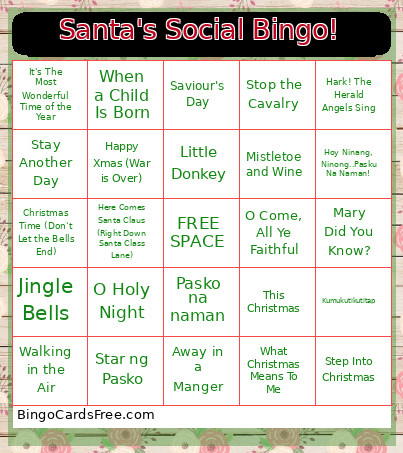 This ANGELLIE Bingo Cards Game contains following Words or Phrases: White Christmas, Jingle Bells, Silent Night, O Holy Night, Deck the Halls, The Christmas Song (Merry Christmas to you), Winter Wonderland, Rudolph the Red-Nosed Reindeer, Santa Claus is Coming to Town, Have yourself a Merry Little Christmas, Let It Snow, Let It Snow, Let It Snow, It's Beginning to Look a lot like Christmas, Jingle Bell Rock, Sleigh Ride, It's The Most Wonderful Time of the Year, Holly Jolly Christmas, Silver Bells, Drummer Boy, The Twelve Days of Christmas, Away in a Manger, Joy to the World, Hark! The Herald Angels Sing, All I Want for Christmas is You, Last Christmas, Merry Christmas Everyone, Do They Know It's Christmas?, Fairytale of New York, Step Into Christmas, Wonderful Christmastime, Happy Xmas (War is Over), Driving Home for Christmas, I Wish It Could Be Christmas Everyday, Rockin' Around the Christmas Tree, Santa Baby, Please Come Home for Christmas, This Christmas, Christmas (Baby Please Come Home), Merry Xmas Everybody, Christmas Wrapping, Stop the Cavalry, 2000 Miles, Mary's Boy Child/Oh My Lord, Do You Hear What I Hear?, When a Child Is Born, Stay Another Day, Walking in the Air, Frosty the Snowman, I Want a Hippopotamus for Christmas, Ding Dong Merrily On High (This Celebration's Starting), Feliz Navidad, Saviour's Day, Mistletoe and Wine, O Come, All Ye Faithful, Maybe this Christmas, Mary Did You Know?, Go Tell It on the Mountain, Little Donkey, O Little Town of Bethlehem, Christmas Time (Don't Let the Bells End), Here Comes Santa Claus (Right Down Santa Class Lane), Blue Christmas, A Winter's Tale, What Christmas Means To Me, Kumukutikutitap, Pasko na naman, Christmas in our hearts, Star ng Pasko, Ang Pasko ay Sumapit, Miss Kita Kung Christmas, O Magsaya (Joy to the World), Pasko na Sinta ko, We wish you a merry Christmas, Hoy Ninang, Ninong..Pasku Na Naman!, Aginaldo.