
Suber Bowl Bingo Cards - Print Free or Customize
Print free Suber Bowl bingo cards or adjust them, unlimited cards! Select from 25,100+ designs or use the bingo card generator. Add numbers, phrases, pictures, or any combination. Play using PDF printouts, digital bingo cards, and the digital bingo caller, or combine all formats.
How To: To save a printable PDF, click the Print button. You can modify the card quantity and other print preferences on the Print tab. Grid items and free space content can be added on the Basic tab. Appearance can be highly personalized on the corresponding tabs, or you can easily locate any option using the 🔍 tab.
How to play Suber Bowl Bingo Cards?
- Virtual Players: Click on the Play button above, and then click on the 🎫 button.
- Printed Players: Print PDF bingo cards and physically mark the cards.
- Virtual Caller: Click on the Play button above.
- Printed Caller: Print PDF calling list & calling slips and physically draw the slips.
- Combo Play: Choose any combination above. For example, caller can be either Printed or Virtual. And players can be Printed or Virtual or a combination of both.
Step-By-Step:
- Start by downloading the Suber Bowl PDF by clicking on the "Print" button above.
- Open the PDF and print it.
- For random drawing, you can print another copy of the call list, cut, fold and then draw them randomly at play time.
- Cut the bingo cards at the cut marks if there are more than 1 bingo cards per page.
- Distribute one card per player. For marking, you can use markers. Crayons are the cheapest.
- Choose one person to be the caller. If you are playing in a small group, the caller can as well play along with their own Bingo card.
- The caller initiates the play by randomly pulling an item from the call list and saying it to all players.
- The players check their cards to see if they have the called word. If they do, they mark that word.
- The first player to complete a horizontal, vertical, or a diagonal line of crossed items announces "Bingo!" and wins the play.
- The caller confirms that the items marked form a proper line according to the Bingo card and call list.
- You can play for different patterns or a full card blackout for an extended play.
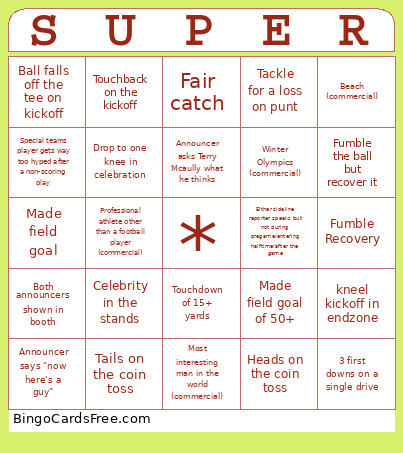 This Suber Bowl Bingo Cards Game contains following Words or Phrases: Gain 1st down on 1st and 11+, Convert on 4th down, Complete a pass to a RB, Touchdown of 15+ yards, QB throws an interception, Rush for 15+ yards, Fumble the ball but recover it, Score 10+ in a quarter, QB rushes for 10+, Offensive Pass Interference, 3 first downs on a single drive, Throw the ball into the stands in celebration, Receiver complains to ref for pass interference, Any touchdown, False start, TD score reviewed and confirmed, Player records their 4th catch, Completion for 1+ yards, Get a stop on 4th, Interception, Fumble Recovery, Score a defensive TD, Get a sack, Score a safety, Offsides penalty, Defensive pass interference, Roughing the passer, Tackle for a loss, 3 and out on first possession of a quarter, Drop to one knee in celebration, Defender stands near refs while they conference over a decision, Defender breaks up a pass, TD score reviewed and overturned, Stop on 4th down, Any tackle, Heads on the coin toss, Tails on the coin toss, Anyone visibly mouthing a swear, Challenge Flag thrown (does not include automatic challenges), 2+ timeouts remaining at the end of a half for one team, TD celebration dance involving 2+ players, Announcer says "unbelievable", Announcer says "now here's a guy", Both announcers shown in booth, Announcer asks Terry Mcaully what he thinks, Either sideline reporter speaks but not during pregame/entering halftime/after the game, Game tied at half, Any lead change outside of the first score, Coach visibly frustrated (ronnie can judge), First timeout taken by either team, 5th penalty against a single team, Celebrity in the stands, Made field goal of 50+, Missed field goal of 30 or less, 2 point conversion, PAT, Touchback on the kickoff, 35+ yard kick return, Blocked kick (punt or fg), Ball falls off the tee on kickoff, Kick 2 FGs in a quarter by same team, Kicker/punter makes a tackle, Tackle for a loss on punt, Muff, Made field goal, Missed field goal, Fair catch, kneel kickoff in endzone, Any penalty on kicking or receiving team, Special teams player gets way too hyped after a non-scoring play, Onside Kick, Second kickoff (not punt) of the half, At least two different horses appear (commercial), Most interesting man in the world (commercial), Outer space (commercial), Consecutive beer commercials, Any of the mannings (commercial), Uber eats (commercial), Michelob Ultra (commercial), Luxury Car Brand (and obviously american brands don't count) (commercial), Winter Olympics (commercial), A frog (commercial), Doritos (commercial), Snow (commercial), Beach (commercial), Professional athlete other than a football player (commercial), Taco Bell (commercial), Pizza (commercial).