Print free 2026 bingo Card or personalize,
limitless prints! Choose from 23,600+ templates or use our bingo card generator.
Add numbers, words, photos, or all of them.
Play using printable PDF, digital bingo cards,
and our digital bingo caller, or go hybrid.
About: This bingo card is perfect for a tight-knit online community or fandom that shares inside jokes, gaming milestones, and streamer moments. The tone is playful and a little sarcastic, poking fun at recurring events and wishful thinking in your group. It’s ideal for a Discord hangout, gaming marathon, or any virtual event where friends want to celebrate their unique shared culture.
How To: To download a printable PDF, click the Print button.
You can modify the number of cards and other
print options on the Print tab.
Grid items and free space text can be added on the Basic tab.
Appearance can be exactly personalized on the
relevant tabs, or you can quickly find any option
using the 🔍 tab.
How to play 2026 Bingo Card?
Paper Players: Print PDF bingo cards and physically mark the cards.
Paper Caller: Print PDF calling list & calling slips and physically pick the slips.
Virtual Caller: Click on the Play button above.
Virtual Players: Click on the Play button above, and then click on the 🎫 button.
Mixed Play: Pick any combination above.
For example, caller can be either Offline or Virtual.
And players can be Offline or Virtual or a combination of both.
Step-By-Step:
Start by saving the 2026 Bingo Card PDF by clicking on the "Print" button above.
Open the PDF and print a hard copy.
For random drawing, you can print another copy of the call list, cut, fold and then pick them randomly at play time.
Cut the bingo cards at the cut marks if there are greater than 1 bingo cards per page.
Distribute one card per player. For marking, you can use pens. Crayons are the cheapest.
Pick one person to be the caller. If you are playing in a small group, the caller may also play along with their own Bingo card.
The caller opens the game by randomly picking an item from the call list and calling out it to all players.
The players scan their cards to see if they have the announced word. If they do, they cross off that word.
The first player to finish a horizontal, vertical, or a diagonal line of marked items yells "Bingo!" and wins the play.
The caller verifies that the items marked form a correct line as per the Bingo card and call list.
You can play for multiple patterns or a full card blackout for an extended play.
This 2026 Bingo Card Game contains following Words or Phrases: Math reaches 50 days in Forsaken, Pinkie causes drama in Crystal Cavern or BB SMP, Glitch finishes the Blade plushie, A song from To Kill a Living Book is in my top five listened, Emporium reaches 2,000 hours in Cosmoteer, Sama starts playing Limbus again, Wesod gets in trouble for something tech-related, Grace doesn't talk to Javier for at least a week because of something he did, Someone thinks Colors and I are gay for each other, Ford tries talking to me or Kushagara again, Some Steam Hardware runs out of stock due to the rampocalypse, AI continues to fuck everything up, Mojang/Microsoft do something scummy to Java Edition, Linux users % reaches at least 7.5% in the Steam Hardware Survey, A new non-canon Thyneality doc gets made, My favorite Twitch streamer doesn't stream again, John Thynealityverse reaches 750 hours in Limbus, The Forbidden One™ notices my domain parking, TWR as a character gets even stronger, Scrap Mechanic Survival Chapter 2 releases, Terraria gets confirmed for another content update after 1.4.5 releases, Danger Zone gets another content update, HL3, Ninja Kiwi's "Fightland" flops.

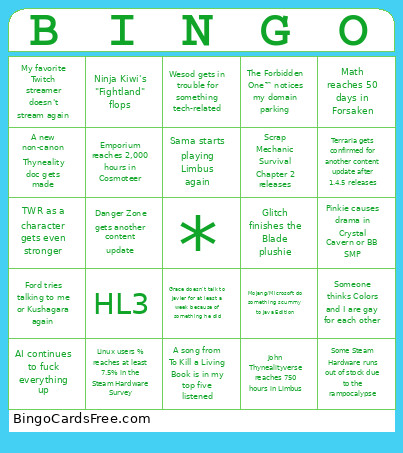 This 2026 Bingo Card Game contains following Words or Phrases: Math reaches 50 days in Forsaken, Pinkie causes drama in Crystal Cavern or BB SMP, Glitch finishes the Blade plushie, A song from To Kill a Living Book is in my top five listened, Emporium reaches 2,000 hours in Cosmoteer, Sama starts playing Limbus again, Wesod gets in trouble for something tech-related, Grace doesn't talk to Javier for at least a week because of something he did, Someone thinks Colors and I are gay for each other, Ford tries talking to me or Kushagara again, Some Steam Hardware runs out of stock due to the rampocalypse, AI continues to fuck everything up, Mojang/Microsoft do something scummy to Java Edition, Linux users % reaches at least 7.5% in the Steam Hardware Survey, A new non-canon Thyneality doc gets made, My favorite Twitch streamer doesn't stream again, John Thynealityverse reaches 750 hours in Limbus, The Forbidden One™ notices my domain parking, TWR as a character gets even stronger, Scrap Mechanic Survival Chapter 2 releases, Terraria gets confirmed for another content update after 1.4.5 releases, Danger Zone gets another content update, HL3, Ninja Kiwi's "Fightland" flops.