Baby Shower 2026 Bingo Cards - Print Free or Customize
Print free Baby Shower 2026 bingo cards or alter them,
unlimited prints! Pick from 26,900+ templates or use the bingo card generator.
Add numbers, phrases, pictures, or mix them all.
Play using printed PDF, virtual bingo cards,
and the virtual bingo caller, or go hybrid.
About: This bingo card is all about getting to know each other and celebrating unique quirks, interests, and life moments. Perfect for a baby shower or family gathering, it sparks fun conversations and helps guests connect over shared experiences like travel habits, favorite drinks, creative hobbies, and personal milestones. It's lighthearted and ideal for creating a lively, friendly atmosphere.
How To: To get a printable PDF, click the Print button.
You can modify the card count and other
printing preferences on the Print tab.
Grid items and free space text can be edited on the Basic tab.
Appearance can be entirely personalized on the
corresponding tabs, or you can easily search any preference
on the 🔍 tab.
How to play Baby Shower 2026 Bingo Cards?
Virtual Caller: Click on the Play button above.
Printed Players: Print PDF bingo cards and manually mark the cards.
Virtual Players: Click on the Play button above, and then click on the 🎫 button.
Printed Caller: Print PDF calling list & calling slips and manually draw the slips.
Mixed Play: Choose any combination above.
For example, caller can be either Paper or Virtual.
And players can be Paper or Virtual or a mix of both.
Step-By-Step:
Start by getting the Baby Shower 2026 PDF by clicking on the "Print" button above.
Open the PDF and print a hard copy.
For random drawing, you can print another copy of the call list, cut, fold and then pull them randomly at play time.
Cut the bingo cards at the cut marks if there are greater than 1 bingo cards per page.
Distribute one card per player. For marking, you can use pens. Crayons are the cheapest.
Choose one person to be the caller. If you are playing in a small group, the caller can also play along with their own Bingo card.
The caller initiates the game by randomly drawing an item from the call list and saying it to all players.
The players look at their cards to see if they have the announced word. If they do, they cross off that word.
The first player to finish a horizontal, vertical, or a diagonal line of crossed items shouts "Bingo!" and wins the play.
The caller verifies that the items marked form a proper line according to the Bingo card and call list.
You can play for multiple patterns or a full card blackout for a longer play.
This Baby Shower 2026 Bingo Cards Game contains following Words or Phrases: Needs daily coffee _________, Prefers tea _________, Doesn't drink coffee _________, Loves naps (who doesn't) _________, Is a morning person _________, Is a night owl _________, Always carries snacks _________, Has a favorite vacation spot _________, Went on a trip this year _________, Enjoys road trips _________, Prefers staying close to home _________, Plays an instrument _________, Has performed on stage _________, Has a creative hobby _________, Loves to cook _________, Loves to bake _________, Is always early _________, Lives near you _________, Recently had a baby _________, Knows Allie's due date _________, Helped plan the baby shower _________, Is pregnant _________, Had no hair as a baby _________, Was born early _________, Weighed over eight pounds at birth _________, Is an only child _________, Is the oldest child _________, Is the youngest child _________, Only has daughters _________, Only has sons _________, Was born the same month as you _________, Speaks a second language _________, Is left-handed _________, Traveled over 50 miles to be here _________, Is wearing pink _________, Is wearing blue _________, Has a tattoo _________, Is always hot _________, Is always cold _________, Same age as you _________, Went to school with Allie _________, Has reusable water bottle with them _________, Has a ride or die podcast _________, Can fold a fitted sheet _________, Knows what hardiness zone we're in _________, Loves to crochet or knit _________, Works from home _________.

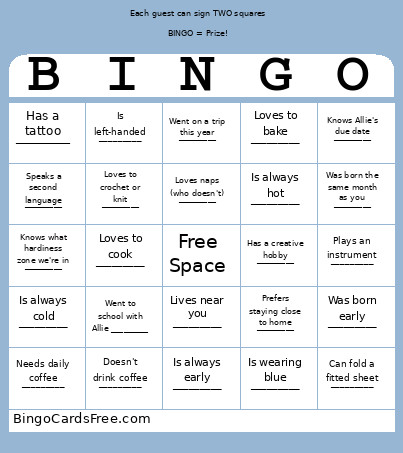 This Baby Shower 2026 Bingo Cards Game contains following Words or Phrases: Needs daily coffee _________, Prefers tea _________, Doesn't drink coffee _________, Loves naps (who doesn't) _________, Is a morning person _________, Is a night owl _________, Always carries snacks _________, Has a favorite vacation spot _________, Went on a trip this year _________, Enjoys road trips _________, Prefers staying close to home _________, Plays an instrument _________, Has performed on stage _________, Has a creative hobby _________, Loves to cook _________, Loves to bake _________, Is always early _________, Lives near you _________, Recently had a baby _________, Knows Allie's due date _________, Helped plan the baby shower _________, Is pregnant _________, Had no hair as a baby _________, Was born early _________, Weighed over eight pounds at birth _________, Is an only child _________, Is the oldest child _________, Is the youngest child _________, Only has daughters _________, Only has sons _________, Was born the same month as you _________, Speaks a second language _________, Is left-handed _________, Traveled over 50 miles to be here _________, Is wearing pink _________, Is wearing blue _________, Has a tattoo _________, Is always hot _________, Is always cold _________, Same age as you _________, Went to school with Allie _________, Has reusable water bottle with them _________, Has a ride or die podcast _________, Can fold a fitted sheet _________, Knows what hardiness zone we're in _________, Loves to crochet or knit _________, Works from home _________.