
Airy Bingo Cards - Print Free or Customize
Print free Airy bingo cards or personalize, limitless cards! Pick from 40,100+ designs or use our bingo card generator. Add numbers, phrases, pictures, or any combination. Play using printed PDF, online bingo cards, and our online bingo caller, or go hybrid.
About: This bingo card is all about leveling up retail skills and customer engagement in a dispensary or wellness store setting. Perfect for team meetings or sales competitions, the focus here is on connecting with clients, deepening knowledge of products, and building positive, proactive habits that can boost both customer satisfaction and store performance.
How To: To save a printable PDF, click the Print button. You can adjust the number of cards and other printing preferences on the Print tab. Grid items and free space text can be edited on the Basic tab. Appearance can be fully personalized on the corresponding tabs, or you can quickly find any option using the 🔍 tab.
How to play Airy Bingo Cards?
- Paper Caller: Print PDF calling list & calling slips and manually pick the slips.
- Virtual Players: Click on the Play button above, and then click on the 🎫 button.
- Paper Players: Print PDF bingo cards and manually write on the cards.
- Virtual Caller: Click on the Play button above.
- Mixed Play: Pick any combination above. For example, caller can be either Printed or Virtual. And players can be Printed or Virtual or a mix of both.
Step-By-Step:
- Start by saving the Airy Bingo PDF by clicking on the "Print" button above.
- Open the PDF and print it.
- For random drawing, you can print another copy of the call list, cut, fold and then draw them randomly at play time.
- Cut the bingo cards at the cut marks if there are more than 1 bingo cards per page.
- Distribute one card per player. For marking, you can use crayons. Crayons are the cheapest.
- Pick one person to be the caller. If you are playing in a small group, the caller can as well play along with their own Bingo card.
- The caller begins the play by randomly pulling an item from the call list and announcing it to everyone.
- The players check their cards to see if they have the announced word. If they do, they cross off that word.
- The first player to complete a horizontal, vertical, or a diagonal line of marked items announces "Bingo!" and wins the play.
- The caller validates that the items crossed off form a proper line as per the Bingo card and call list.
- You can play for different patterns or a full card blackout for a longer play.
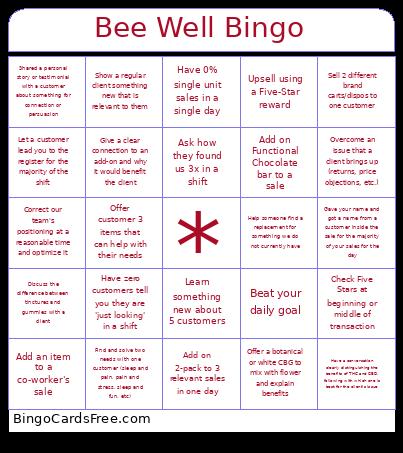 This Airy Bingo Cards Game contains following Words or Phrases: Correct our team's positioning at a reasonable time and optimize it, Have zero customers tell you they are 'just looking' in a shift, Add an item to a co-worker's sale, Check Five Stars at beginning or middle of transaction, Compliment a customer on something to enter a conversation, Discuss the difference between tinctures and gummies with a client, Overcome an issue that a client brings up (returns, price objections, etc.), Show a regular client something new that is relevant to them, Upsell using a Five-Star reward, Help someone find a replacement for something we do not currently have, Offer a botanical or white CBG to mix with flower and explain benefits, Ask for a coworkers personal testimony to benefit the customers experience, Ask how they found us 3x in a shift, Ask 'pain, stress, or sleep' as main leading question throughout the shift, Give an efficient store tour to a new customer and explain why we're here, Let a customer lead you to the register for the majority of the shift, Have a conversation clearly distinguishing the benefits of THC and CBD, following with which one is best for the client's issue, Shop with a customer until they tell you to stop, Offer customer 3 items that can help with their needs, Give a clear connection to an add-on and why it would benefit the client, When floor is clear, ask team for feedback on a customer interaction, Gave your name and got a name from a customer inside the sale for the majority of your sales for the day, Add on Functional Chocolate bar to a sale, Sell 2 different brand carts/dispos to one customer, Add on 2-pack to 3 relevant sales in one day, Shared a personal story or testimonial with a customer about something for connection or persuasion, Have 0% single unit sales in a single day, Beat your daily goal, Learn something new about 5 customers, Find and solve two needs with one customer (sleep and pain, pain and stress, sleep and fun, etc).