
CREVAWC Bingo Cards - Print Free or Customize
Print free CREVAWC bingo cards or personalize, limitless cards! Select from 41,500+ designs or use the bingo card generator. Add numbers, phrases, photos, or any combination. Play using printed PDF, digital bingo cards, and the digital bingo caller, or combine all formats.
About: This bingo card is designed for people and organizations working to prevent gender-based violence and support survivors across Canada. It highlights creative, intersectional approaches and a wide range of activities, from legal support and education to partnership building and advocacy. Perfect for conferences, training sessions, or networking events, it encourages learning, reflection, and celebrating collective impact in the GBV sector.
How To: To get a printable PDF, click the Print button. You can change the card quantity and other print preferences on the Print tab. Grid items and free space content can be changed on the Basic tab. Appearance can be exactly customized on the corresponding tabs, or you can easily locate any preference using the 🔍 tab.
How to play CREVAWC Bingo Cards?
- Printed Caller: Print PDF calling list & calling slips and physically pick the slips.
- Printed Players: Print PDF bingo cards and physically mark the cards.
- Virtual Players: Click on the Play button above, and then click on the 🎫 button.
- Virtual Caller: Click on the Play button above.
- Combo Mode: Choose any combination above. For instance, caller can be either Offline or Virtual. And players can be Offline or Virtual or a combo of both.
Step-By-Step:
- Start by getting the CREVAWC PDF by clicking on the "Print" button above.
- Open the PDF and print a hard copy.
- For random calling, you can print another copy of the call list, cut, fold and then pick them randomly at play time.
- Cut the bingo cards at the cut lines if there are more than 1 bingo cards per page.
- Give one card to each player. For marking, you can use pencils. Crayons cost the least.
- Choose one person to be the caller. If you are playing in a small group, the caller can also play along with their own Bingo card.
- The caller initiates the play by randomly pulling an item from the call list and announcing it to everyone.
- The players scan their cards to see if they have the announced word. If they do, they mark that word.
- The first player to complete a horizontal, vertical, or a diagonal line of crossed items announces "Bingo!" and wins the play.
- The caller confirms that the items crossed off form a correct line as per the Bingo card and call list.
- You can play for different patterns or a full card blackout for a longer play.
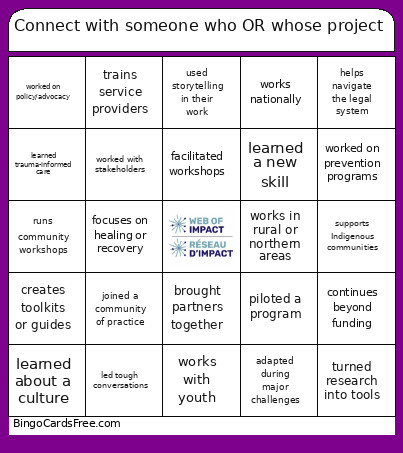 This CREVAWC Bingo Cards Game contains following Words or Phrases: focuses on GBV prevention, improves access to justice, works with youth, supports immigrant/refugee communities, supports Indigenous communities, addresses human trafficking, engages men and boys, runs community workshops, creates training resources, works in schools or education, uses arts-based prevention, helps navigate the legal system, supports survivors directly, focuses on policy or systems change, focuses on family or child safety, works in rural or northern areas, is based in Ontario, is based in BC, is based in Atlantic Canada, works nationally, builds community partnerships, partners with the justice system, creates toolkits or guides, focuses on prevention, uses intersectional approaches, addresses economic abuse, teaches consent, includes youth leadership, trains service providers, supports GBV workers, uses restorative practices, addresses digital harms, focuses on bystander intervention, piloted a new program, shares knowledge nationally, works with community leaders, focuses on healing or recovery, created new educational materials, adapted during major challenges, continues beyond funding, is based in the Prairies, is based in Northern Canada, is based in Quebec, is bilingual (English/French), is offered online, is guided by Elders, supports 2SLGBTQIAA+ communities, addresses trafficking/exploitation, expanded to new communities, overcame a major challenge, learned a new skill, learned a design tool, facilitated workshops, worked with survivors, did research or evaluation, created training materials, worked with youth, built partnerships, helped write reports, planned events, developed resources, worked across regions, collaborated with orgs, learned something unexpected, presented work publicly, learned about a culture, collected stories, did community outreach, co-created programs with community, shared knowledge, built a partnership, piloted a program, worked on policy/advocacy, Helped build GBV sector capacity, worked on prevention programs, learned trauma-informed care, worked with volunteers, adapted to challenges, created visuals/infographics, used storytelling in their work, worked with stakeholders, trained others, first time at Web of Impact, plans to continue project work, took a leadership role, worked behind the scenes, brought partners together, found a new passion, wants to expand their project, Attended a CREVAWC event before, joined a community of practice, led tough conversations, co-designed activities, worked across sectors, turned research into tools, gained a new perspective, mentored a colleague, used a new project approach.