Games-based learning Bingo Cards - Print Free or Customize
Print free Games-based learning bingo cards or personalize,
limitless prints! Choose from 40,600+ designs or use the bingo card generator.
Add numbers, words, pictures, or all of them.
Play using PDF printouts, virtual bingo cards,
and the virtual bingo caller, or go hybrid.
About: This bingo card explores playful and creative approaches to education, highlighting how games, simulations, and imaginative activities can boost engagement and learning. Perfect for teacher workshops or professional development sessions, it encourages educators to think beyond traditional teaching by embracing fun as a powerful tool for sparking curiosity and building skills.
How To: To download a PDF to print, click the Print button.
You can adjust the card count and other
printing preferences on the Print tab.
Grid items and free space text can be edited on the Basic tab.
Appearance can be entirely customized on the
relevant tabs, or you can quickly locate any option
on the 🔍 tab.
How to play Games-based learning Bingo Cards?
Printed Players: Print PDF bingo cards and physically cross off the cards.
Digital Players: Click on the Play button above, and then click on the 🎫 button.
Digital Caller: Click on the Play button above.
Printed Caller: Print PDF calling list & calling slips and physically choose the slips.
Combo Mode: Select any combination above.
For example, caller can be either Paper or Digital.
And players can be Paper or Digital or a mix of both.
Step-By-Step:
Start by downloading the Games-based learning PDF by clicking on the "Print" button above.
Open the PDF and print it.
For random drawing, you can print another copy of the call list, cut, fold and then pull them randomly at play time.
Cut the bingo cards at the cut marks if there are more than 1 bingo cards per page.
Distribute one card per player. For marking, you can use pens. Crayons are the cheapest.
Select one person to be the caller. If you are playing in a small group, the caller may as well play along with their own Bingo card.
The caller initiates the game by randomly drawing an item from the call list and announcing it to all players.
The players look at their cards to see if they have the called word. If they do, they dab that word.
The first player to finish a horizontal, vertical, or a diagonal line of crossed items shouts "Bingo!" and wins the game.
The caller verifies that the items crossed off form a proper line according to the Bingo card and call list.
You can play for different patterns or a full card blackout for a longer game.
This Games-based learning Bingo Cards Game contains following Words or Phrases: Have you ever used a realistic scenario that mimics a real-world process or situation as a method for experiential learning? ~Simulations, If so, you are already adapting the approach to teaching that emphasises playfulness and creativity as central to learning. ~Ludic pedagogy, There are many ways to do it. You could introduce game-like elements to non-game context to increase engagement and motivation. ~Gamification, By incorporating spontaneous, imaginative and enjoyable activities into learning, you are encouraging people into a state that fosters curiosity and exploration. ~Playfulness, You can also approach this style of teaching by using structured games as the primary method for teaching concepts or skills. ~Games Based Learning, Whilst sometimes seen as silly, one teaching concept is to use play-based methods but for thoughtful and earnest purposes, such as problem solving or for professional development. ~Serious play, And lastly, there are even entire case studies and examples of using automatic binding bricks as a tool for creative problem-solving reflection and collaborative learning. ~Serious Lego Play, By repurposing the familiar games and mechanics, we expose students and academics to enter a state of fun, nurturing a sense of cohesion amongst students. ~Play, Games provide an experience that allows the storing of an event, information or fact ~Declarative memory, But repeated use of games and gamification also provides an opportunity for that information to develop as a skill over time ~Procedural memory.

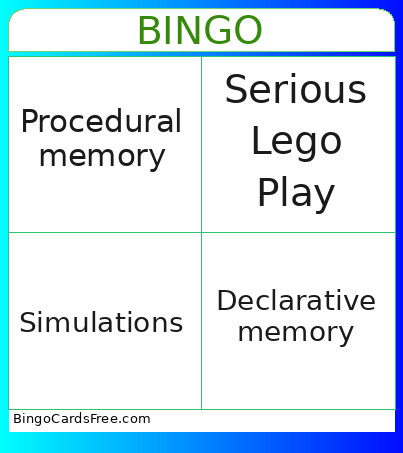 This Games-based learning Bingo Cards Game contains following Words or Phrases: Have you ever used a realistic scenario that mimics a real-world process or situation as a method for experiential learning? ~Simulations, If so, you are already adapting the approach to teaching that emphasises playfulness and creativity as central to learning. ~Ludic pedagogy, There are many ways to do it. You could introduce game-like elements to non-game context to increase engagement and motivation. ~Gamification, By incorporating spontaneous, imaginative and enjoyable activities into learning, you are encouraging people into a state that fosters curiosity and exploration. ~Playfulness, You can also approach this style of teaching by using structured games as the primary method for teaching concepts or skills. ~Games Based Learning, Whilst sometimes seen as silly, one teaching concept is to use play-based methods but for thoughtful and earnest purposes, such as problem solving or for professional development. ~Serious play, And lastly, there are even entire case studies and examples of using automatic binding bricks as a tool for creative problem-solving reflection and collaborative learning. ~Serious Lego Play, By repurposing the familiar games and mechanics, we expose students and academics to enter a state of fun, nurturing a sense of cohesion amongst students. ~Play, Games provide an experience that allows the storing of an event, information or fact ~Declarative memory, But repeated use of games and gamification also provides an opportunity for that information to develop as a skill over time ~Procedural memory.