
Help deal with a Catestrophic Disaster Bingo Cards - Print Free or Customize
Print free Help deal with a Catestrophic Disaster bingo cards or customize, limitless prints! Select from 41,500+ designs or use the bingo card generator. Add numbers, words, images, or all of them. Play using printed PDF, online bingo cards, and the online bingo caller, or mix physical and digital.
About: This bingo card is all about practical compassion and thoughtful support for friends or neighbors recovering from tough times, like a natural disaster or personal loss. It’s a wonderful fit for community groups, workplaces, or support networks looking for meaningful ways to help someone rebuild and feel less alone while keeping the mood gentle and genuine.
How To: To get a PDF to print, click the Print button. You can alter the card quantity and other print options on the Print tab. Grid items and free space text can be edited on the Basic tab. Appearance can be fully customized on the relevant tabs, or you can easily search any preference on the 🔍 tab.
How to play Help deal with a Catestrophic Disaster Bingo Cards?
- Printed Caller: Print PDF calling list & calling slips and physically draw the slips.
- Digital Caller: Click on the Play button above.
- Printed Players: Print PDF bingo cards and physically cross off the cards.
- Digital Players: Click on the Play button above, and then click on the 🎫 button.
- Combo Play: Pick any combination above. For instance, caller can be either Paper or Digital. And players can be Paper or Digital or a combo of both.
Step-By-Step:
- Start by downloading the Help deal with a Catestrophic Disaster PDF by clicking on the "Print" button above.
- Open the PDF and print it.
- For random drawing, you can print another copy of the call list, cut, fold and then pick them randomly at play time.
- Cut the bingo cards at the cut lines if there are greater than 1 bingo cards per page.
- Distribute one card per player. For marking, you can use pencils. Crayons are the cheapest.
- Pick one person to be the caller. If you are playing in a small group, the caller can as well play along with their own Bingo card.
- The caller starts the game by randomly drawing an item from the call list and calling out it to all players.
- The players check their cards to see if they have the called word. If they do, they mark that word.
- The first player to complete a horizontal, vertical, or a diagonal line of marked items announces "Bingo!" and wins the play.
- The caller checks that the items crossed off form a proper line according to the Bingo card and call list.
- You can play for different patterns or a full card blackout for an extended play.
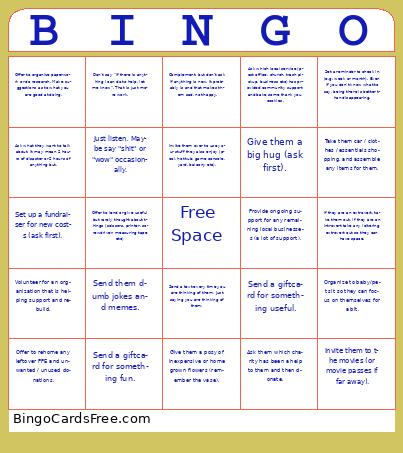 This Help deal with a Catestrophic Disaster Bingo Cards Game contains following Words or Phrases: Set a reminder to check in (e.g. week or month). Even if you don't know what to say, being there is better than disappearing., If they are an extrovert, take them out. If they are an introvert take any loitering extrovert out so they can have space., Provide ongoing support for any remaining local businesses (a lot of support)., Give them a posy of inexpensive or home grown flowers (remember the vase)., Just listen. Maybe say "shit" or "wow" occasionally., Invite them over to use your stuff they also enjoy (pool, hot tub, game console, yard, balcony etc)., Complement, but don't ask if anything is new. It probably is and that makes them sad, not happy., Send a text every time you are thinking of them, just saying you are thinking of them., Organize to baby/pet sit so they can focus on themselves for a bit., Volunteer for an organization that is helping support and rebuild., Invite them to the movies (or movie passes if far away)., Offer to rehome any leftover PPE and unwanted / unused donations., Send a giftcard for something useful., Send a giftcard for something fun., Ask what they want to talk about. It may mean 2 hours of disaster or 2 hours of anything but., Offer to organize paperwork or do research. Make suggestions as to what you are good at doing., Ask them which charity has been a help to them and then donate., Ask which local service (post office, church, trash pickup, business etc) has provided community support and bake some thank you cookies., Set up a fundraiser for new costs (ask first)., Give them a big hug (ask first)., Take them car / clothes / essentials shopping, and assemble any items for them., Offer to lend or give useful but rarely thought about things (scissors, printer, screwdriver, measuring tape etc), Send them dumb jokes and memes., Don't say "if there is anything I can do to help, let me know". That is just more work..