
Home Visitor Bingo Cards - Print Free or Customize
Print free Home Visitor bingo cards or customize, unlimited prints! Pick from 41,500+ designs or use the bingo card generator. Add numbers, phrases, pictures, or all of them. Play using printable PDF, virtual bingo cards, and the virtual bingo caller, or mix physical and digital.
About: This bingo card is perfect for home visitors and early childhood professionals to share laughs, swap stories, and bond over their unique experiences. Whether you're at a staff meeting, training session, or team retreat, this card captures the real-life challenges and rewarding moments that come with supporting families in their homes. It’s a fun way to celebrate the dedication and adaptability of home visiting teams.
How To: To download a PDF to print, click the Print button. You can adjust the card quantity and other print settings on the Print tab. Grid items and free space text can be changed on the Basic tab. Appearance can be highly customized on the relevant tabs, or you can quickly locate any setting on the 🔍 tab.
How to play Home Visitor Bingo Cards?
- Paper Players: Print PDF bingo cards and manually write on the cards.
- Digital Players: Click on the Play button above, and then click on the 🎫 button.
- Paper Caller: Print PDF calling list & calling slips and manually draw the slips.
- Digital Caller: Click on the Play button above.
- Combo Mode: Select any combination above. For instance, caller can be either Printed or Digital. And players can be Printed or Digital or a combination of both.
Step-By-Step:
- Start by downloading the Home Visitor Bingo PDF by clicking on the "Print" button above.
- Open the PDF and print a hard copy.
- For random drawing, you can print another copy of the call list, cut, fold and then pull them randomly at play time.
- Cut the bingo cards at the cut lines if there are greater than 1 bingo cards per page.
- Distribute one card per player. For marking, you can use pens. Crayons cost the least.
- Select one person to be the caller. If you are playing in a small group, the caller may also play along with their own Bingo card.
- The caller initiates the game by randomly drawing an item from the call list and calling out it to everyone.
- The players check their cards to see if they have the called word. If they do, they dab that word.
- The first player to finish a horizontal, vertical, or a diagonal line of crossed items yells "Bingo!" and wins the play.
- The caller validates that the items marked form a correct line according to the Bingo card and call list.
- You can play for varied patterns or a full card blackout for a longer play.
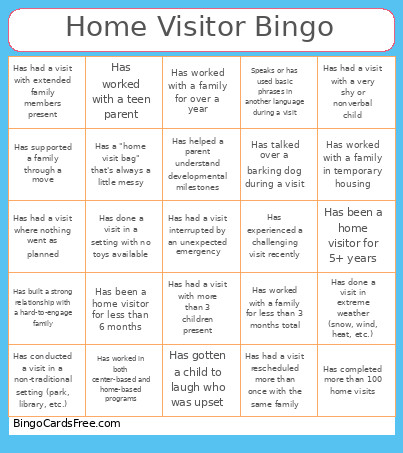 This Home Visitor Bingo Cards Game contains following Words or Phrases: Has been a home visitor for less than 6 months, Has been a home visitor for 5+ years, Has worked in both center-based and home-based programs, Previously worked in a different field before home visiting, Has worked with both prenatal and child enrollment families, Has completed more than 100 home visits, Has had a visit rescheduled more than once with the same family, Has conducted a visit in a non-traditional setting (park, library, etc.), Speaks or has used basic phrases in another language during a visit, Has worked with a family for over a year, Has built a strong relationship with a hard-to-engage family, Has helped a parent understand developmental milestones, Has experienced a challenging visit recently, Has a go-to activity that always works, Has gotten lost on the way to a visit, Has a "home visit bag" that's always a little messy, Has ever forgotten something important for a visit, Has gotten a child to laugh who was upset, Has been offered food during a visit, Has talked over a barking dog during a visit, Has had a visit where nothing went as planned, Has had a child call them by the wrong name, Has worked with a teen parent, Has supported a family through a move, Has had a visit with more than 3 children present, Has traveled more than 30 minutes for a single visit, Has done a visit in extreme weather (snow, wind, heat, etc.), Has worked with a family in temporary housing, Has worked with a family for less than 3 months total, Has had a visit with a very shy or nonverbal child, Has used a translation app during a visit, Has had a visit with extended family members present, Has done back-to-back visits with no break, Has had a visit interrupted by an unexpected emergency, Has done a visit in a setting with no toys available, Has had to problem-solve a safety concern during a visit.