Print free Ice breaker BINGO cards or adjust them,
limitless prints! Pick from 42,200+ templates or use the bingo card generator.
Add numbers, phrases, photos, or any combination.
Play using PDF prints, online bingo cards,
and the online bingo caller, or combine all formats.
About: This bingo card is perfect for icebreaker sessions, team-building events, or classroom gatherings where you want to discover unique stories and hidden talents. Filled with quirky facts and personal tidbits, it sparks fun conversations and helps break down barriers in a relaxed, lighthearted way. Ideal for groups ready to connect beyond the usual small talk!
How To: To get a PDF to print, click the Print button.
You can alter the card quantity and other
print options on the Print tab.
Grid items and free space content can be added on the Basic tab.
Appearance can be fully personalized on the
corresponding tabs, or you can quickly locate any preference
using the 🔍 tab.
How to play Ice breaker BINGO Cards?
Printed Caller: Print PDF calling list & calling slips and physically select the slips.
Printed Players: Print PDF bingo cards and physically cross off the cards.
Digital Players: Click on the Play button above, and then click on the 🎫 button.
Digital Caller: Click on the Play button above.
Hybrid Mode: Select any combination above.
For example, caller can be either Paper or Digital.
And players can be Paper or Digital or a combination of both.
Step-By-Step:
Start by getting the Ice breaker BINGO PDF by clicking on the "Print" button above.
Open the PDF and print it.
For random drawing, you can print another copy of the call list, cut, fold and then pick them randomly at play time.
Cut the bingo cards at the cut lines if there are more than 1 bingo cards per page.
Distribute one card per player. For marking, you can use crayons. Crayons cost the least.
Select one person to be the caller. If you are playing in a small group, the caller may also play along with their own Bingo card.
The caller opens the game by randomly drawing an item from the call list and announcing it to all players.
The players scan their cards to see if they have the called word. If they do, they dab that word.
The first player to complete a horizontal, vertical, or a diagonal line of marked items yells "Bingo!" and wins the play.
The caller confirms that the items crossed off form a correct line as per the Bingo card and call list.
You can play for multiple patterns or a full card blackout for an extended play.
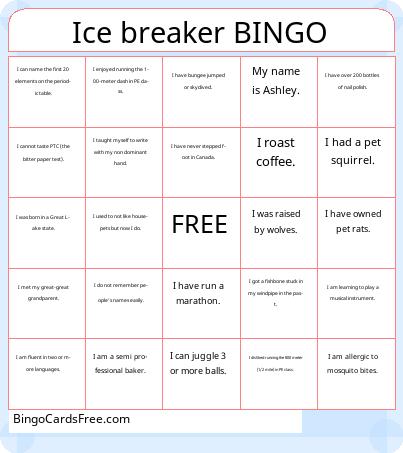
This Ice breaker BINGO Cards Game contains following Words or Phrases: I would rather not participate in icebreakers., My name is Ashley., I have run a marathon., I am a semi professional baker., I have fewer than the normal number of bones., I am learning to play a musical instrument., I do not remember people's names easily., I used to not like housepets but now I do., I had a pet squirrel., I have bungee jumped or skydived., I have owned pet rats., I am allergic to mosquito bites., I have over 35 plants at home., I taught myself to write with my non dominant hand., I have experience raising chickens., I was born in a Great Lake state., I was an all-state musician in high school, I have never stepped foot in Canada., I enjoy canyoneering / rappelling., I have over 200 bottles of nail polish., I was raised by wolves., I roast coffee., I collect coffee mugs., I met my great-great grandparent., I can name the first 20 elements on the periodic table., I cannot taste PTC (the bitter paper test)., I disliked running the 800 meter (1/2 mile) in PE class., I enjoyed running the 100-meter dash in PE class., I can identify all vertebrate species in California., I am fluent in two or more languages., I got a fishbone stuck in my windpipe in the past., I can juggle 3 or more balls..

 This Ice breaker BINGO Cards Game contains following Words or Phrases: I would rather not participate in icebreakers., My name is Ashley., I have run a marathon., I am a semi professional baker., I have fewer than the normal number of bones., I am learning to play a musical instrument., I do not remember people's names easily., I used to not like housepets but now I do., I had a pet squirrel., I have bungee jumped or skydived., I have owned pet rats., I am allergic to mosquito bites., I have over 35 plants at home., I taught myself to write with my non dominant hand., I have experience raising chickens., I was born in a Great Lake state., I was an all-state musician in high school, I have never stepped foot in Canada., I enjoy canyoneering / rappelling., I have over 200 bottles of nail polish., I was raised by wolves., I roast coffee., I collect coffee mugs., I met my great-great grandparent., I can name the first 20 elements on the periodic table., I cannot taste PTC (the bitter paper test)., I disliked running the 800 meter (1/2 mile) in PE class., I enjoyed running the 100-meter dash in PE class., I can identify all vertebrate species in California., I am fluent in two or more languages., I got a fishbone stuck in my windpipe in the past., I can juggle 3 or more balls..