Print free North bingo cards or modify,
unlimited cards! Pick from 41,500+ templates or use the bingo card generator.
Add numbers, words, photos, or mix them all.
Play using printed PDF, online bingo cards,
and the online bingo caller, or mix physical and digital.
About: This bingo card is perfect for a staff meeting or teacher get-together, offering a playful way for educators to bond over common experiences and quirky classroom moments. With a mix of professional milestones and relatable daily habits, it’s sure to spark conversation and laughs among teachers from all backgrounds and career stages.
How To: To download a PDF to print, click the Print button.
You can adjust the card quantity and other
printing options on the Print tab.
Grid items and free space content can be changed on the Basic tab.
Appearance can be highly personalized on the
relevant tabs, or you can quickly find any setting
on the 🔍 tab.
How to play North Bingo Cards?
Printed Caller: Print PDF calling list & calling slips and manually choose the slips.
Printed Players: Print PDF bingo cards and manually write on the cards.
Virtual Caller: Click on the Play button above.
Virtual Players: Click on the Play button above, and then click on the 🎫 button.
Hybrid Play: Select any combination above.
For instance, caller can be either Printed or Virtual.
And players can be Printed or Virtual or a combo of both.
Step-By-Step:
Start by getting the North PDF by clicking on the "Print" button above.
Open the PDF and print a hard copy.
For random drawing, you can print another copy of the call list, cut, fold and then pick them randomly at play time.
Cut the bingo cards at the cut lines if there are greater than 1 bingo cards per page.
Distribute one card per player. For marking, you can use pencils. Crayons cost the least.
Select one person to be the caller. If you are playing in a small group, the caller may as well play along with their own Bingo card.
The caller starts the game by randomly drawing an item from the call list and calling out it to all players.
The players check their cards to see if they have the called word. If they do, they dab that word.
The first player to finish a horizontal, vertical, or a diagonal line of marked items shouts "Bingo!" and wins the game.
The caller confirms that the items marked form a proper line as per the Bingo card and call list.
You can play for different patterns or a full card blackout for a longer game.
This North Bingo Cards Game contains following Words or Phrases: Has worked at 3 or more different schools, Has worked in more than one state or country, Has 10+ years of experience in a school, Has switched grade levels, Has switched subject areas, Has coached a sport, Has sponsored a club, Has worked summer school, Has never been late to work, Has perfect attendance this year, Has stayed at school past 6 PM, Has forgotten to take attendance, Has accidentally replied-all to an email, Has lost their school keys, Has had more than one cup of coffee today, Uses sticky notes daily, Has called a student by the wrong name, Has written the wrong year on the board, Has tripped over a backpack, Has confiscated something unusual, Has Googled something during a lesson, Has used a meme in class, Has said "This will be on the test", Has had a fire drill during testing, Has worked at this school 5+ years, Is new this year, Has served on a committee this year, Has chaired a committee, Has covered another class, Has attended every staff social event, Has hidden in their room during lunch, Is a morning person, Is not a morning person, Drinks coffee daily, Prefers tea, Has a pet, Has more than 2 children, Has traveled to 5+ countries, Has a creative side hobby.

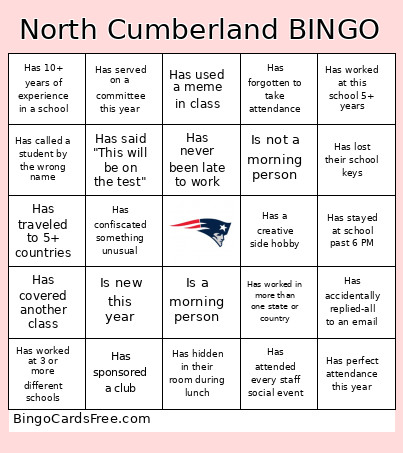 This North Bingo Cards Game contains following Words or Phrases: Has worked at 3 or more different schools, Has worked in more than one state or country, Has 10+ years of experience in a school, Has switched grade levels, Has switched subject areas, Has coached a sport, Has sponsored a club, Has worked summer school, Has never been late to work, Has perfect attendance this year, Has stayed at school past 6 PM, Has forgotten to take attendance, Has accidentally replied-all to an email, Has lost their school keys, Has had more than one cup of coffee today, Uses sticky notes daily, Has called a student by the wrong name, Has written the wrong year on the board, Has tripped over a backpack, Has confiscated something unusual, Has Googled something during a lesson, Has used a meme in class, Has said "This will be on the test", Has had a fire drill during testing, Has worked at this school 5+ years, Is new this year, Has served on a committee this year, Has chaired a committee, Has covered another class, Has attended every staff social event, Has hidden in their room during lunch, Is a morning person, Is not a morning person, Drinks coffee daily, Prefers tea, Has a pet, Has more than 2 children, Has traveled to 5+ countries, Has a creative side hobby.