Print free Gameworks bingo cards or alter them,
limitless cards! Pick from 41,500+ templates or use the bingo card generator.
Add numbers, phrases, images, or mix them all.
Play using printed PDF, virtual bingo cards,
and the virtual bingo caller, or mix physical and digital.
About: This bingo card is perfect for staff and regulars at a busy arcade or game bar during a big event like PAX. It captures those hilarious and chaotic moments everyone on the floor will recognize, from quirky guest questions to classic tech breakdowns. It’s lighthearted, relatable, and guaranteed to get laughs among coworkers or event volunteers.
How To: To save a PDF to print, click the Print button.
You can modify the card count and other
print options on the Print tab.
Grid items and free space content can be changed on the Basic tab.
Appearance can be highly customized on the
relevant tabs, or you can easily search any option
using the 🔍 tab.
How to play Gameworks Bingo Cards?
Paper Caller: Print PDF calling list & calling slips and physically pick the slips.
Virtual Players: Click on the Play button above, and then click on the 🎫 button.
Virtual Caller: Click on the Play button above.
Paper Players: Print PDF bingo cards and physically write on the cards.
Hybrid Mode: Select any combination above.
For example, caller can be either Printed or Virtual.
And players can be Printed or Virtual or a mix of both.
Step-By-Step:
Start by getting the Gameworks PDF by clicking on the "Print" button above.
Open the PDF and print it.
For random calling, you can print another copy of the call list, cut, fold and then pull them randomly at play time.
Cut the bingo cards at the cut lines if there are more than 1 bingo cards per page.
Distribute one card per player. For marking, you can use crayons. Crayons are the cheapest.
Select one person to be the caller. If you are playing in a small group, the caller can also play along with their own Bingo card.
The caller starts the play by randomly picking an item from the call list and calling out it to all players.
The players look at their cards to see if they have the called word. If they do, they dab that word.
The first player to complete a horizontal, vertical, or a diagonal line of crossed items shouts "Bingo!" and wins the play.
The caller checks that the items crossed off form a proper line according to the Bingo card and call list.
You can play for multiple patterns or a full card blackout for an extended play.
This Gameworks Bingo Cards Game contains following Words or Phrases: Someone dancing outside of Emergency Exit, Someone uncomfortably hits on Akimi, A Glass Breaks on the Game Floor, Someone mentions Dave and Busters, Attempt the Emergency Exit, Succeed on the Emergency Exit, Bathroom Code repeated 3 times, Two of the same cosplay meet on the Floor, Guest comes in unaware of PAX, asks about it, VR Game (Beat Saber/Rabbids) breaks down, Coin Pusher Games stop working, Guest asks for a sports game during busy time, Someone commenting on the signs, Javi silently drops off a plate of food at the front well and walks away, Someone tries to steal from Redemption, Someone brings Coin Pusher cards from another location, Someone asks for Ranch after their food arrives, Someone wants a refund for a game card right at close (10 min MAX), Tech gets called twice for different machines, Dylan messes up the announcements, Javi makes a call noone answers, Guest tries to buy a game card with bar or servers, Guest asks "What's your favorite game?", Guest asks about E-Sports.

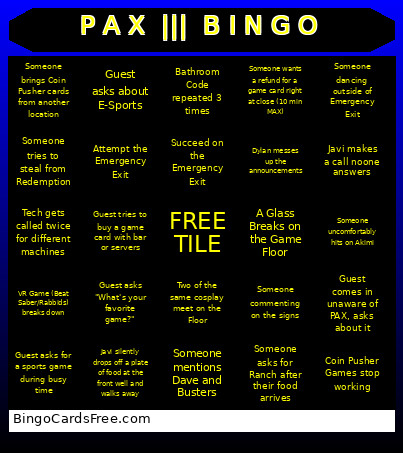 This Gameworks Bingo Cards Game contains following Words or Phrases: Someone dancing outside of Emergency Exit, Someone uncomfortably hits on Akimi, A Glass Breaks on the Game Floor, Someone mentions Dave and Busters, Attempt the Emergency Exit, Succeed on the Emergency Exit, Bathroom Code repeated 3 times, Two of the same cosplay meet on the Floor, Guest comes in unaware of PAX, asks about it, VR Game (Beat Saber/Rabbids) breaks down, Coin Pusher Games stop working, Guest asks for a sports game during busy time, Someone commenting on the signs, Javi silently drops off a plate of food at the front well and walks away, Someone tries to steal from Redemption, Someone brings Coin Pusher cards from another location, Someone asks for Ranch after their food arrives, Someone wants a refund for a game card right at close (10 min MAX), Tech gets called twice for different machines, Dylan messes up the announcements, Javi makes a call noone answers, Guest tries to buy a game card with bar or servers, Guest asks "What's your favorite game?", Guest asks about E-Sports.