
Junior Research Bingo Cards - Print Free or Customize
Print free Junior Research bingo cards or alter them, unlimited prints! Pick from 41,500+ templates or use our bingo card generator. Add numbers, words, images, or mix them all. Play using printable PDF, virtual bingo cards, and our virtual bingo caller, or mix physical and digital.
About: This bingo card is the perfect companion for college students working on a research essay, especially in American history or literature courses. The prompts keep the editing process focused and thorough, covering everything from thesis placement to proper citation practices. It brings a fun, interactive touch to an otherwise serious task, making it ideal for classroom workshops or peer review sessions.
How To: To download a PDF to print, click the Print button. You can adjust the card count and other print settings on the Print tab. Grid items and free space text can be changed on the Basic tab. Appearance can be completely personalized on the corresponding tabs, or you can quickly locate any preference on the 🔍 tab.
How to play Junior Research Bingo Cards?
- Online Caller: Click on the Play button above.
- Online Players: Click on the Play button above, and then click on the 🎫 button.
- Paper Players: Print PDF bingo cards and manually mark the cards.
- Paper Caller: Print PDF calling list & calling slips and manually draw the slips.
- Combo Play: Choose any combination above. For instance, caller can be either Printed or Online. And players can be Printed or Online or a combo of both.
Step-By-Step:
- Start by downloading the Junior Research PDF by clicking on the "Print" button above.
- Open the PDF and print a hard copy.
- For random calling, you can print another copy of the call list, cut, fold and then pick them randomly at play time.
- Cut the bingo cards at the cut marks if there are greater than 1 bingo cards per page.
- Give one card to each player. For marking, you can use pens. Crayons cost the least.
- Choose one person to be the caller. If you are playing in a small group, the caller can as well play along with their own Bingo card.
- The caller initiates the game by randomly picking an item from the call list and announcing it to everyone.
- The players look at their cards to see if they have the announced word. If they do, they cross off that word.
- The first player to finish a horizontal, vertical, or a diagonal line of crossed items yells "Bingo!" and wins the play.
- The caller confirms that the items marked form a correct line as per the Bingo card and call list.
- You can play for multiple patterns or a full card blackout for an extended play.
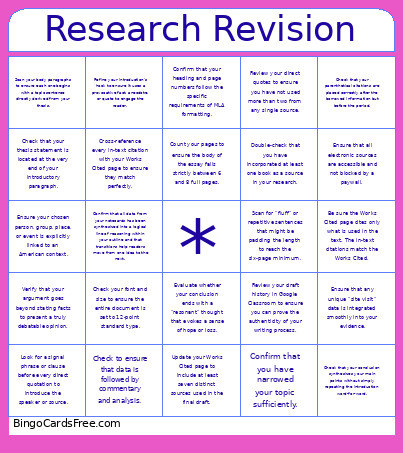 This Junior Research Bingo Cards Game contains following Words or Phrases: Check that your thesis statement is located at the very end of your introductory paragraph., Ensure your chosen person, group, place, or event is explicitly linked to an American context., Verify that your argument goes beyond stating facts to present a truly debatable opinion., Confirm that you have narrowed your topic sufficiently., Scan your body paragraphs to ensure each one begins with a topic sentence directly derived from your thesis., Count your pages to ensure the body of the essay falls strictly between 6 and 8 full pages., Double-check that you have incorporated at least one book as a source in your research., Review your direct quotes to ensure you have not used more than two from any single source., Look for a signal phrase or clause before every direct quotation to introduce the speaker or source., Check your font and size to ensure the entire document is set to 12-point standard type., Confirm that your heading and page numbers follow the specific requirements of MLA formatting., Ensure that all paraphrased or summarized data is cited properly., Ensure that all electronic sources are accessible and not blocked by a paywall., Update your Works Cited page to include at least seven distinct sources used in the final draft., Be sure the Works Cited page cites only what is used in the text. The in-text citations match the Works Cited., Refine your introduction's hook to ensure it uses a provocative fact, anecdote, or quote to engage the reader., Check that your conclusion synthesizes your main points without simply repeating the introduction word-for-word., Evaluate whether your conclusion ends with a "resonant" thought that evokes a sense of hope or loss., Cross-reference every in-text citation with your Works Cited page to ensure they match perfectly., Review your draft history in Google Classroom to ensure you can prove the authenticity of your writing process., Check that your parenthetical citations are placed correctly after the borrowed information but before the period., Ensure that any unique "site visit" data is integrated smoothly into your evidence., Scan for "fluff" or repetitive sentences that might be padding the length to reach the six-page minimum., Confirm that all data from your notecards has been synthesized into a logical line of reasoning within your outline and that transitions help readers move from one idea to the next., Check to ensure that data is followed by commentary and analysis..