
Super Bowl Bingo Cards - Print Free or Customize
Print free Super Bowl bingo cards or alter them, limitless cards! Select from 27,600+ designs or use our bingo card generator. Add numbers, phrases, photos, or any combination. Play using PDF printouts, virtual bingo cards, and our virtual bingo caller, or combine all formats.
About: This bingo card is the perfect companion for any Super Bowl party or big football game gathering. Packed with moments that mix on-field drama, hilarious commercials, celebrity sightings and all the unique chaos of game day, it’ll keep even the casual fans entertained. Great for groups who want to add extra fun and friendly competition to their watch party!
How To: To save a printable PDF, click the Print button. You can alter the number of cards and other printing settings on the Print tab. Grid items and free space content can be changed on the Basic tab. Appearance can be completely personalized on the corresponding tabs, or you can easily locate any option on the 🔍 tab.
How to play Super Bowl Bingo Cards?
- Paper Players: Print PDF bingo cards and manually mark the cards.
- Digital Caller: Click on the Play button above.
- Digital Players: Click on the Play button above, and then click on the 🎫 button.
- Paper Caller: Print PDF calling list & calling slips and manually select the slips.
- Combo Play: Pick any combination above. For instance, caller can be either Offline or Digital. And players can be Offline or Digital or a combination of both.
Step-By-Step:
- Start by saving the Super Bowl Bingo PDF by clicking on the "Print" button above.
- Open the PDF and print a hard copy.
- For random calling, you can print another copy of the call list, cut, fold and then draw them randomly at play time.
- Cut the bingo cards at the cut marks if there are greater than 1 bingo cards per page.
- Distribute one card per player. For marking, you can use crayons. Crayons cost the least.
- Pick one person to be the caller. If you are playing in a small group, the caller may also play along with their own Bingo card.
- The caller begins the play by randomly drawing an item from the call list and calling out it to everyone.
- The players check their cards to see if they have the announced word. If they do, they mark that word.
- The first player to complete a horizontal, vertical, or a diagonal line of crossed items yells "Bingo!" and wins the play.
- The caller checks that the items crossed off form a correct line as per the Bingo card and call list.
- You can play for varied patterns or a full card blackout for an extended play.
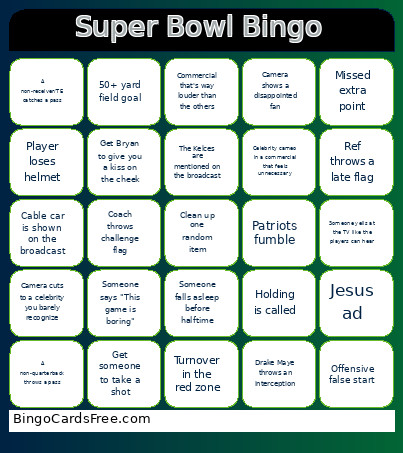 This Super Bowl Bingo Cards Game contains following Words or Phrases: A receiver makes a one-handed catch, Yell "REFS YOU SUCK", Ref throws a late flag, Tom Brady is mentioned on the broadcast, Run play goes for 10+ yards, Onside kick attempt, Sack on 3rd down, Outfit change mid-performance, Get 4 people to do a shot ski, Start a "let's go Broncos" chant, Commercial that's way louder than the others, Missed extra point, Guest artist surprise appearance, Team is up by more than 8 points, Rules expert comes on screen, Talking animal commercial, Somebody gets injured and causes a TV timeout, Bad Bunny flies or is lifted above the stage, Offensive false start, Someone falls asleep before halftime, Announcer says "legacy" or "history", Ad for tax software, Get Adam to take a drink with you, Someone says "This game is boring", Emotional commercial that's way too serious, Camera cuts to a celebrity you barely recognize, Chris Collinsworth praises Patrick Mahomes, Car driven in desert commercial, Touchdown of 15+ yards, Broadcast shows replay of Malcom Butler interception, Cable car is shown on the broadcast, Team runs a tush push, Dog freaks out over cheering, Camera shows fan with no shirt on, Turnover in the red zone, Camera shows a disappointed fan, Coach throws challenge flag, Pass play for 25+ yards, Someone yells at the TV like the players can hear, Sit on the floor for 5 minutes (for good luck), Lola paws you, Robert Kraft is shown, Someone complains about the halftime show, Quarter is scoreless, Peyton Manning appears in a commercial, A non-receiver/TE catches a pass, Player loses helmet, Shotgun a beer (or have someone do it on your behalf), Missed field goal, Get Bryan to give you a kiss on the cheek, Drake Maye throws an interception, Get someone to take a shot, Celebrity cameo in a commercial that feels unnecessary, Patriots fumble, Taylor Swift is mentioned on the broadcast, Pass interference is called, 4th down conversion is made, Chris Collinsworth says "Now here's a guy", AI related commercial, Nostalgic callback to an old ad, Jesus ad, 50+ yard field goal, Stranger things episode 9 is teased, Broadcaster mentions the olympics, Holding is called, A non-quarterback throws a pass, The Kelces are mentioned on the broadcast, Crowd boos a call.