
MPDS Call Handler Bingo Cards - Print Free or Customize
Print free MPDS Call Handler bingo cards or modify, unlimited cards! Choose from 41,500+ templates or use the bingo card generator. Add numbers, phrases, pictures, or mix them all. Play using printable PDF, virtual bingo cards, and the virtual bingo caller, or go hybrid.
About: This bingo card captures the unpredictable and sometimes bewildering world of emergency call handling. Perfect for training sessions or team-building in ambulance control centers, it highlights both the common and odd situations call takers face. The tone is light-hearted yet rooted in real-life scenarios, making it a fun nod to the daily realities of emergency services staff.
How To: To get a PDF to print, click the Print button. You can adjust the number of cards and other print options on the Print tab. Grid items and free space text can be added on the Basic tab. Appearance can be entirely customized on the corresponding tabs, or you can quickly locate any preference using the 🔍 tab.
How to play MPDS Call Handler Bingo Cards?
- Paper Caller: Print PDF calling list & calling slips and manually select the slips.
- Digital Players: Click on the Play button above, and then click on the 🎫 button.
- Paper Players: Print PDF bingo cards and manually cross off the cards.
- Digital Caller: Click on the Play button above.
- Mixed Mode: Pick any combination above. For instance, caller can be either Paper or Digital. And players can be Paper or Digital or a combo of both.
Step-By-Step:
- Start by downloading the MPDS Call Handler Bingo PDF by clicking on the "Print" button above.
- Open the PDF and print a hard copy.
- For random calling, you can print another copy of the call list, cut, fold and then draw them randomly at play time.
- Cut the bingo cards at the cut marks if there are greater than 1 bingo cards per page.
- Distribute one card per player. For marking, you can use markers. Crayons are the cheapest.
- Pick one person to be the caller. If you are playing in a small group, the caller may as well play along with their own Bingo card.
- The caller initiates the play by randomly pulling an item from the call list and calling out it to everyone.
- The players check their cards to see if they have the announced word. If they do, they cross off that word.
- The first player to complete a horizontal, vertical, or a diagonal line of crossed items announces "Bingo!" and wins the game.
- The caller confirms that the items crossed off form a proper line according to the Bingo card and call list.
- You can play for multiple patterns or a full card blackout for an extended game.
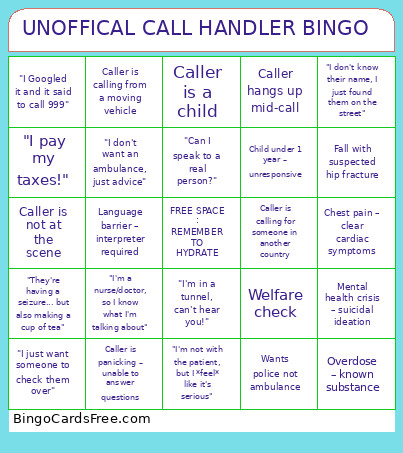 This MPDS Call Handler Bingo Cards Game contains following Words or Phrases: Wants police not ambulance, Wants fire bridage not ambulance, Careline activation - No voice contact, Welfare check, "They're not breathing... but they're talking to me", Caller puts you on hold, "I pay my taxes!", Caller asks for ETA - Expectations managed, "They're unconscious... but they just walked past me", "I don't know their name, I just found them on the street", Is this 999?, "I'm not with the patient, but I *feel* like it's serious", "I just want someone to check them over", "They've been dead for 3 days but can you send someone anyway?", "I'm a nurse/doctor, so I know what I'm talking about", "I don't want an ambulance, just advice", "I Googled it and it said to call 999", "They're having a seizure... but also making a cup of tea", "I'm in a tunnel, can't hear you!", "I'm calling from a moving car", "They're bleeding... but not badly, just a pint or so", "I'm not sure where I am, but there's a Tesco nearby", "Can I speak to a real person?", "I've called 999 five times already today", "It's not urgent, but ", "They're fine now, but I still want an ambulance", "I'm not answering any more questions – just send someone!", Chest pain – clear cardiac symptoms, Unconscious and not breathing – CPR in progress, Severe difficulty breathing – asthma/COPD, Stroke symptoms – FAST positive, Seizure – actively fitting, Fall with suspected hip fracture, Overdose – known substance, Mental health crisis – suicidal ideation, Pregnancy – active labour, Child under 1 year – unresponsive, RTC – multiple patients, Caller is a healthcare professional, Caller is a child, Language barrier – interpreter required, Caller is panicking – unable to answer questions, Caller is calm despite serious symptoms, Caller refuses to stay with patient, Caller is intoxicated, Caller is aggressive or abusive, Caller hangs up mid-call, Caller is calling from a moving vehicle, Caller is not at the scene, Caller is calling for someone in another country.