Print free VARK BINGO cards or adjust them,
limitless cards! Pick from 42,200+ templates or use our bingo card generator.
Add numbers, phrases, pictures, or mix them all.
Play using PDF prints, online bingo cards,
and our online bingo caller, or mix physical and digital.
About: This bingo card captures a variety of learning preferences and styles, making it perfect for education workshops, teacher training sessions, or classroom activities that focus on self-awareness. Its tone is supportive and reflective, encouraging participants to think about how they learn best. Use this card to spark conversations about personalized education and effective study habits.
How To: To get a printable PDF, click the Print button.
You can modify the card count and other
printing preferences on the Print tab.
Grid items and free space content can be changed on the Basic tab.
Appearance can be completely customized on the
corresponding tabs, or you can quickly find any option
on the 🔍 tab.
How to play VARK BINGO Cards?
Virtual Players: Click on the Play button above, and then click on the 🎫 button.
Printed Players: Print PDF bingo cards and manually scratch the cards.
Virtual Caller: Click on the Play button above.
Printed Caller: Print PDF calling list & calling slips and manually select the slips.
Combo Play: Pick any combination above.
For instance, caller can be either Printed or Virtual.
And players can be Printed or Virtual or a combo of both.
Step-By-Step:
Start by getting the VARK BINGO PDF by clicking on the "Print" button above.
Open the PDF and print it.
For random calling, you can print another copy of the call list, cut, fold and then pull them randomly at play time.
Cut the bingo cards at the cut lines if there are more than 1 bingo cards per page.
Distribute one card per player. For marking, you can use pens. Crayons cost the least.
Pick one person to be the caller. If you are playing in a small group, the caller may also play along with their own Bingo card.
The caller begins the game by randomly drawing an item from the call list and calling out it to everyone.
The players look at their cards to see if they have the called word. If they do, they cross off that word.
The first player to finish a horizontal, vertical, or a diagonal line of marked items announces "Bingo!" and wins the play.
The caller validates that the items marked form a correct line as per the Bingo card and call list.
You can play for different patterns or a full card blackout for a longer play.
This VARK BINGO Cards Game contains following Words or Phrases: I like learning through case studies, I prefer when my teacher uses handouts, books, or readings, I prefer using graphs when studying, I attend workshops or practical classes, I prefer to listen to podcasts or audiobooks, I prefer using study guides or outlines, I like to see interesting design and visual features when learning, I see patterns when I learn, I learn by using diagrams or charts, I like working with designs, or maps, I would learn most from listening, I like talking to myself when learning, I prefer question and answer and group discussion, I explain concepts to others to understand them better, I remember information by hearing it explained, I summarize information in writing, I remember things better when I write them down, I learn best by reading books or articles, I like to have written instructions to follow, I take notes and organize them when studying, I learn best through demonstrations, When learning something new, I like to watch others first, I prefer applying my knowledge in real situations, I enjoy solving problems hands-on, I enjoy doing hands-on activities.

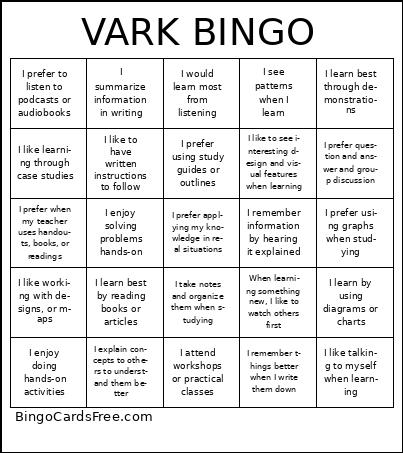 This VARK BINGO Cards Game contains following Words or Phrases: I like learning through case studies, I prefer when my teacher uses handouts, books, or readings, I prefer using graphs when studying, I attend workshops or practical classes, I prefer to listen to podcasts or audiobooks, I prefer using study guides or outlines, I like to see interesting design and visual features when learning, I see patterns when I learn, I learn by using diagrams or charts, I like working with designs, or maps, I would learn most from listening, I like talking to myself when learning, I prefer question and answer and group discussion, I explain concepts to others to understand them better, I remember information by hearing it explained, I summarize information in writing, I remember things better when I write them down, I learn best by reading books or articles, I like to have written instructions to follow, I take notes and organize them when studying, I learn best through demonstrations, When learning something new, I like to watch others first, I prefer applying my knowledge in real situations, I enjoy solving problems hands-on, I enjoy doing hands-on activities.