
2026 CPM BINGO Cards - Print Free or Customize
Print free 2026 CPM BINGO cards or customize, limitless cards! Select from 41,500+ templates or use the bingo card generator. Add numbers, phrases, photos, or mix them all. Play using printable PDF, online bingo cards, and the online bingo caller, or mix physical and digital.
About: This bingo card is all about the wild, unexpected, and sometimes hilarious situations that property managers and maintenance staff run into on the job. Whether it’s handling emergencies, dealing with quirky tenants, or facing off against bewildering building issues, this card brings a fun twist to those unpredictable days. Perfect for team meetings or industry events, it’ll have your property management crew laughing in recognition as they play.
How To: To save a printable PDF, click the Print button. You can change the number of cards and other printing settings on the Print tab. Grid items and free space content can be added on the Basic tab. Appearance can be completely customized on the relevant tabs, or you can easily locate any setting on the 🔍 tab.
How to play 2026 CPM BINGO Cards?
- Digital Caller: Click on the Play button above.
- Printed Players: Print PDF bingo cards and physically mark the cards.
- Digital Players: Click on the Play button above, and then click on the 🎫 button.
- Printed Caller: Print PDF calling list & calling slips and physically draw the slips.
- Mixed Play: Pick any combination above. For instance, caller can be either Printed or Digital. And players can be Printed or Digital or a combo of both.
Step-By-Step:
- Start by downloading the 2026 CPM BINGO PDF by clicking on the "Print" button above.
- Open the PDF and print a hard copy.
- For random drawing, you can print another copy of the call list, cut, fold and then pick them randomly at play time.
- Cut the bingo cards at the cut lines if there are greater than 1 bingo cards per page.
- Give one card to each player. For marking, you can use markers. Crayons are the cheapest.
- Pick one person to be the caller. If you are playing in a small group, the caller may as well play along with their own Bingo card.
- The caller begins the play by randomly picking an item from the call list and announcing it to everyone.
- The players look at their cards to see if they have the announced word. If they do, they dab that word.
- The first player to complete a horizontal, vertical, or a diagonal line of marked items announces "Bingo!" and wins the play.
- The caller checks that the items crossed off form a correct line as per the Bingo card and call list.
- You can play for multiple patterns or a full card blackout for an extended play.
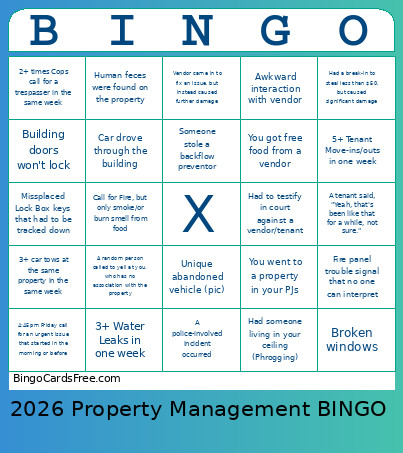 This 2026 CPM BINGO Cards Game contains following Words or Phrases: 3+ Water Leaks in one week, Sewer backup, After-Hours call that could have waited, A random person called to yell at you, who has no association with the property, Unique illegally dumped item (Pic), Someone followed up less than 1hour after reporting a non-urgent issue, 3+ people in the same tenant space call to report an issue, ADA issue reported, 5+ Tenant Move-ins/outs in one week, Unique Animal on property (Pic), Fire, You went to a property in your PJs, Your tech got a compliment from a difficult tenant, You got free food from a vendor, A tenant said, "Yeah, that's been like that for a while, not sure.", Had to testify in court against a vendor/tenant, Had a break-in to steal less than $50, but caused significant damage, Had someone living in your ceiling (Phrogging), Vendor came in to fix an issue, but instead caused further damage, RV parked on site, Someone stole copper from the building, Someone stole a backflow preventor, Creative break-in, Call for bodily fluids that need cleaning., Asked for security camera footage – even if you don't have cameras!, Graffiti, Unique Graffiti (pic), Needing 3+ vendors to investiagte same issue, Missplaced Lock Box keys that had to be tracked down, Tenants report "too hot" and "too cold" in same day, Unique abandoned vehicle (pic), A police-involved incident occurred, 3+ car tows at the same property in the same week, Served papers for a slip and fall lawsuit, Fire panel trouble signal that no one can interpret, 4:45pm Friday call for an urgent issue that started in the morning or before, Broken windows, Human feces were found on the property, Car drove through the building, Building doors won't lock, Strong odor that no one can figure out, Leak reported "flooding" but only a small drip, Elevator Entrapement, Call for Fire, but only smoke/or burn smell from food, Call for Gas leak, but it was a sewer issue, 2+ times Cops call for a trespasser in the same week, Awkward interaction with vendor, Stolen plants.