Print free 5D Visual bingo cards or modify,
limitless prints! Choose from 41,500+ designs or use the bingo card generator.
Add numbers, words, pictures, or all of them.
Play using PDF printouts, digital bingo cards,
and the digital bingo caller, or mix physical and digital.
About: This bingo card is perfect for aviation professionals, flight dispatchers, or anyone attending a flight operations training or software demo. With references to tools, features, and workflows found in modern flight planning systems, the card adds an extra layer of fun and focus to highly technical meetings or workshops. It’s a great way to stay engaged while exploring industry-specific processes.
How To: To get a PDF to print, click the Print button.
You can change the number of cards and other
print preferences on the Print tab.
Grid items and free space text can be added on the Basic tab.
Appearance can be totally customized on the
corresponding tabs, or you can quickly search any preference
on the 🔍 tab.
How to play 5D Visual Bingo Cards?
Digital Players: Click on the Play button above, and then click on the 🎫 button.
Printed Players: Print PDF bingo cards and physically write on the cards.
Digital Caller: Click on the Play button above.
Printed Caller: Print PDF calling list & calling slips and physically draw the slips.
Hybrid Play: Choose any combination above.
For example, caller can be either Paper or Digital.
And players can be Paper or Digital or a combination of both.
Step-By-Step:
Start by getting the 5D Visual PDF by clicking on the "Print" button above.
Open the PDF and print a hard copy.
For random drawing, you can print another copy of the call list, cut, fold and then pick them randomly at play time.
Cut the bingo cards at the cut lines if there are more than 1 bingo cards per page.
Give one card to each player. For marking, you can use markers. Crayons cost the least.
Choose one person to be the caller. If you are playing in a small group, the caller can also play along with their own Bingo card.
The caller opens the game by randomly drawing an item from the call list and saying it to everyone.
The players look at their cards to see if they have the announced word. If they do, they cross off that word.
The first player to complete a horizontal, vertical, or a diagonal line of crossed items announces "Bingo!" and wins the game.
The caller checks that the items marked form a proper line as per the Bingo card and call list.
You can play for varied patterns or a full card blackout for a longer game.
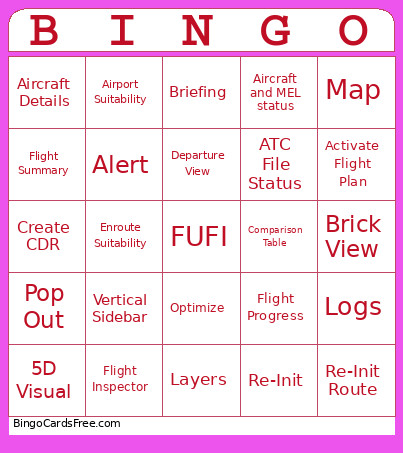
This 5D Visual Bingo Cards Game contains following Words or Phrases: Vertical Sidebar, Brick View, Flight Inspector, Break Out, Airport Radial, Optimize, Re-Init, 5D Visual, Departure View, Pop Out, Alert, Comparison Table, Flight Details Tabs, Suitability, Briefing, Logs, Flight Status Bar, CFMU Validation, ATC File Status, Activate Flight Plan, Delete Flight Plan, Aircraft and MEL status, Airport Suitability, Enroute Suitability, Fuel Ladder, Map, Aircraft Details, Flight Progress, Flight Summary, Structural, Layers, Lock Auto, Re-Init Route, Create CDR, Link.

 This 5D Visual Bingo Cards Game contains following Words or Phrases: Vertical Sidebar, Brick View, Flight Inspector, Break Out, Airport Radial, Optimize, Re-Init, 5D Visual, Departure View, Pop Out, Alert, Comparison Table, Flight Details Tabs, Suitability, Briefing, Logs, Flight Status Bar, CFMU Validation, ATC File Status, Activate Flight Plan, Delete Flight Plan, Aircraft and MEL status, Airport Suitability, Enroute Suitability, Fuel Ladder, Map, Aircraft Details, Flight Progress, Flight Summary, Structural, Layers, Lock Auto, Re-Init Route, Create CDR, Link.