Print free Bimgo bingo cards or alter them,
limitless prints! Choose from 42,200+ templates or use the bingo card generator.
Add numbers, phrases, photos, or any combination.
Play using PDF prints, virtual bingo cards,
and the virtual bingo caller, or go hybrid.
About: This bingo card perfectly captures the quirks and running jokes of academic conferences, especially in astronomy or astrophysics settings. With references to memorable faculty personalities, technical hiccups, and classic session interruptions, it’s ideal for graduate students or researchers looking to add a playful twist to seminar days, retreats, or department symposiums.
How To: To download a printable PDF, click the Print button.
You can change the card quantity and other
print settings on the Print tab.
Grid items and free space text can be edited on the Basic tab.
Appearance can be completely customized on the
corresponding tabs, or you can easily search any option
on the 🔍 tab.
How to play Bimgo Bingo Cards?
Online Caller: Click on the Play button above.
Paper Caller: Print PDF calling list & calling slips and manually choose the slips.
Paper Players: Print PDF bingo cards and manually cross off the cards.
Online Players: Click on the Play button above, and then click on the 🎫 button.
Mixed Mode: Select any combination above.
For instance, caller can be either Paper or Online.
And players can be Paper or Online or a mix of both.
Step-By-Step:
Start by saving the Bimgo PDF by clicking on the "Print" button above.
Open the PDF and print it.
For random calling, you can print another copy of the call list, cut, fold and then pick them randomly at play time.
Cut the bingo cards at the cut marks if there are greater than 1 bingo cards per page.
Give one card to each player. For marking, you can use pencils. Crayons are the cheapest.
Select one person to be the caller. If you are playing in a small group, the caller can as well play along with their own Bingo card.
The caller initiates the game by randomly picking an item from the call list and calling out it to everyone.
The players check their cards to see if they have the announced word. If they do, they dab that word.
The first player to complete a horizontal, vertical, or a diagonal line of marked items shouts "Bingo!" and wins the game.
The caller validates that the items marked form a correct line as per the Bingo card and call list.
You can play for varied patterns or a full card blackout for an extended game.
This Bimgo Bingo Cards Game contains following Words or Phrases: Technical Difficulties, The previous slide burned on the current slide, More than 5 profs are missing the whole talk, "Try to stay on schedule", EL: "We're very proud of everyone and their research", EL: Misses the first talk after giving intro, ZS: Interrupts talk with a non-clarification question, ZS: "Interesting", ZS: Coughs in the middle of his question, ZS: Twirls his hair in the middle of his question, ZS: Eats during talk, despite the lunch break, ZS: Misses his own student's talk, ZS: Blurts out his own joke during a talk, ZS: Can hear him running in the hallway, AG: Interrupts talk with a non-clarification question, AG: Follow-up question on his own question, AG: "I have two questions", AG: Pops Liquid Death, AG: Makes a hurricane joke, JD: "Stupid / dumb question", CT: Interrupts talk without raising hand, CT: Explains your research to you, DN: Mentions dust, "More of a comment than a question", Door gets shut because of noise in the hallway, Door has to be unlocked midway through a talk, "Kepler has found thousands of exoplanets", Your reviewer does not show up, [free space] someone puts a meme in their talk, [free space][alternative] reviewers never send their feedback.

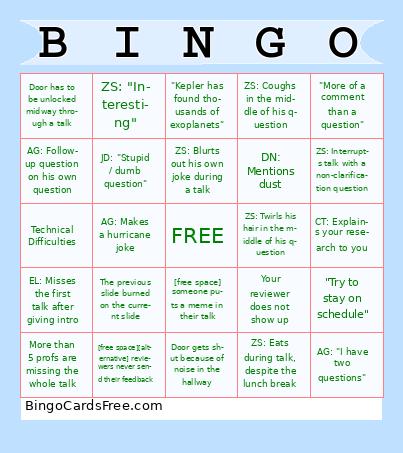 This Bimgo Bingo Cards Game contains following Words or Phrases: Technical Difficulties, The previous slide burned on the current slide, More than 5 profs are missing the whole talk, "Try to stay on schedule", EL: "We're very proud of everyone and their research", EL: Misses the first talk after giving intro, ZS: Interrupts talk with a non-clarification question, ZS: "Interesting", ZS: Coughs in the middle of his question, ZS: Twirls his hair in the middle of his question, ZS: Eats during talk, despite the lunch break, ZS: Misses his own student's talk, ZS: Blurts out his own joke during a talk, ZS: Can hear him running in the hallway, AG: Interrupts talk with a non-clarification question, AG: Follow-up question on his own question, AG: "I have two questions", AG: Pops Liquid Death, AG: Makes a hurricane joke, JD: "Stupid / dumb question", CT: Interrupts talk without raising hand, CT: Explains your research to you, DN: Mentions dust, "More of a comment than a question", Door gets shut because of noise in the hallway, Door has to be unlocked midway through a talk, "Kepler has found thousands of exoplanets", Your reviewer does not show up, [free space] someone puts a meme in their talk, [free space][alternative] reviewers never send their feedback.