Print free bingo 3 vallees cards or personalize,
unlimited cards! Pick from 41,500+ templates or use our bingo card generator.
Add numbers, phrases, photos, or mix them all.
Play using PDF prints, virtual bingo cards,
and our virtual bingo caller, or mix physical and digital.
About: This bingo card perfectly captures the spirit and chaos of a group ski trip, blending on-slope adventures with classic après-ski antics. Full of inside jokes and memorable moments, it’s ideal for friends or families looking to add some extra fun and friendly competition to their mountain getaway. Expect plenty of laughter as you spot these familiar scenarios throughout your alpine holiday!
How To: To get a printable PDF, click the Print button.
You can alter the card quantity and other
print options on the Print tab.
Grid items and free space text can be added on the Basic tab.
Appearance can be totally personalized on the
corresponding tabs, or you can quickly find any option
using the 🔍 tab.
How to play Bingo 3 vallees Cards?
Paper Players: Print PDF bingo cards and physically cross off the cards.
Digital Players: Click on the Play button above, and then click on the 🎫 button.
Digital Caller: Click on the Play button above.
Paper Caller: Print PDF calling list & calling slips and physically select the slips.
Combo Mode: Choose any combination above.
For instance, caller can be either Printed or Digital.
And players can be Printed or Digital or a combo of both.
Step-By-Step:
Start by saving the Bingo 3 vallees PDF by clicking on the "Print" button above.
Open the PDF and print a hard copy.
For random calling, you can print another copy of the call list, cut, fold and then pull them randomly at play time.
Cut the bingo cards at the cut marks if there are greater than 1 bingo cards per page.
Distribute one card per player. For marking, you can use crayons. Crayons cost the least.
Choose one person to be the caller. If you are playing in a small group, the caller can also play along with their own Bingo card.
The caller initiates the play by randomly drawing an item from the call list and saying it to everyone.
The players scan their cards to see if they have the announced word. If they do, they mark that word.
The first player to complete a horizontal, vertical, or a diagonal line of marked items yells "Bingo!" and wins the game.
The caller verifies that the items marked form a proper line as per the Bingo card and call list.
You can play for different patterns or a full card blackout for an extended game.
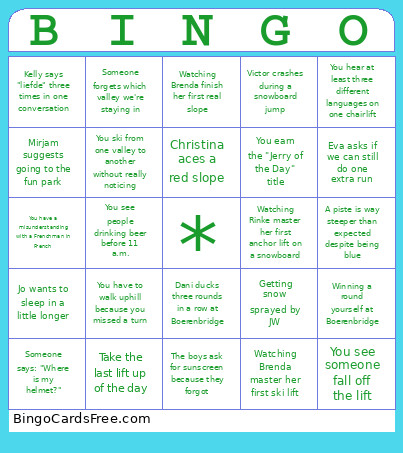
This Bingo 3 vallees Cards Game contains following Words or Phrases: Winning a round yourself at Boerenbridge, Dani ducks three rounds in a row at Boerenbridge, Victor crashes during a snowboard jump, You see someone fall off the lift, You see someone dancing on a table shirtless before 4 p.m., A polonaise starts during après-ski, Someone says: "Where is my helmet?", A ski instructor chases after a Louis child from their lesson, Watching Brenda master her first ski lift, Watching Rinke master her first anchor lift on a snowboard, Watching Brenda finish her first real slope, Getting snow sprayed by JW, You earn the "Jerry of the Day" title, You have to walk uphill because you missed a turn, Helping a snowboarder out of trouble, You're the first one to ski a freshly groomed piste, You see people drinking beer before 11 a.m., Drink a hot chocolate, Having a beer at bar Roc Seven, You find the French version of the Soofmobile, Eva asks if we can still do one extra run, Mirjam suggests going to the fun park, Lunch turns into a 2-hour terrace session in the sun, You hear at least three different languages on one chairlift, Someone forgets which valley we're staying in, You ski from one valley to another without really noticing, Someone underestimates how long a "quick link" lift will take, A piste is way steeper than expected despite being blue, You have a misunderstanding with a Frenchman in French, Take the last lift up of the day, Kelly says "liefde" three times in one conversation, Christina aces a red slope, Jeroen chills with sunglasses on on the terrace, Sophie advises a sultana on the slope, Thomas breaks the speed record, Yaron wonders how to make sure to be here next year again 👶, Jo wants to sleep in a little longer, The boys ask for sunscreen because they forgot.

 This Bingo 3 vallees Cards Game contains following Words or Phrases: Winning a round yourself at Boerenbridge, Dani ducks three rounds in a row at Boerenbridge, Victor crashes during a snowboard jump, You see someone fall off the lift, You see someone dancing on a table shirtless before 4 p.m., A polonaise starts during après-ski, Someone says: "Where is my helmet?", A ski instructor chases after a Louis child from their lesson, Watching Brenda master her first ski lift, Watching Rinke master her first anchor lift on a snowboard, Watching Brenda finish her first real slope, Getting snow sprayed by JW, You earn the "Jerry of the Day" title, You have to walk uphill because you missed a turn, Helping a snowboarder out of trouble, You're the first one to ski a freshly groomed piste, You see people drinking beer before 11 a.m., Drink a hot chocolate, Having a beer at bar Roc Seven, You find the French version of the Soofmobile, Eva asks if we can still do one extra run, Mirjam suggests going to the fun park, Lunch turns into a 2-hour terrace session in the sun, You hear at least three different languages on one chairlift, Someone forgets which valley we're staying in, You ski from one valley to another without really noticing, Someone underestimates how long a "quick link" lift will take, A piste is way steeper than expected despite being blue, You have a misunderstanding with a Frenchman in French, Take the last lift up of the day, Kelly says "liefde" three times in one conversation, Christina aces a red slope, Jeroen chills with sunglasses on on the terrace, Sophie advises a sultana on the slope, Thomas breaks the speed record, Yaron wonders how to make sure to be here next year again 👶, Jo wants to sleep in a little longer, The boys ask for sunscreen because they forgot.