
Bthree Bingo Cards - Print Free or Customize
Print free Bthree bingo cards or customize, unlimited prints! Pick from 41,500+ designs or use our bingo card generator. Add numbers, words, pictures, or any combination. Play using printed PDF, virtual bingo cards, and our virtual bingo caller, or mix physical and digital.
About: This bingo card is perfect for adventurous souls exploring New York City and looking to connect in fun, quirky ways. With challenges that blend kindness, creativity, and playful social interactions, it brings an upbeat, spontaneous tone to any city outing. Great for team-building events, friend groups, or anyone eager to rediscover the city with fresh eyes and a big sense of humor.
How To: To download a PDF to print, click the Print button. You can alter the card count and other print options on the Print tab. Grid items and free space text can be changed on the Basic tab. Appearance can be completely personalized on the corresponding tabs, or you can easily find any option using the 🔍 tab.
How to play Bthree Bingo Cards?
- Virtual Caller: Click on the Play button above.
- Printed Players: Print PDF bingo cards and physically mark the cards.
- Printed Caller: Print PDF calling list & calling slips and physically choose the slips.
- Virtual Players: Click on the Play button above, and then click on the 🎫 button.
- Mixed Play: Choose any combination above. For example, caller can be either Paper or Virtual. And players can be Paper or Virtual or a combination of both.
Step-By-Step:
- Start by getting the Bthree PDF by clicking on the "Print" button above.
- Open the PDF and print a hard copy.
- For random calling, you can print another copy of the call list, cut, fold and then draw them randomly at play time.
- Cut the bingo cards at the cut marks if there are greater than 1 bingo cards per page.
- Give one card to each player. For marking, you can use pens. Crayons cost the least.
- Choose one person to be the caller. If you are playing in a small group, the caller can as well play along with their own Bingo card.
- The caller begins the game by randomly drawing an item from the call list and announcing it to everyone.
- The players look at their cards to see if they have the announced word. If they do, they dab that word.
- The first player to complete a horizontal, vertical, or a diagonal line of crossed items shouts "Bingo!" and wins the game.
- The caller checks that the items crossed off form a correct line as per the Bingo card and call list.
- You can play for multiple patterns or a full card blackout for a longer game.
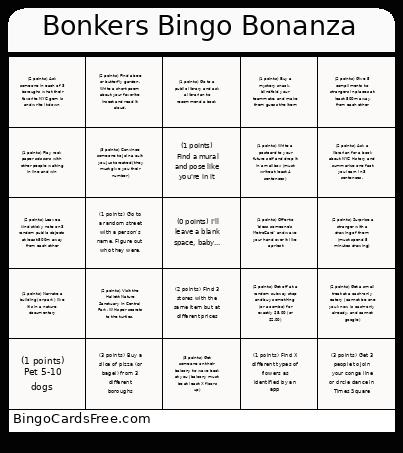 This Bthree Bingo Cards Game contains following Words or Phrases: (2 points) Give 5 compliments to strangers in places at least 500m away from each other, (2 points) Surprise a stranger with a drawing of them (must spend 5 minutes drawing), (1 points) Offer to 'bless someone's MetroCard' and wave your hand over it like a priest, (3 points) Get someone on their balcony to wave back at you (balcony must be at least X floors up), (3 points) Convince someone to join a cult you just created (they must give you their number), (1 points) Find a mural and pose like you're in it, (1 points) Go to a public library and ask a librarian to recommend a book, (2 points) Find 3 stores with the same item but at different prices, (2 points) Get a small treat at a cash-only eatery (cannot be one you know is cash-only already, and cannot google), (1 points) Narrate a building (or park) like it's in a nature documentary, (3 points) Get 3 people to join your conga line or circle dance in Times Square, (1 points) Pet 5-10 dogs, (2 points) Get off at a random subway stop and buy something (or a combo) for exactly $5.00 (or $2.00), (3 points) Buy a slice of pizza (or bagel) from 3 different boroughs, (1 points) Play rock paper scissors with other people waiting in line and win, (2 points) Ask someone in each of 3 boroughs what their favorite NYC gem is and write it down, (1 points) Find X different types of flowers as identified by an app, (1 points) Buy a mystery snack, blindfold your teammate, and make them guess the item, (2 points) Leave a kind sticky note on 3 random public objects at least 500m away from each other, (1 points) Write a postcard to your future self and drop it in a mailbox (must write at least 4 sentences), (2 points) Ask a librarian for a book about NYC history and summarize one fact you learn in 3 sentences., (1 points) Go to a random street with a person's name. Figure out who they were., (2 points) Visit the Hallett Nature Sanctuary in Central Park. Whisper secrets to the turtles., (2 points) Find a bee or butterfly garden. Write a short poem about your favorite insect and read it aloud..