
College Experience Bingo Cards - Print Free or Customize
Print free College Experience bingo cards or alter them, unlimited prints! Choose from 42,200+ templates or use our bingo card generator. Add numbers, phrases, pictures, or any combination. Play using PDF prints, digital bingo cards, and our digital bingo caller, or combine all formats.
About: This bingo card captures the ups and downs of college life at a liberal arts school, mixing classic academic struggles with quirky campus traditions and relatable student moments. It’s perfect for new students, orientation leaders, or anyone who wants to laugh about the highs and lows of navigating college. The tone is lighthearted, self-aware, and uniquely collegiate.
How To: To get a PDF to print, click the Print button. You can change the number of cards and other printing options on the Print tab. Grid items and free space text can be added on the Basic tab. Appearance can be completely personalized on the corresponding tabs, or you can easily find any option using the 🔍 tab.
How to play College Experience Bingo Cards?
- Digital Players: Click on the Play button above, and then click on the 🎫 button.
- Paper Players: Print PDF bingo cards and manually write on the cards.
- Digital Caller: Click on the Play button above.
- Paper Caller: Print PDF calling list & calling slips and manually pick the slips.
- Mixed Play: Select any combination above. For example, caller can be either Offline or Digital. And players can be Offline or Digital or a combination of both.
Step-By-Step:
- Start by saving the College Experience Bingo PDF by clicking on the "Print" button above.
- Open the PDF and print it.
- For random calling, you can print another copy of the call list, cut, fold and then pull them randomly at play time.
- Cut the bingo cards at the cut lines if there are greater than 1 bingo cards per page.
- Give one card to each player. For marking, you can use pens. Crayons are the cheapest.
- Select one person to be the caller. If you are playing in a small group, the caller can also play along with their own Bingo card.
- The caller begins the play by randomly pulling an item from the call list and calling out it to everyone.
- The players check their cards to see if they have the called word. If they do, they mark that word.
- The first player to complete a horizontal, vertical, or a diagonal line of crossed items announces "Bingo!" and wins the play.
- The caller confirms that the items marked form a correct line as per the Bingo card and call list.
- You can play for different patterns or a full card blackout for a longer play.
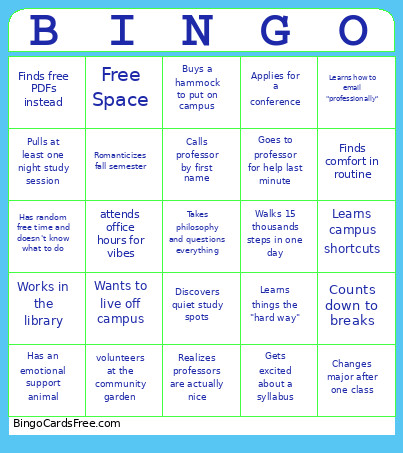 This College Experience Bingo Cards Game contains following Words or Phrases: Attends a liberal arts college, Takes philosophy and questions everything, "This is my dream school", Stays on campus for breaks, Calls professor by first name, Discovers office hours are actually helpful, Eats in dining hall 4x in one day, Goes to random campus event for free food, Applies to unpaid internships, Becomes a LinkedIn person overnight, Uses big words from class casually, Changes major after one class, Declares two majors, attends office hours for vibes, Experiences imposter syndrome, Joins too many clubs at once, Starts a club, Becomes a club leader first semester, Walks 15 thousands steps in one day, Sits in the library but get no work done, Buys a hammock to put on campus, Cries over one bad grade, Active in Dorms Group Chat, Avoids dorm group chats, Learns how to email "professionally", Rereads email 5 times before sending, Gets excited about a syllabus, Buys books… doesn't read them, Finds free PDFs instead, Eats the same meal every day, Calls home after something minor, Feels guilty for not calling home more, Tries to explain major to family, Says "I'm so busy" constantly, Has random free time and doesn't know what to do, Takes notes like life depends on it, Stops taking notes halfway through semester, Pulls at least one night study session, Babysits from a professor, Discovers quiet study spots, Ask for an extension, Goes to professor for help last minute, Realizes professors are actually nice, Field Trip to the City., Starts networking during orientation, Attends career event for snacks, Makes a resume, Learns what a cover letter is, Applies for a conference, Finds comfort in routine, Learns campus shortcuts, Has a favorite building, Romanticizes fall semester, Dreads midterms and finals, Counts down to breaks, Comes back from break tired, Learns things the "hard way", Works in the library, Realizes no one knows everything, Proud of yourself for making it to college, volunteers at the community garden, dreads FAFSA every year, makes friends at Spring Open House, Wants to live off campus, Has an emotional support animal, Makes tiktoks about their college experience, Host a radio show, Takes an 8 AM class, becomes and RA, switches roommates first semester, attends college out of state, college has an honor code.