
Vacay Bingo - Dan Cards - Print Free or Customize
Print free Vacay bingo - Dan cards or adjust them, unlimited cards! Choose from 39,500+ designs or use the bingo card generator. Add numbers, phrases, images, or all of them. Play using PDF prints, online bingo cards, and the online bingo caller, or mix physical and digital.
About: This bingo card captures the chaos and hilarity of a group road trip with friends who know each other's quirks inside out. Expect inside jokes, teasing, silly mishaps, and real-life moments that only happen when you’re traveling together. Perfect for a friend group getaway or a long car journey, it’s sure to spark laughter and friendly competition.
How To: To save a printable PDF, click the Print button. You can modify the card quantity and other print preferences on the Print tab. Grid items and free space text can be changed on the Basic tab. Appearance can be fully customized on the relevant tabs, or you can easily locate any preference using the 🔍 tab.
How to play Vacay Bingo - Dan Cards?
- Digital Caller: Click on the Play button above.
- Paper Players: Print PDF bingo cards and manually cross off the cards.
- Digital Players: Click on the Play button above, and then click on the 🎫 button.
- Paper Caller: Print PDF calling list & calling slips and manually pick the slips.
- Mixed Mode: Choose any combination above. For example, caller can be either Printed or Digital. And players can be Printed or Digital or a combination of both.
Step-By-Step:
- Start by downloading the Vacay Bingo - Dan PDF by clicking on the "Print" button above.
- Open the PDF and print it.
- For random drawing, you can print another copy of the call list, cut, fold and then pick them randomly at play time.
- Cut the bingo cards at the cut lines if there are more than 1 bingo cards per page.
- Give one card to each player. For marking, you can use markers. Crayons are the cheapest.
- Choose one person to be the caller. If you are playing in a small group, the caller can as well play along with their own Bingo card.
- The caller begins the game by randomly drawing an item from the call list and announcing it to all players.
- The players scan their cards to see if they have the called word. If they do, they mark that word.
- The first player to finish a horizontal, vertical, or a diagonal line of crossed items announces "Bingo!" and wins the game.
- The caller validates that the items crossed off form a proper line according to the Bingo card and call list.
- You can play for multiple patterns or a full card blackout for a longer game.
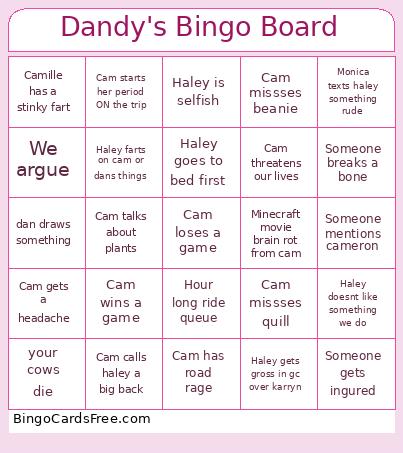 This Vacay Bingo - Dan Cards Game contains following Words or Phrases: Haley bullies Cam, Haley misses bob, Camille has a stinky fart, Cam eats gluten and regrets it, Cam eats dairy and regrets it, Monica texts haley something rude, Monica gaslights haley, Moica guilt trips haley, Quill has wet poops during the trip and Karryn tells us, Scrump is said by someone other than yourself, Cam calls haley a big back, Haley calls cam a big back, We argue, Haley buys a book, Minecraft movie brain rot from cam, Minecraft movie brain rot from haley, Haley wins a game, Cam loses a game, Cam wins a game, Someone cries other than you, Haley trips and falls, Cam gets a headache, Haley spends more that 50 on something, Haley is selfish, Cam gets exicted over an animal, Haley doesnt like something we do, Cam doesnt like something we do, Cam steals dans clothes, Haley doesnt like a song, Haley complains about kaitlyn, Someone doesnt like their minecraft toy other than you, Cam missses quill, Cam missses beanie, Cam missses scotty, Cam talks about plants, Haley gets up first, Cam gets up first, Cam has road rage, Haley needs a break during the trip, Haley makes us take another bathroom break less than an hour after the first, Cam doesnt know a song, Haley doesnt know a song, Cam doesnt like a song, Haley goes to bed first, Cam sleeps less than 8 hours, Haley farts on cam or dans things, You win yellow car, Cam threatens our lives, Haley gets gross in gc over karryn, Karryn gets gross in gc over Haley, Cam crashes out, Someone mentions cameron, kali gets jealous over the food we buy, Dandy starts his period ON the trip, Cam starts her period ON the trip, Haley starts her period ON the trip, Someone gets ingured, Someone breaks a bone, Hour long ride queue, cam says "im just a girl", Haley misgenders dan, cam draws something, dan draws something, your cows die, cam has to pull over to take a nap (outside of a rest stop).