Digestive, Circulatory, and Respiratory Systems Bingo Cards - Print Free or Customize
Print free Digestive, Circulatory, and Respiratory Systems bingo cards or modify,
unlimited prints! Pick from 41,500+ templates or use our bingo card generator.
Add numbers, phrases, pictures, or any combination.
Play using printable PDF, online bingo cards,
and our online bingo caller, or mix physical and digital.
About: This bingo card is a fun and informative way to review key concepts about the human circulatory, digestive, and respiratory systems. Perfect for middle or high school science classes, it tests knowledge of how our bodies transport nutrients, process food, and exchange gases. It's great for a classroom review game or a lively study session.
How To: To get a PDF to print, click the Print button.
You can adjust the card quantity and other
printing options on the Print tab.
Grid items and free space content can be added on the Basic tab.
Appearance can be entirely customized on the
corresponding tabs, or you can quickly locate any option
using the 🔍 tab.
How to play Digestive, Circulatory, and Respiratory Systems Bingo Cards?
Digital Caller: Click on the Play button above.
Paper Players: Print PDF bingo cards and manually write on the cards.
Digital Players: Click on the Play button above, and then click on the 🎫 button.
Paper Caller: Print PDF calling list & calling slips and manually pick the slips.
Mixed Play: Choose any combination above.
For example, caller can be either Paper or Digital.
And players can be Paper or Digital or a combo of both.
Step-By-Step:
Start by saving the Digestive, Circulatory, and Respiratory Systems PDF by clicking on the "Print" button above.
Open the PDF and print it.
For random calling, you can print another copy of the call list, cut, fold and then pick them randomly at play time.
Cut the bingo cards at the cut marks if there are greater than 1 bingo cards per page.
Distribute one card per player. For marking, you can use pencils. Crayons are the cheapest.
Choose one person to be the caller. If you are playing in a small group, the caller may also play along with their own Bingo card.
The caller starts the play by randomly drawing an item from the call list and announcing it to all players.
The players scan their cards to see if they have the announced word. If they do, they mark that word.
The first player to finish a horizontal, vertical, or a diagonal line of marked items shouts "Bingo!" and wins the game.
The caller validates that the items crossed off form a correct line according to the Bingo card and call list.
You can play for multiple patterns or a full card blackout for an extended game.
This Digestive, Circulatory, and Respiratory Systems Bingo Cards Game contains following Words or Phrases: deliver's vital substances to every cell and carries away wastes, a powerful, muscular pump that keeps blood flowing through the body, carry blood away from the heart, carry blood toward the heart, site of all exchange; the smallest vessels, the body's food processing factory, the entry and transport tube, the blender and acid bath, the main absorption site, the water recovery and waste elimination site, the physical breakdown of food, the breakdown of food using chemicals, the thick, soupy mixture created after food is churned and mixed with acid in the stomach, tiny, finger-like projections found in the small intestine, blood that is oxygen-rich, blood that is oxygen-poor, mostly water; carries dissolved nutrients, hormones, and proteins, primary job is to carry oxygen from the lungs to the body cells and transport some carbon dioxide back, defends the body against germs, viruses, and bacteria, tiny pieces that help blood clot to stop bleeding, acts as the purification plant for the circulatory system, the body's system for taking in oxygen and getting rid of carbon dioxide, a rigid tube connecting the throat to the lungs, the main organs of the respiratory system, the small, balloon-like structures at the end of the air passages in the lungs.

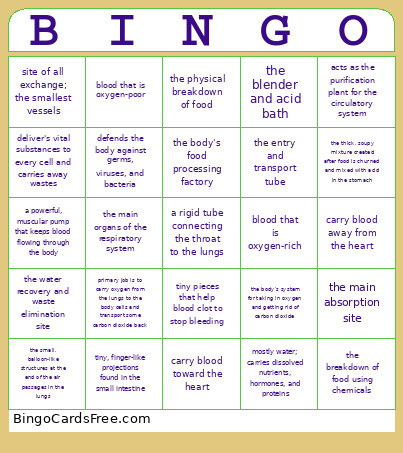 This Digestive, Circulatory, and Respiratory Systems Bingo Cards Game contains following Words or Phrases: deliver's vital substances to every cell and carries away wastes, a powerful, muscular pump that keeps blood flowing through the body, carry blood away from the heart, carry blood toward the heart, site of all exchange; the smallest vessels, the body's food processing factory, the entry and transport tube, the blender and acid bath, the main absorption site, the water recovery and waste elimination site, the physical breakdown of food, the breakdown of food using chemicals, the thick, soupy mixture created after food is churned and mixed with acid in the stomach, tiny, finger-like projections found in the small intestine, blood that is oxygen-rich, blood that is oxygen-poor, mostly water; carries dissolved nutrients, hormones, and proteins, primary job is to carry oxygen from the lungs to the body cells and transport some carbon dioxide back, defends the body against germs, viruses, and bacteria, tiny pieces that help blood clot to stop bleeding, acts as the purification plant for the circulatory system, the body's system for taking in oxygen and getting rid of carbon dioxide, a rigid tube connecting the throat to the lungs, the main organs of the respiratory system, the small, balloon-like structures at the end of the air passages in the lungs.