Dinner at Ravenloft Bingo Cards - Print Free or Customize
Print free Dinner at Ravenloft bingo cards or modify,
unlimited prints! Choose from 41,500+ templates or use our bingo card generator.
Add numbers, words, photos, or any combination.
Play using printable PDF, online bingo cards,
and our online bingo caller, or go hybrid.
About: This bingo card is perfect for a playful and spooky vampire-themed event, especially one aimed at kids or families. With a mix of silly, friendly, and classic vampire traits, it sets a fun and lighthearted tone for activities like classroom parties, story times, or Halloween gatherings where everyone can join in the monster fun.
How To: To save a PDF to print, click the Print button.
You can modify the number of cards and other
print preferences on the Print tab.
Grid items and free space content can be added on the Basic tab.
Appearance can be exactly customized on the
corresponding tabs, or you can easily find any preference
on the 🔍 tab.
How to play Dinner at Ravenloft Bingo Cards?
Printed Caller: Print PDF calling list & calling slips and manually select the slips.
Virtual Caller: Click on the Play button above.
Printed Players: Print PDF bingo cards and manually write on the cards.
Virtual Players: Click on the Play button above, and then click on the 🎫 button.
Combo Mode: Choose any combination above.
For instance, caller can be either Offline or Virtual.
And players can be Offline or Virtual or a combo of both.
Step-By-Step:
Start by saving the Dinner at Ravenloft PDF by clicking on the "Print" button above.
Open the PDF and print a hard copy.
For random calling, you can print another copy of the call list, cut, fold and then pull them randomly at play time.
Cut the bingo cards at the cut marks if there are more than 1 bingo cards per page.
Give one card to each player. For marking, you can use markers. Crayons cost the least.
Choose one person to be the caller. If you are playing in a small group, the caller may as well play along with their own Bingo card.
The caller starts the play by randomly pulling an item from the call list and calling out it to all players.
The players look at their cards to see if they have the announced word. If they do, they cross off that word.
The first player to finish a horizontal, vertical, or a diagonal line of crossed items announces "Bingo!" and wins the game.
The caller validates that the items marked form a correct line according to the Bingo card and call list.
You can play for different patterns or a full card blackout for an extended game.
This Dinner at Ravenloft Bingo Cards Game contains following Words or Phrases: A vampire flies at night, A vampire has pointy ears, A vampire is very old, A vampire loves the full moon, A vampire moves silently, Baby bats follow the vampires, Cartoon vampires like to dance, Children clap during a spooky story time, Children pretend to be silly vampires, Fake fangs are fun for dress-up games, Friendly vampires help their friends, Friends giggle about silly vampire jokes, Little vampires go to school at night, Red velvet capes swirl as kids twirl around, Some vampires are friendly in stories, Some vampires have glowing eyes, Some vampires sing funny songs, Some vampires wear fancy suits, Spooky music plays at the monster party, Stuffed bat toys sit on the shelf, Tiny bats fly near the castle tower, Vampires are afraid of sunlight, Vampires are very pale, Vampires do not like garlic, Vampires drink red juice, Vampires have sharp fangs, Vampires live in castles, Vampires sleep in coffins, Vampires turn into bats, Vampires wear black capes.

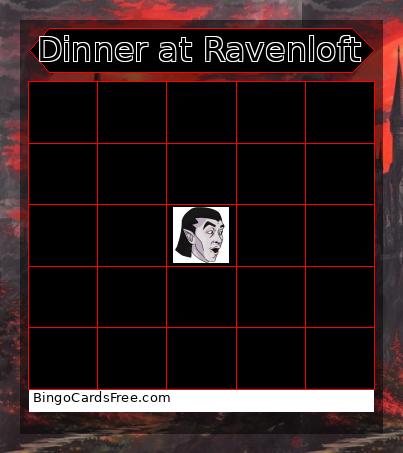 This Dinner at Ravenloft Bingo Cards Game contains following Words or Phrases: A vampire flies at night, A vampire has pointy ears, A vampire is very old, A vampire loves the full moon, A vampire moves silently, Baby bats follow the vampires, Cartoon vampires like to dance, Children clap during a spooky story time, Children pretend to be silly vampires, Fake fangs are fun for dress-up games, Friendly vampires help their friends, Friends giggle about silly vampire jokes, Little vampires go to school at night, Red velvet capes swirl as kids twirl around, Some vampires are friendly in stories, Some vampires have glowing eyes, Some vampires sing funny songs, Some vampires wear fancy suits, Spooky music plays at the monster party, Stuffed bat toys sit on the shelf, Tiny bats fly near the castle tower, Vampires are afraid of sunlight, Vampires are very pale, Vampires do not like garlic, Vampires drink red juice, Vampires have sharp fangs, Vampires live in castles, Vampires sleep in coffins, Vampires turn into bats, Vampires wear black capes.