
Excuse to Miss School Bingo Cards - Print Free or Customize
Print free Excuse to Miss School bingo cards or personalize, unlimited cards! Choose from 42,200+ templates or use the bingo card generator. Add numbers, phrases, photos, or any combination. Play using PDF prints, digital bingo cards, and the digital bingo caller, or combine all formats.
About: This bingo card is all about the creative, dramatic, and sometimes absurd excuses people make for missing school, work, or other responsibilities. Perfect for an icebreaker at staff meetings, teacher workshops, or student orientations, this set captures that blend of relatable chaos and humor everyone has encountered when trying to explain an unexpected absence.
How To: To save a PDF to print, click the Print button. You can alter the number of cards and other printing options on the Print tab. Grid items and free space content can be changed on the Basic tab. Appearance can be completely personalized on the corresponding tabs, or you can easily locate any preference on the 🔍 tab.
How to play Excuse to Miss School Bingo Cards?
- Paper Players: Print PDF bingo cards and physically scratch the cards.
- Digital Players: Click on the Play button above, and then click on the 🎫 button.
- Digital Caller: Click on the Play button above.
- Paper Caller: Print PDF calling list & calling slips and physically choose the slips.
- Combo Play: Choose any combination above. For example, caller can be either Paper or Digital. And players can be Paper or Digital or a combo of both.
Step-By-Step:
- Start by downloading the Excuse to Miss School PDF by clicking on the "Print" button above.
- Open the PDF and print a hard copy.
- For random calling, you can print another copy of the call list, cut, fold and then pick them randomly at play time.
- Cut the bingo cards at the cut marks if there are greater than 1 bingo cards per page.
- Give one card to each player. For marking, you can use crayons. Crayons are the cheapest.
- Choose one person to be the caller. If you are playing in a small group, the caller can also play along with their own Bingo card.
- The caller begins the game by randomly drawing an item from the call list and announcing it to all players.
- The players check their cards to see if they have the announced word. If they do, they mark that word.
- The first player to finish a horizontal, vertical, or a diagonal line of marked items yells "Bingo!" and wins the play.
- The caller confirms that the items marked form a proper line as per the Bingo card and call list.
- You can play for different patterns or a full card blackout for a longer play.
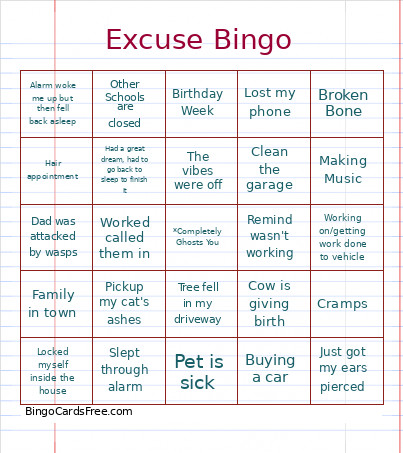 This Excuse to Miss School Bingo Cards Game contains following Words or Phrases: "Family Issues", "It's a whole situation", "Something came up" (refuses to elaborate), "Still not feeling 100%", Alarm didn't go off, Alarm woke me up but then fell back asleep, Arm feels like boiling water, At an appointment with my girlfriend (or partner), Attending Brothers Track Meet, Babysit siblings, Bathroom flooded, Birthday Week, Broken Bone, Burying a horse, Buying a car, Can't hear out of one ear, Can't walk in, it will get shoes dirty, Car troubles, Chakras were not alignment, Clean the garage, Construction on my street, Coughing up blood, Court, Cow is giving birth, Cramps, Cut finger with a khatna, Dad was attacked by wasps, Dental Emergency, Dentist Appointment, Didn't know we had school today, Doesnt want to ride the bus, Don't want to wake my ride up, Family Emergency (refuses to elaborate), Family in town, Family Member/child is sick, Fell asleep on the bus, Felt dizzy today, Forgot what day it is, Friend/Family's Birthday, Funeral, Going to a Wedding, Going to inpatient treatment, Got back from a trip and needs to unpack, Got period, Got stitches in my hand, Got the flu, Grandparent has dementia and can't take, Had a great dream, had to go back to sleep to finish it, Hair appointment, Have to do chores, Haven't slept at all, Having a lot going on, House fire, House sitting, Housing Inspection, I am kinda pregnant, I feel a bit nervous coming back to school, Job interview, Just got my ears pierced, Leaving for a winter camp retreat, Left school ID at home, friends car, etc., Locked myself inside the house, Looking for a lost child, Lost my phone, Making Music, Massaging Sinuses, Messed up my moustache getting ready, Migraine, Missed Bus, Missed bus and dont want to wait 30 minutes in the sun, Moving, My sleep schedule is messed up, Need to see my friends at the park, No clean socks, No rain jacket, Nobody woke me up, On vacation (Gravity not previously notified), Orthodontist appointment, Other Schools are closed, Packing/Unpacking, Parent has a photoshoot for their business, Parent is stressed out and don't want to make it worse, Pet got out, Pet is sick, Picking up family members ashes, Pickup my cat's ashes, Pickup someone from the airport, Power went out, Ran out of time (non-specific), Remind wasn't working, Ride never showed up/was busy, Road is flooded, Room swap, Severely Sick (but will be in tomorrow), Slept through alarm, Smells vinegar everywhere, Stiches reopened and am bleeding everywhere, Stomach Hurts, The vibes were off, Throwing Up, Throwing Up ("It's puke city over here"), Took the wrong bus, Traffic, Tree fell in my driveway, Volunteering at my old school, Waiting for my work schedule to come out, Weather (non-specific), Went to the ER, Went to the gas station but didn't feel like coming in after I got gas, Went to the wrong Gravity, Witnessed an accident and had to stay, Worked called them in, Working on my car, Working on/getting work done to vehicle.