
FES Bingo Cards - Print Free or Customize
Print free FES bingo cards or modify, unlimited cards! Select from 42,200+ designs or use the bingo card generator. Add numbers, words, photos, or mix them all. Play using printed PDF, virtual bingo cards, and the virtual bingo caller, or go hybrid.
About: This bingo card is perfect for a team-building or icebreaker session among accomplished professionals, especially those in director or senior leadership roles. It’s a lively mix of quirky personal talents, impressive adventures, and unique experiences—ideal for sparking conversation, building connections, and celebrating the fascinating stories everyone brings to the table.
How To: To get a PDF to print, click the Print button. You can change the card quantity and other printing options on the Print tab. Grid items and free space content can be added on the Basic tab. Appearance can be totally customized on the relevant tabs, or you can quickly find any option on the 🔍 tab.
How to play FES Bingo Cards?
- Virtual Caller: Click on the Play button above.
- Paper Caller: Print PDF calling list & calling slips and manually choose the slips.
- Paper Players: Print PDF bingo cards and manually cross off the cards.
- Virtual Players: Click on the Play button above, and then click on the 🎫 button.
- Hybrid Play: Choose any combination above. For example, caller can be either Offline or Virtual. And players can be Offline or Virtual or a mix of both.
Step-By-Step:
- Start by saving the FES Bingo PDF by clicking on the "Print" button above.
- Open the PDF and print it.
- For random calling, you can print another copy of the call list, cut, fold and then draw them randomly at play time.
- Cut the bingo cards at the cut marks if there are more than 1 bingo cards per page.
- Distribute one card per player. For marking, you can use pencils. Crayons cost the least.
- Choose one person to be the caller. If you are playing in a small group, the caller can also play along with their own Bingo card.
- The caller begins the game by randomly pulling an item from the call list and announcing it to everyone.
- The players check their cards to see if they have the called word. If they do, they mark that word.
- The first player to finish a horizontal, vertical, or a diagonal line of crossed items shouts "Bingo!" and wins the play.
- The caller validates that the items crossed off form a correct line as per the Bingo card and call list.
- You can play for different patterns or a full card blackout for a longer play.
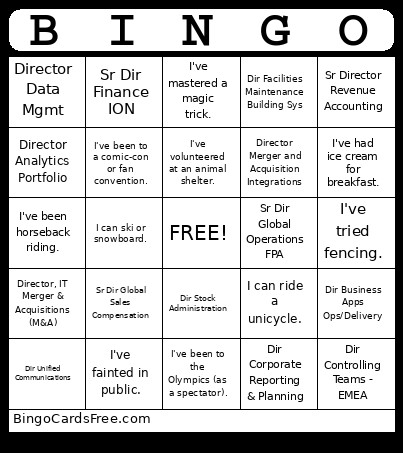 This FES Bingo Cards Game contains following Words or Phrases: I can wiggle my ears., I'm double-jointed., I can do a really good celebrity impression., I can solve sudoku puzzles really fast., I can recite all the U.S. presidents in order., I can ride a unicycle., I know how to do origami., I can moonwalk., I've mastered a magic trick., I've been to all 50 states., I've slept in an airport overnight., I've visited a natural wonder of the world., I've gone white-water rafting., I've visited the equator., I've seen the Northern Lights., I've taken a cross-country road trip., I've stayed in a castle., I've gone ziplining., I've been to a volcano., I've eaten escargot., I hate pizza crust., I can cook a five-course meal., I've tried a food challenge (like a giant burger)., I've grown my own vegetables., I've milked a cow or goat., I've had ice cream for breakfast., I love pickles on everything., I can bake sourdough bread from scratch., I've tried every flavor of chips I could find., I once held a snake., I've been horseback riding., I've swum with stingrays., I own a pet with a funny name., I've visited a safari., I've gone whale watching., I've raised chickens., I've planted over 100 trees., I've volunteered at an animal shelter., I've been chased by a goose., I can do a handstand., I've done yoga on the beach., I once hit a hole-in-one (or mini golf)., I've run a Tough Mudder/Spartan race., I've been surfing., I've bowled a perfect game., I've been rock climbing., I've tried fencing., I've done archery., I can ski or snowboard., I own more than 100 books., I've binge-watched a whole season in a day., I've been to a midnight movie premiere., I've collected comic books., I can name all the Harry Potter houses., I've been to a comic-con or fan convention., I've built a LEGO set with thousands of pieces., I've played Dungeons & Dragons., I once won a trivia contest., I've met a famous musician., I've been on a cruise ship., I've been scuba diving in a shipwreck., I've been inside a cave., I've slept under the stars with no tent., I've taken part in a parade., I've been in a protest march., I've been snowed in for days., I've gotten lost in a foreign city., I've been to the Olympics (as a spectator)., I've seen a solar eclipse in person., I can't snap my fingers., I hate chocolate., I've dyed my hair a wild color., I've broken a bone., I've never had coffee., I've been on a blind date., I've fallen asleep in a movie theater., I once slept through my alarm for hours., I've fainted in public., I've been to more than 10 countries., I can say the alphabet backwards., I once met a celebrity by accident., I've run a marathon (or half-marathon)., I can whistle really loudly using my fingers., I've tried skydiving or bungee jumping., I can solve a Rubik's Cube., I've been on TV (even in the background)., I have a twin (or am a twin)., I've swum with dolphins., I collect something unique (coins, vinyl, sneakers)., I know how to knit/crochet., I can touch my nose with my tongue., I've been in a play or musical., I can drive stick shift., I've hiked to the summit of a mountain., I've camped in the desert., I've built furniture from scratch., I've been in a hot air balloon., I've taken part in a flash mob., Dir Business Apps Ops/Delivery, Dir Projects (10824), Director Merger and Acquisition Integrations, Dir Finance Manufacturing, Director Business Intelligence, Sr Dir IT Business Applications, Director Finance US Mfg, Sr Director Finance India, Sr Dir of Real Estate Strategy Planning, Dir Data Analytics & AI, Dir of Tax Accounting & Compliance, Dir IT Business Applications, Dir Central FP&A Product Ops & Digital, Director of Revenue, Sr Dir Real Estate & Campus Development, Controller, Sr Director Tax Operations, Director Workplace Technology, Global Dir Environmental Health & Safety, Sr Dir Globl Indirect Proc & Vendor Mgmt, Senior Director, REWS, SV/West, Dir Facilities Maintenance WS & Ops, Sr Dir Global Commercial FSO, Dir Head of Tax EMEIA, Sr Dir Projects, Director of Finance, Sr Dir Finance Korea, Director Global Risk Management, Dir Stock Administration, Sr Director Global Operations FPA, Sr Dir Finance and Sales Operations, Director Product Ops Accounting, Dir Tender Solutions, Sr Dir REWS Peachtree & US East, Dir Enterprise Procurement Operations, Director - IT Strategy & Operations, Dir International Tax Operations, Dr Tax Operations PMO, Dir Corporate Reporting & Planning, Dir of Continuous Improvement, Dir Controlling Teams - EMEA, Sr. Director - IT Support Services, Director IT Business Apps, Director - IT Mfg Eng Support, Dir Unified Communications, Dir FP&A Corporate Operations, Director Internal Audit, Director Enterprise Analytics, Director Global IT Support Services, Dir Enterprise AV, Dir IT EMEIA, Director PMO, Sr Director Accounting, Sr Director IT Business Applications, Sr Dir Safety Security & Resilience, Sr Dir Finance Shared Services, Sr Dir Global Sales Compensation, Dir Global Architectural Design, Sr Dir of Real Estate Workplace Services, Dir Global Ops FP&A (Special Projects), Sr Dir Global Contracts Admin, Dir Facilities Maintenance Building Sys, Sr FP&A Dir Multiport BU, Sr Dir Europe FSO, Director FP&A Systems and Analytics, Sr Dir Global Operations FPA, Director State Tax, Dir Finance Transformation, Dir IT, Dir IT Infrastructure, Dir Global Trade Compliance, Sr Director Org Development FES, Director, Business Applications, Director Tax Planning, Sr Dir Internal Audit, Dir Global Pricing and Customer Finance, Dir Strategic Sourcing, Director GET Program Management Office, Dir IT Infra Devops, Sr Dir SEC Reporting and Technical Acct, Dir IT Network Engineering, Sr Dir- Finance- Corporate Dev & Digital, Sr Dir IT Bus Apps HR & Legal, Dir Comp Fulfillment & Technology, Director Japan Finance, Director Finance Transformation EMEA, Director, IT Business Applications, Dir Employee Experience Technologies, Sr Dir Tax Planning, Dir US Finance and Sales Operations, Director Analytics Portfolio, Director Data Mgmt, Director, IT Merger & Acquisitions (M&A), Dir Treasury & Investments, Sr Director Revenue Accounting, Dir Global Trade Compliance Americas, Sr Dir Finance ION, Sr. Dir Asia Finance.