Friendsgiving Bingo-Tina Cards - Print Free or Customize
Print free Friendsgiving bingo-Tina cards or customize,
unlimited prints! Choose from 42,200+ designs or use our bingo card generator.
Add numbers, words, pictures, or all of them.
Play using PDF prints, digital bingo cards,
and our digital bingo caller, or go hybrid.
About: This bingo card is a fun dive into personal trivia, perfect for an icebreaker at a family reunion or a team-building event where participants know each other well. The stories cover quirky childhood memories, bold adventures, and unique family traditions, setting a playful tone and sparking plenty of laughter and conversation among the group.
How To: To save a printable PDF, click the Print button.
You can change the card count and other
print settings on the Print tab.
Grid items and free space text can be changed on the Basic tab.
Appearance can be highly customized on the
corresponding tabs, or you can quickly find any preference
using the 🔍 tab.
How to play Friendsgiving Bingo-Tina Cards?
Paper Players: Print PDF bingo cards and manually mark the cards.
Paper Caller: Print PDF calling list & calling slips and manually choose the slips.
Virtual Caller: Click on the Play button above.
Virtual Players: Click on the Play button above, and then click on the 🎫 button.
Mixed Mode: Choose any combination above.
For example, caller can be either Paper or Virtual.
And players can be Paper or Virtual or a mix of both.
Step-By-Step:
Start by getting the Friendsgiving Bingo-Tina PDF by clicking on the "Print" button above.
Open the PDF and print a hard copy.
For random calling, you can print another copy of the call list, cut, fold and then pull them randomly at play time.
Cut the bingo cards at the cut marks if there are more than 1 bingo cards per page.
Distribute one card per player. For marking, you can use pens. Crayons cost the least.
Choose one person to be the caller. If you are playing in a small group, the caller may as well play along with their own Bingo card.
The caller initiates the play by randomly pulling an item from the call list and announcing it to all players.
The players look at their cards to see if they have the called word. If they do, they dab that word.
The first player to finish a horizontal, vertical, or a diagonal line of crossed items shouts "Bingo!" and wins the play.
The caller checks that the items crossed off form a correct line according to the Bingo card and call list.
You can play for multiple patterns or a full card blackout for an extended play.
This Friendsgiving Bingo-Tina Cards Game contains following Words or Phrases: I was born during a blizzard, I went to the first Bush's Inaugural Ball, I LOVE Hello Kitty, Once drove to Vegas with a friend less than 2 hours after talking about it, My grandparents and dad all went to the first HS in SD, Between my hubby and me we have 7 degrees, Battlescars include a leg dog bite while riding a motorcycle, I married my HS sweetheart (bonus for 2!), I'm a 3rd gen San Diegan, I had a boyfriend for 3 years of high school, IMy kids share names with our childhood pets, My first pet was a hamster named Hammo, I get Starbucks every morning, I've backpacked in Denali, My kids both go to schools with ocean animal mascots, I've played over 1000 games of Wordle, My mom paid a boy to walk me to school, Persimmons are my fav fruit, I met Dean Cane when he was Superman, I 've jumped out of an airplane, My in-laws were married in Bermuda, I don't like peach flavored candy or drinks, I love watching lawnscaping transformations on You Tube, I HATE tuna fish sandwiches, My first job out of college was doing child support enforcement investigations.

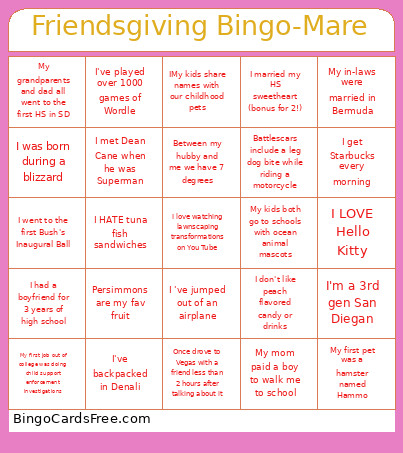 This Friendsgiving Bingo-Tina Cards Game contains following Words or Phrases: I was born during a blizzard, I went to the first Bush's Inaugural Ball, I LOVE Hello Kitty, Once drove to Vegas with a friend less than 2 hours after talking about it, My grandparents and dad all went to the first HS in SD, Between my hubby and me we have 7 degrees, Battlescars include a leg dog bite while riding a motorcycle, I married my HS sweetheart (bonus for 2!), I'm a 3rd gen San Diegan, I had a boyfriend for 3 years of high school, IMy kids share names with our childhood pets, My first pet was a hamster named Hammo, I get Starbucks every morning, I've backpacked in Denali, My kids both go to schools with ocean animal mascots, I've played over 1000 games of Wordle, My mom paid a boy to walk me to school, Persimmons are my fav fruit, I met Dean Cane when he was Superman, I 've jumped out of an airplane, My in-laws were married in Bermuda, I don't like peach flavored candy or drinks, I love watching lawnscaping transformations on You Tube, I HATE tuna fish sandwiches, My first job out of college was doing child support enforcement investigations.