
FWC2026 Bingo Cards - Print Free or Customize
Print free FWC2026 bingo cards or alter them, unlimited prints! Select from 42,200+ templates or use our bingo card generator. Add numbers, phrases, photos, or mix them all. Play using PDF prints, digital bingo cards, and our digital bingo caller, or go hybrid.
About: This bingo card is perfect for fans tuning into a high-stakes World Cup soccer clash—especially one featuring global icons like Messi and Salah. The card captures all the tension, drama, and unforgettable moments that make knockout-stage matches so gripping. Use it at a watch party to keep everyone engaged as you witness history unfold on the pitch.
How To: To save a printable PDF, click the Print button. You can adjust the card quantity and other print settings on the Print tab. Grid items and free space text can be added on the Basic tab. Appearance can be exactly customized on the relevant tabs, or you can quickly locate any preference on the 🔍 tab.
How to play FWC2026 Bingo Cards?
- Printed Caller: Print PDF calling list & calling slips and manually choose the slips.
- Digital Players: Click on the Play button above, and then click on the 🎫 button.
- Digital Caller: Click on the Play button above.
- Printed Players: Print PDF bingo cards and manually scratch the cards.
- Hybrid Mode: Choose any combination above. For example, caller can be either Paper or Digital. And players can be Paper or Digital or a mix of both.
Step-By-Step:
- Start by downloading the FWC2026 PDF by clicking on the "Print" button above.
- Open the PDF and print a hard copy.
- For random drawing, you can print another copy of the call list, cut, fold and then pull them randomly at play time.
- Cut the bingo cards at the cut lines if there are greater than 1 bingo cards per page.
- Give one card to each player. For marking, you can use pens. Crayons are the cheapest.
- Choose one person to be the caller. If you are playing in a small group, the caller can also play along with their own Bingo card.
- The caller initiates the play by randomly picking an item from the call list and saying it to everyone.
- The players scan their cards to see if they have the announced word. If they do, they mark that word.
- The first player to finish a horizontal, vertical, or a diagonal line of marked items yells "Bingo!" and wins the game.
- The caller checks that the items crossed off form a proper line according to the Bingo card and call list.
- You can play for different patterns or a full card blackout for an extended game.
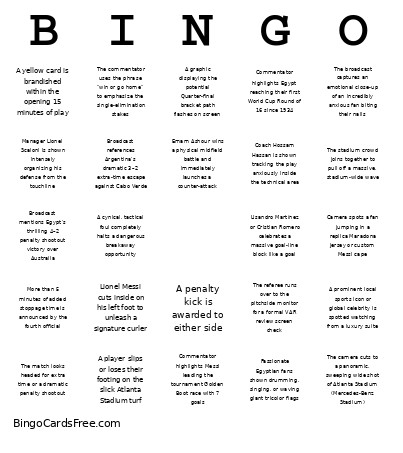 This FWC2026 Bingo Cards Game contains following Words or Phrases: A cynical, tactical foul completely halts a dangerous breakaway opportunity, A graphic displaying the potential Quarter-final bracket path flashes on screen, A penalty kick is awarded to either side, A player slips or loses their footing on the slick Atlanta Stadium turf, A powerful strike completely rattles the crossbar or goalpost, A prominent local sports icon or global celebrity is spotted watching from a luxury suite, A yellow card is brandished within the opening 15 minutes of play, Broadcast mentions Egypt's thrilling 4–2 penalty shootout victory over Australia, Broadcast references Argentina's dramatic 3–2 extra-time escape against Cabo Verde, Camera spots a fan jumping in a replica Maradona jersey or custom Messi cape, Coach Hossam Hassan is shown tracking the play anxiously inside the technical area, Commentator explicitly frames the match as the ultimate Messi vs. Salah global showdown, Commentator highlights Egypt reaching their first World Cup Round of 16 since 1934, Commentator highlights Messi leading the tournament Golden Boot race with 7 goals, Commentator notes Argentina's quest to be the first back-to-back winners since Brazil in 1962, Commentator remarks on the completely sold-out, roaring crowd in Georgia, Emam Ashour wins a physical midfield battle and immediately launches a counter-attack, Goalkeeper Mostafa Shobeir pulls off a spectacular point-blank or double save, Lionel Messi cuts inside on his left foot to unleash a signature curler, Lisandro Martínez or Cristian Romero celebrates a massive goal-line block like a goal, Manager Lionel Scaloni is shown intensely organizing his defense from the touchline, Mohamed Salah uses a blistering burst of pace to track down a long ball down the right flank, More than 5 minutes of added stoppage time is announced by the fourth official, Passionate Egyptian fans shown drumming, singing, or waving giant tricolor flags, The broadcast captures an emotional close-up of an incredibly anxious fan biting their nails, The camera cuts to a panoramic, sweeping wide shot of Atlanta Stadium (Mercedes-Benz Stadium), The commentator uses the phrase "win or go home" to emphasize the single-elimination stakes, The match goes to the halftime whistle locked in a tense deadlock, The match looks headed for extra time or a dramatic penalty shootout, The referee runs over to the pitchside monitor for a formal VAR review screen check, The stadium crowd joins together to pull off a massive, stadium-wide wave.