
Gutta vors Bingo Cards - Print Free or Customize
Print free Gutta vors bingo cards or customize, unlimited prints! Choose from 41,500+ designs or use the bingo card generator. Add numbers, words, photos, or mix them all. Play using PDF printouts, online bingo cards, and the online bingo caller, or mix physical and digital.
How To: To save a PDF to print, click the Print button. You can modify the card count and other printing settings on the Print tab. Grid items and free space text can be added on the Basic tab. Appearance can be exactly customized on the corresponding tabs, or you can easily locate any option using the 🔍 tab.
How to play Gutta vors Bingo Cards?
- Printed Caller: Print PDF calling list & calling slips and manually select the slips.
- Online Players: Click on the Play button above, and then click on the 🎫 button.
- Printed Players: Print PDF bingo cards and manually scratch the cards.
- Online Caller: Click on the Play button above.
- Hybrid Mode: Pick any combination above. For example, caller can be either Paper or Online. And players can be Paper or Online or a combo of both.
Step-By-Step:
- Start by saving the Gutta vors PDF by clicking on the "Print" button above.
- Open the PDF and print a hard copy.
- For random drawing, you can print another copy of the call list, cut, fold and then pick them randomly at play time.
- Cut the bingo cards at the cut marks if there are greater than 1 bingo cards per page.
- Distribute one card per player. For marking, you can use pens. Crayons are the cheapest.
- Pick one person to be the caller. If you are playing in a small group, the caller can as well play along with their own Bingo card.
- The caller opens the play by randomly picking an item from the call list and announcing it to all players.
- The players look at their cards to see if they have the announced word. If they do, they dab that word.
- The first player to complete a horizontal, vertical, or a diagonal line of crossed items yells "Bingo!" and wins the play.
- The caller confirms that the items crossed off form a correct line according to the Bingo card and call list.
- You can play for different patterns or a full card blackout for a longer play.
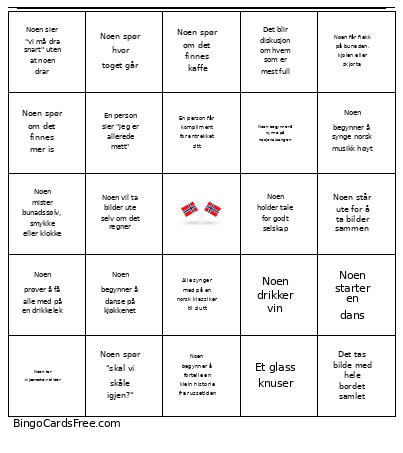 This Gutta vors Bingo Cards Game contains following Words or Phrases: Noen skåler for kongefamilien, Noen drikker cava, Noen søler drikke på bordet, Det blir allsang til "Ja, vi elsker", Noen må fikse bunaden, slipset eller håret sitt, Det snakkes om kongefamilien, Noen spør hvor toget går, Det tas minst fem gruppebilder på rad, Noen klager over skoene sine, Noen roper "SKÅL!", En person står altfor lenge foran speilet, Noen mister bunadssølv, smykke eller klokke, Det diskuteres hvilken bunad eller dress som er finest, Noen tar bilde av maten før alle kan spise, Noen begynner å danse på kjøkkenet, En person kommer for sent fordi de "bare måtte fikse seg", Noen må låne sminke, deodorant eller parfyme, Det blir snakk om RT, Noen drikker øl, Noen drikker vin, Noen sier "vi må ta ett bilde til", Noen flørter åpenlyst med noen på festen, En person tar av seg skoene under bordet, Noen begynner å synge norsk musikk høyt, Det blir diskutert hvem som skal videre sammen senere, Noen får flekk på bunaden, kjolen eller skjorta, En person sier "jeg er allerede mett", Det åpnes en flaske med høyt smell, Noen må lade mobilen, En person mister mobilen i gulvet, Noen spør om det finnes kaffe, Det blir snakk om været, Noen står ute for å ta bilder sammen, En person får kompliment for antrekket sitt, Noen spør om hjelp til å feste noe på antrekket, Det blir latterkrampe ved bordet, Noen søler kaffe på seg selv, Noen må låne plaster til gnagsår, En person sier "17. mai går altfor fort", Det tas bilder med norske flagg, Noen må på do rett etter de kom, En person begynner å snakke om nachspiel, Noen sier "vi må dra snart" uten at noen drar, Det spilles norsk festmusikk, Noen prøver å få alle med på en drikkelek, Noen spør "hvordan ser jeg ut?", Noen får panikk fordi mobilen har lite batteri, Allsang til Forever Alone, Det blir skål for Norge, Det skåles for vennegjengen, Noen begynner å tease noen for hvem de crusher på, En person prøver å rydde litt, Noen begynner å snakke om hvor dyr bunad eller dress er, En person blir fotograf for hele gruppa, Noen sier "jeg fryser", Noen sier "jeg svetter ihjel", En person mister hårstrikk, solbriller eller øredobb, Noen vil ta bilder ute selv om det regner, Det blir diskutert hvem som er mest klar for fest, Noen sier "jeg orker ikke flere bilder", Et glass knuser, Noen kysser, En person søler noe på gulvet, Noen begynner å nynne på nasjonalsangen, En person snakker om hvor tidlig de sto opp, Det blir snakk om fjorårets 17. mai, Noen tar bilde av skoene eller sokkene sine, En person spør om noen har sett veska eller jakka deres, Noen begynner å danse alene, Noen holder 17 mai tale, En person filmer bordet til story, Noen sier "vi er så fine i dag", Det diskuteres hvem som brukte lengst tid på å gjøre seg klar, Noen får sminke eller mat på klærne, En person går på do for å fikse håret, Noen blir emosjonell over stemningen, Det ropes "hipp hipp hurra!", Noen spør om det finnes mer is, Noen spiser pølse, En person tar "walk-in"-video, Noen kysser, En person begynner å bli småfull tidlig, Det blir snakk om hvem som er singel, Noen må låne sikkerhetsnåler, En person mister noe under bordet, Noen begynner å planlegge sommeren, Det blir kø til badet eller speilet, En person sier "jeg elsker 17. mai", Noen får røde kinn av kulde eller alkohol, Det blir snakk om hvem som skal på byen etterpå, En person må sitte ned på grunn av skoene, Noen legger ut story midt i samtalen, Det blir sammenligning av 17. mai-planer, Noen tar «kjæreste»-bilder, Det tas bunadsbilder, En person tar candid-bilder av andre, Noen synger feil tekst men fortsetter selvsikkert, Noen starter en dans, Noen spør "skal vi skåle igjen?", Noen klager over bunadsko eller dressko, Noen sier antrekket er blitt for trangt, Noen veiver med flagg, Noen holder tale for godt selskap, Noen begynner å shippe to personer på festen, En person får kompliment fra noen de ikke kjenner, Det tas bilde med hele bordet samlet, Noen mister nesten glasset sitt, Noen synger "Ja, vi elsker", Noen prøver å få med alle på et gruppebilde ute, Det blir diskusjon om hvem som er mest full, Noen deler ut shots, Noen begynner å fortelle en klein historie fra russetiden, Alle synger med på en norsk klassiker til slutt.