
Happily Ever After V01 Bingo Cards - Print Free or Customize
Print free Happily Ever After V01 bingo cards or modify, unlimited cards! Choose from 41,500+ templates or use the bingo card generator. Add numbers, words, photos, or any combination. Play using PDF prints, digital bingo cards, and the digital bingo caller, or go hybrid.
About: This bingo card is a celebration of iconic dance hits and party anthems that span generations, making it perfect for weddings, reunions, or any event where people want to let loose and have fun. Expect a high-energy atmosphere and lots of singalongs as the crowd recognizes favorites from pop, funk, hip-hop, and classic rock.
How To: To save a PDF to print, click the Print button. You can alter the number of cards and other print options on the Print tab. Grid items and free space content can be added on the Basic tab. Appearance can be exactly personalized on the relevant tabs, or you can quickly search any preference using the 🔍 tab.
How to play Happily Ever After V01 Bingo Cards?
- Virtual Caller: Click on the Play button above.
- Paper Players: Print PDF bingo cards and physically write on the cards.
- Virtual Players: Click on the Play button above, and then click on the 🎫 button.
- Paper Caller: Print PDF calling list & calling slips and physically draw the slips.
- Mixed Play: Choose any combination above. For example, caller can be either Paper or Virtual. And players can be Paper or Virtual or a combination of both.
Step-By-Step:
- Start by downloading the Happily Ever After V01 PDF by clicking on the "Print" button above.
- Open the PDF and print a hard copy.
- For random drawing, you can print another copy of the call list, cut, fold and then pick them randomly at play time.
- Cut the bingo cards at the cut marks if there are greater than 1 bingo cards per page.
- Distribute one card per player. For marking, you can use pens. Crayons cost the least.
- Choose one person to be the caller. If you are playing in a small group, the caller may also play along with their own Bingo card.
- The caller opens the game by randomly picking an item from the call list and calling out it to all players.
- The players check their cards to see if they have the called word. If they do, they cross off that word.
- The first player to complete a horizontal, vertical, or a diagonal line of crossed items shouts "Bingo!" and wins the game.
- The caller checks that the items marked form a proper line according to the Bingo card and call list.
- You can play for multiple patterns or a full card blackout for an extended game.
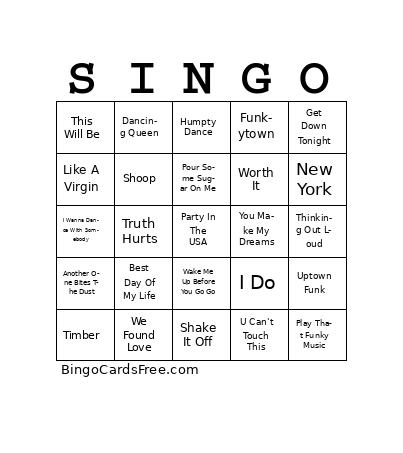 This Happily Ever After V01 Bingo Cards Game contains following Words or Phrases: Meghan Trainor --- All About That Bass, Queen --- Another One Bites The Dust, Sir Mix-A-Lot --- Baby Got Back, American Authors --- Best Day Of My Life, Saweetie --- Best Friend, Michael Jackson --- Billie Jean, Commodores --- Brick House, Young MC --- Bust A Move, Tupac --- California Love, Kool & The Gang --- Celebration, Quad City DJs --- C'mon N Ride It, Luke Bryan --- Country Girl, Soulja Boy --- Crank That, Cupid --- Cupid Shuffle, ABBA --- Dancing Queen, Frankie Vallie & The Four Seasons --- December 1963 (Oh What A Night), Luis Fonsi & Daddy Yankee & Justin Bieber --- Despacito, Journey --- Don't Stop Believin', Backstreet Boys --- Everybody, Walker Hayes --- Fancy Like, Chris Brown --- Forever, Lipps Inc. --- Funkytown, KC & The Sunshine Band --- Get Down Tonight, P!nk --- Get The Party Started, Will Smith --- Getting' Jiggy Wit It, Pharrell Williams --- Happy, Wilson Phillips --- Hold On, Digital Underground --- Humpty Dance, Colbie Caillat --- I Do, Sonny & Cher --- I Got You Babe, Whitney Houston --- I Wanna Dance With Somebody, Vanilla Ice --- Ice Ice Baby, Pointer Sisters --- I'm So Excited, Doja Cat --- Kiss Me More, Donna Summer --- Last Dance, Earth Wind & Fire --- Let's Groove, Madonna --- Like A Virgin, Flo Rida --- Low, Bruno Mars --- Marry You, Tommy James & The Shondells --- Mony Mony, New York --- New York, Heavy D & The Boyz --- Now That We Found Love, Bob Seger --- Old Time Rock & Roll, Lil Nas X --- Old Town Road, Miley Cyrus --- Party In The USA, Wild Cherry --- Play That Funky Music, Def Leppard --- Pour Some Sugar On Me, Aretha Franklin --- Respect, Nelly --- Ride Wit Me, Justin Timberlake --- Rock Your Body, LMFAO --- Sexy & I Know It, Taylor Swift --- Shake It Off, Salt N' Pepa --- Shoop, Stevie Wonder --- Signed, Sealed, Delivered, Beyonce --- Single Ladies, Ed Sheeran --- Thinking Out Loud, Montel Jordan --- This Is How We Do It, Natalie Cole --- This Will Be, Pitbull & Kesha --- Timber, 69 Boyz --- Tootsie Roll, Lizzo --- Truth Hurts, DJ Snake --- Turn Down For What, The Beatles --- Twist & Shout, MC Hammer --- U Can't Touch This, Mark Ronson ft Bruno Mars --- Uptown Funk, Wham! --- Wake Me Up Before You Go Go, Sister Sledge --- We Are Family, Rihanna --- We Found Love, Tone Loc --- Wild Thing, V.I.C. --- Wobble, Fifth Harmony --- Worth It, Village People --- Y.M.C.A., Usher --- Yeah!, Hall & Oates --- You Make My Dreams, Bee Gees --- You Should Be Dancing.