Print free ac bingo cards or alter them,
limitless cards! Select from 41,500+ templates or use our bingo card generator.
Add numbers, words, pictures, or mix them all.
Play using printed PDF, online bingo cards,
and our online bingo caller, or mix physical and digital.
About: This bingo card brings together fans of winter sports and football for a spirited, fun-filled gathering—perfect for Super Bowl parties or Winter Olympics watch events. Whether you’re an athlete, a die-hard fan, or just there for the halftime show, these prompts are sure to spark laughs and lively conversations among guests of all enthusiasm levels.
How To: To get a printable PDF, click the Print button.
You can adjust the number of cards and other
print options on the Print tab.
Grid items and free space content can be edited on the Basic tab.
Appearance can be totally customized on the
relevant tabs, or you can quickly search any option
on the 🔍 tab.
How to play ac bingo Cards?
Paper Players: Print PDF bingo cards and physically scratch the cards.
Online Caller: Click on the Play button above.
Online Players: Click on the Play button above, and then click on the 🎫 button.
Paper Caller: Print PDF calling list & calling slips and physically choose the slips.
Hybrid Mode: Select any combination above.
For instance, caller can be either Offline or Online.
And players can be Offline or Online or a combination of both.
Step-By-Step:
Start by saving the ac bingo PDF by clicking on the "Print" button above.
Open the PDF and print a hard copy.
For random calling, you can print another copy of the call list, cut, fold and then draw them randomly at play time.
Cut the bingo cards at the cut marks if there are more than 1 bingo cards per page.
Give one card to each player. For marking, you can use markers. Crayons cost the least.
Select one person to be the caller. If you are playing in a small group, the caller can also play along with their own Bingo card.
The caller begins the play by randomly drawing an item from the call list and calling out it to all players.
The players check their cards to see if they have the called word. If they do, they dab that word.
The first player to finish a horizontal, vertical, or a diagonal line of crossed items yells "Bingo!" and wins the game.
The caller validates that the items marked form a correct line as per the Bingo card and call list.
You can play for different patterns or a full card blackout for a longer game.
This ac bingo Cards Game contains following Words or Phrases: Has skated on a frozen lake or pond ________, Watched the Opening Ceremony ________, Has skiied or snowboarded ________, Owns winter sports equipment ________, Has attended a hockey game ________, A fan of a team in Super Bowl ________, Going to a Super Bowl party tonight ________, Has attended an NFL game in person ________, Plays fantasy football ________, Has hosted a Super Bowl party ________, Is only watching the Super Bowl for Bad Bunny ________, Knows the difference between luge, bobsled, and skeleton ________, Currently wearing Eagles gear ________, Collects sports memorabilia ________, Can name a Winter Olympics host city ________, Has gone sledding or tubing this season ________, Can name a figure skating move or jump ________, Has met a professional athlete ________, Can name a Team USA athlete competing this year ________, Knows the mascots for this year's Olympics ________, Follows a Winter Olympics athlete on social media ________, Has been to New Orleans ________, Has visited Boston ________, Has visited Seattle ________, Remembers when the Eagles beat the Patriots in Super Bowl LII ________, Hopes both SB teams lose somehow ________, Will watch the SB from their couch ________, Would rather watch paint dry than root for the Patriots ________, Has attempted figure skating moves in socks on hardwood floors ________, Has injured themselves doing a Winter sport ________, Played a sport for their high school ________, Couldn't care less about sports ________, Thinks they peaked athletically going down a sledding hill ________, Has been looking forward to the Winter Olympics ________, Has a kid who knows more about football than them ________, Has matching family jerseys or team gear ________, Has a kid who plays a sport ________, Thinks the biathlon is ridiculous (skiing AND shooting?) ________.

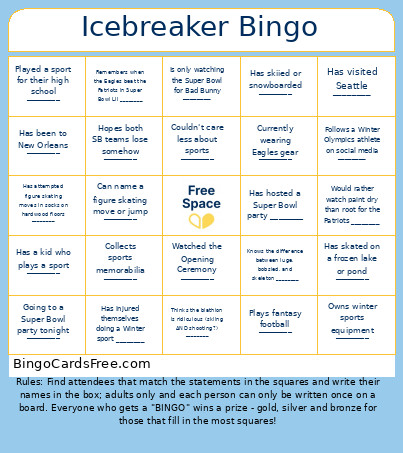 This ac bingo Cards Game contains following Words or Phrases: Has skated on a frozen lake or pond ________, Watched the Opening Ceremony ________, Has skiied or snowboarded ________, Owns winter sports equipment ________, Has attended a hockey game ________, A fan of a team in Super Bowl ________, Going to a Super Bowl party tonight ________, Has attended an NFL game in person ________, Plays fantasy football ________, Has hosted a Super Bowl party ________, Is only watching the Super Bowl for Bad Bunny ________, Knows the difference between luge, bobsled, and skeleton ________, Currently wearing Eagles gear ________, Collects sports memorabilia ________, Can name a Winter Olympics host city ________, Has gone sledding or tubing this season ________, Can name a figure skating move or jump ________, Has met a professional athlete ________, Can name a Team USA athlete competing this year ________, Knows the mascots for this year's Olympics ________, Follows a Winter Olympics athlete on social media ________, Has been to New Orleans ________, Has visited Boston ________, Has visited Seattle ________, Remembers when the Eagles beat the Patriots in Super Bowl LII ________, Hopes both SB teams lose somehow ________, Will watch the SB from their couch ________, Would rather watch paint dry than root for the Patriots ________, Has attempted figure skating moves in socks on hardwood floors ________, Has injured themselves doing a Winter sport ________, Played a sport for their high school ________, Couldn't care less about sports ________, Thinks they peaked athletically going down a sledding hill ________, Has been looking forward to the Winter Olympics ________, Has a kid who knows more about football than them ________, Has matching family jerseys or team gear ________, Has a kid who plays a sport ________, Thinks the biathlon is ridiculous (skiing AND shooting?) ________.