Print free Networking bingo cards or alter them,
unlimited cards! Pick from 42,200+ templates or use the bingo card generator.
Add numbers, words, pictures, or all of them.
Play using printable PDF, online bingo cards,
and the online bingo caller, or combine all formats.
About: This bingo card is perfect for networking events, entrepreneurship workshops, or student career fairs. It celebrates ambition, creativity, and a passion for learning. Participants will connect over shared interests in innovation, personal growth, and community impact, making it an ideal icebreaker for future leaders, job seekers, and anyone building a dynamic career.
How To: To download a printable PDF, click the Print button.
You can alter the number of cards and other
printing preferences on the Print tab.
Grid items and free space content can be edited on the Basic tab.
Appearance can be totally customized on the
corresponding tabs, or you can quickly find any setting
using the 🔍 tab.
How to play Networking Bingo Cards?
Paper Caller: Print PDF calling list & calling slips and physically pick the slips.
Online Players: Click on the Play button above, and then click on the 🎫 button.
Paper Players: Print PDF bingo cards and physically mark the cards.
Online Caller: Click on the Play button above.
Mixed Play: Select any combination above.
For instance, caller can be either Printed or Online.
And players can be Printed or Online or a combination of both.
Step-By-Step:
Start by downloading the Networking Bingo PDF by clicking on the "Print" button above.
Open the PDF and print a hard copy.
For random drawing, you can print another copy of the call list, cut, fold and then pick them randomly at play time.
Cut the bingo cards at the cut lines if there are greater than 1 bingo cards per page.
Distribute one card per player. For marking, you can use crayons. Crayons are the cheapest.
Select one person to be the caller. If you are playing in a small group, the caller may as well play along with their own Bingo card.
The caller starts the play by randomly pulling an item from the call list and saying it to all players.
The players look at their cards to see if they have the announced word. If they do, they mark that word.
The first player to complete a horizontal, vertical, or a diagonal line of marked items yells "Bingo!" and wins the game.
The caller validates that the items marked form a correct line according to the Bingo card and call list.
You can play for different patterns or a full card blackout for an extended game.
This Networking Bingo Cards Game contains following Words or Phrases: Has a side hustle or passion project, Is currently studying or pursuing further education, Speaks more than one language fluently, Has participated in a volunteer or community service project, Is passionate about environmental sustainability, Has completed an internship or work placement, Enjoys coding or has basic programming skills, Is a creative thinker or enjoys brainstorming ideas, Has experience with social media content creation, Has attended a professional development workshop or webinar, Is interested in a career in technology or innovation, Is a member of a professional or student organization, Enjoys public speaking or has participated in a speaking event, Has a favorite motivational book or podcast, Has experience with graphic design or multimedia production, Is interested in pursuing a career in healthcare or wellness, Has participated in a hackathon or innovation challenge, Is a member of an online learning or skill-building platform, Is interested in starting their own business someday, Has an existing business/organization, Is attending their first networking event, Is looking for funding, Has a unique business idea, Is looking for a mentor, Is involved in a non-profit, Is passionate about community involvement, Is a mentor/wants to be a mentor, Has overcome a major business or life challenge, Has experience with government grants/funding, Is interested in freelance work, Has a service-based business, Is looking to change careers, Is good at marketing.

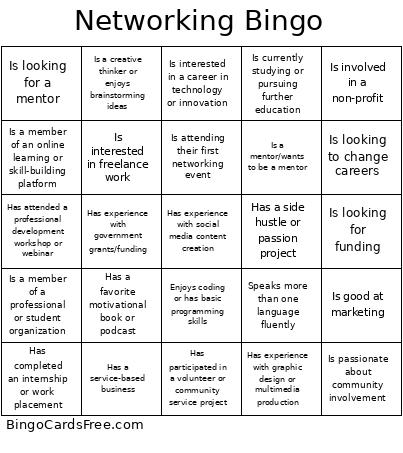 This Networking Bingo Cards Game contains following Words or Phrases: Has a side hustle or passion project, Is currently studying or pursuing further education, Speaks more than one language fluently, Has participated in a volunteer or community service project, Is passionate about environmental sustainability, Has completed an internship or work placement, Enjoys coding or has basic programming skills, Is a creative thinker or enjoys brainstorming ideas, Has experience with social media content creation, Has attended a professional development workshop or webinar, Is interested in a career in technology or innovation, Is a member of a professional or student organization, Enjoys public speaking or has participated in a speaking event, Has a favorite motivational book or podcast, Has experience with graphic design or multimedia production, Is interested in pursuing a career in healthcare or wellness, Has participated in a hackathon or innovation challenge, Is a member of an online learning or skill-building platform, Is interested in starting their own business someday, Has an existing business/organization, Is attending their first networking event, Is looking for funding, Has a unique business idea, Is looking for a mentor, Is involved in a non-profit, Is passionate about community involvement, Is a mentor/wants to be a mentor, Has overcome a major business or life challenge, Has experience with government grants/funding, Is interested in freelance work, Has a service-based business, Is looking to change careers, Is good at marketing.