Print free Office BINGO! cards or modify,
unlimited cards! Select from 41,900+ templates or use our bingo card generator.
Add numbers, phrases, photos, or mix them all.
Play using printable PDF, digital bingo cards,
and our digital bingo caller, or combine all formats.
About: This bingo card perfectly captures the everyday quirks and frustrations of office life, especially for those working in corporate environments or hybrid teams. With a playful nod to classic workplace moments, it's an ideal icebreaker for team meetings, remote work socials, or onboarding sessions, giving colleagues a fun way to bond over shared experiences and laugh at those all-too-familiar scenarios.
How To: To save a printable PDF, click the Print button.
You can change the card quantity and other
printing settings on the Print tab.
Grid items and free space text can be edited on the Basic tab.
Appearance can be completely customized on the
corresponding tabs, or you can easily find any setting
on the 🔍 tab.
How to play Office BINGO! Cards?
Online Players: Click on the Play button above, and then click on the 🎫 button.
Printed Caller: Print PDF calling list & calling slips and physically select the slips.
Online Caller: Click on the Play button above.
Printed Players: Print PDF bingo cards and physically write on the cards.
Hybrid Mode: Pick any combination above.
For example, caller can be either Offline or Online.
And players can be Offline or Online or a combination of both.
Step-By-Step:
Start by saving the Office BINGO! PDF by clicking on the "Print" button above.
Open the PDF and print it.
For random calling, you can print another copy of the call list, cut, fold and then pull them randomly at play time.
Cut the bingo cards at the cut marks if there are more than 1 bingo cards per page.
Distribute one card per player. For marking, you can use pencils. Crayons are the cheapest.
Pick one person to be the caller. If you are playing in a small group, the caller can as well play along with their own Bingo card.
The caller begins the play by randomly picking an item from the call list and saying it to everyone.
The players check their cards to see if they have the announced word. If they do, they cross off that word.
The first player to finish a horizontal, vertical, or a diagonal line of marked items shouts "Bingo!" and wins the game.
The caller confirms that the items marked form a proper line as per the Bingo card and call list.
You can play for varied patterns or a full card blackout for a longer game.
This Office BINGO! Cards Game contains following Words or Phrases: "Can Everyone See My Screen?", "Quick Question..." (Paragraph Follows), Reply-All Nobody Asked For, Teams Status Says Available, They're Definitely Not, Meeting Could've Been An Email, Conference Room Already Occupied, Someone Marks An Email As High Importance For No Reason, Someone Gets CC'd For Absolutely No Reason, Random Fire Drill, Badge Doesn't Work On First Try, "Let's Circle Back", Pretends To Know What The Acronym Means, Ends Call And Immediately Messages Someone From The Call, Need Approval From Someone Who's Out Of Office, "See Attachment" (No Attachment), Responds Only To One Of Six Questions, "We'll Give It Another Minute.", Asked To "Hop On A Quick Call", Inbox Is Either 0 Or 8,000 Unread, Snack Stash, Changes Password To Old Password With Extra Number, Sticky Notes As A Filing System, Walks To Someone's Desk To Ask If They Saw The Email, Calls Then Says, "Did You Get My Email?".

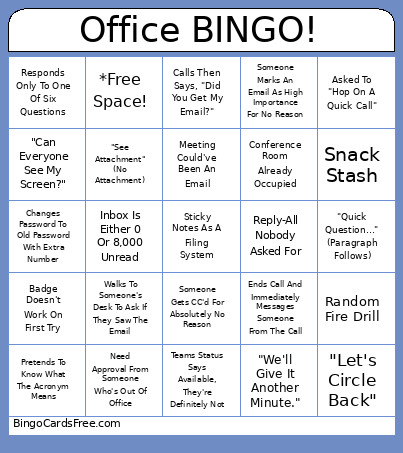 This Office BINGO! Cards Game contains following Words or Phrases: "Can Everyone See My Screen?", "Quick Question..." (Paragraph Follows), Reply-All Nobody Asked For, Teams Status Says Available, They're Definitely Not, Meeting Could've Been An Email, Conference Room Already Occupied, Someone Marks An Email As High Importance For No Reason, Someone Gets CC'd For Absolutely No Reason, Random Fire Drill, Badge Doesn't Work On First Try, "Let's Circle Back", Pretends To Know What The Acronym Means, Ends Call And Immediately Messages Someone From The Call, Need Approval From Someone Who's Out Of Office, "See Attachment" (No Attachment), Responds Only To One Of Six Questions, "We'll Give It Another Minute.", Asked To "Hop On A Quick Call", Inbox Is Either 0 Or 8,000 Unread, Snack Stash, Changes Password To Old Password With Extra Number, Sticky Notes As A Filing System, Walks To Someone's Desk To Ask If They Saw The Email, Calls Then Says, "Did You Get My Email?".