
OFFICE EDITION Bingo Cards - Print Free or Customize
Print free OFFICE EDITION bingo cards or modify, unlimited cards! Choose from 42,600+ designs or use our bingo card generator. Add numbers, words, photos, or all of them. Play using printable PDF, virtual bingo cards, and our virtual bingo caller, or mix physical and digital.
About: This bingo card perfectly captures the hilarious chaos and relatable moments of remote work life. Ideal for virtual team meetings, onboarding sessions, or work-from-home socials, it highlights everything from tech mishaps to coffee-fueled productivity hacks. It’s sure to get laughs and spark conversation among anyone who spends their days hopping between video calls and managing endless digital distractions.
How To: To get a PDF to print, click the Print button. You can adjust the card quantity and other print settings on the Print tab. Grid items and free space text can be edited on the Basic tab. Appearance can be fully customized on the relevant tabs, or you can easily locate any option using the 🔍 tab.
How to play OFFICE EDITION Bingo Cards?
- Paper Players: Print PDF bingo cards and physically cross off the cards.
- Digital Caller: Click on the Play button above.
- Digital Players: Click on the Play button above, and then click on the 🎫 button.
- Paper Caller: Print PDF calling list & calling slips and physically draw the slips.
- Combo Play: Choose any combination above. For instance, caller can be either Offline or Digital. And players can be Offline or Digital or a combination of both.
Step-By-Step:
- Start by downloading the OFFICE EDITION PDF by clicking on the "Print" button above.
- Open the PDF and print a hard copy.
- For random calling, you can print another copy of the call list, cut, fold and then pull them randomly at play time.
- Cut the bingo cards at the cut marks if there are greater than 1 bingo cards per page.
- Give one card to each player. For marking, you can use markers. Crayons cost the least.
- Choose one person to be the caller. If you are playing in a small group, the caller can as well play along with their own Bingo card.
- The caller initiates the play by randomly picking an item from the call list and calling out it to everyone.
- The players scan their cards to see if they have the announced word. If they do, they dab that word.
- The first player to finish a horizontal, vertical, or a diagonal line of crossed items announces "Bingo!" and wins the play.
- The caller validates that the items crossed off form a correct line as per the Bingo card and call list.
- You can play for varied patterns or a full card blackout for an extended play.
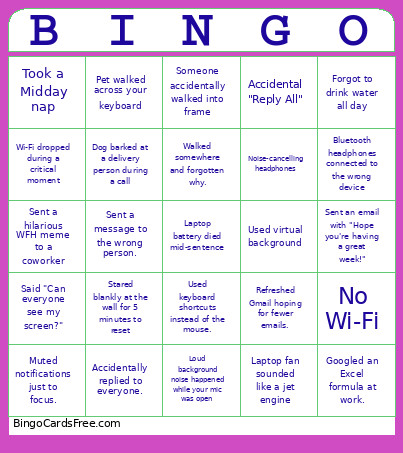 This OFFICE EDITION Bingo Cards Game contains following Words or Phrases: 20+ browser tabs open., A folder named "Final_Final_v3.", A notebook full of random meeting notes., Accidental video call when you weren't ready, Accidentally replied to everyone., An emotional support water bottle., At least 10 unread emails., Brushed teeth during a meeting break, Dog barked at a delivery person during a call, Drinks 3+ cups of coffee a day., Forgot to drink water all day, Forgotten their password this month., Forgotten to unmute while talking., Forgotten why they opened a browser tab., Googled an Excel formula at work., Joined the wrong meeting., Loud background noise happened while your mic was open, Muted notifications just to focus., No Wi-Fi, Noise-cancelling headphones, Pet walked across your keyboard, Refreshed Gmail hoping for fewer emails., Renamed a file "Final_Final_v5_ActualFinal.", Replied 👍, Said "Can everyone see my screen?", Said "You're on mute!" today., Sent a message to the wrong person., Shared meme, Spent 10 minutes looking for a file that was on the desktop., Started working while still under the blanket, Took a Midday nap, Used "As discussed..." in an email., Used "Per my last email...", Used ChatGPT for work., Used Ctrl + Z more than 20 times today., Used keyboard shortcuts instead of the mouse., Used virtual background, Walked somewhere and forgotten why., Waved goodbye at the end of a video call, Sent a hilarious WFH meme to a coworker, Stared blankly at the wall for 5 minutes to reset, Forgot what day of the week it was, Cleaned your desktop files instead of working, Sent an email with "Hope you're having a great week!", Reacted with emojis instead of typing a response, Sent a message, realized a typo, and immediately deleted it, Sent a Slack/Teams message to the wrong person, Accidental "Reply All", Checked work email after 8:00 PM, Wi-Fi dropped during a critical moment, Laptop battery died mid-sentence, Bluetooth headphones connected to the wrong device, Laptop fan sounded like a jet engine, Someone accidentally walked into frame.