Outer Wilds Incidents Bingo Cards - Print Free or Customize
Print free Outer Wilds Incidents bingo cards or personalize,
unlimited prints! Choose from 41,500+ templates or use the bingo card generator.
Add numbers, phrases, photos, or any combination.
Play using printable PDF, virtual bingo cards,
and the virtual bingo caller, or mix physical and digital.
About: This bingo card is perfect for fans of Outer Wilds who love to laugh at their many in-game mishaps and unexpected adventures. It captures those classic moments of trial, error, and quantum confusion that every explorer faces. Ideal for a game night or streaming marathon with fellow Outer Wilds enthusiasts, it keeps the mood lighthearted and celebrates memorable, often hilarious failures.
How To: To get a PDF to print, click the Print button.
You can adjust the card quantity and other
printing preferences on the Print tab.
Grid items and free space text can be changed on the Basic tab.
Appearance can be totally personalized on the
relevant tabs, or you can easily find any option
on the 🔍 tab.
How to play Outer Wilds Incidents Bingo Cards?
Digital Players: Click on the Play button above, and then click on the 🎫 button.
Paper Caller: Print PDF calling list & calling slips and manually pick the slips.
Digital Caller: Click on the Play button above.
Paper Players: Print PDF bingo cards and manually mark the cards.
Mixed Mode: Pick any combination above.
For instance, caller can be either Printed or Digital.
And players can be Printed or Digital or a mix of both.
Step-By-Step:
Start by getting the Outer Wilds Incidents Bingo PDF by clicking on the "Print" button above.
Open the PDF and print it.
For random calling, you can print another copy of the call list, cut, fold and then pull them randomly at play time.
Cut the bingo cards at the cut marks if there are greater than 1 bingo cards per page.
Distribute one card per player. For marking, you can use markers. Crayons cost the least.
Pick one person to be the caller. If you are playing in a small group, the caller may as well play along with their own Bingo card.
The caller begins the game by randomly pulling an item from the call list and saying it to all players.
The players scan their cards to see if they have the called word. If they do, they dab that word.
The first player to complete a horizontal, vertical, or a diagonal line of crossed items yells "Bingo!" and wins the play.
The caller verifies that the items marked form a correct line as per the Bingo card and call list.
You can play for different patterns or a full card blackout for an extended play.
This Outer Wilds Incidents Bingo Cards Game contains following Words or Phrases: Island tornado during Gabbro dialogue, Recalled themselves from the Quantum Moon, Ate burnt marshmallow, Reactor exploded on Giant Deep, Smacked ship so hard it broke apart (but didn't die), Flew into Hollow's Lantern, Autopilot death, Left Quantum Moon atmosphere with jetpack (Except 6th location), Cycle ends during Solanum event or the quantum trial (had to return), Accidentally left the Interloper gravity well, unable to return, Gravity death on Giant Deep, Forgot to wear the spacecuit, Accidental warp, Unexpected ship sand column travel, Accidentally shot from a geyser, Crushed by sand, Death by cacti, Rode a falling piece of Brittle Hollow into the black hole, Free fall after an accidental jetpack from a gravity platform/crystal, Experienced expanding sun on the sun station, "Why the sun is so red / big", Land safely after half an orbit around the black hole, Unsuccessful attempt at flying to the sun station, Input the coordinates without having the warp core, Started flying too early, smacked back (autopilot counts too), Death, stranding or loss of ship related to using a gravity cannon, Found out the ship is on the other side of the black hole, No fuel and no oxygen at the white hole, Bad ending, Felt into black hole twice during single loop, A+ ship parking, unable to return (too high / entrance obstructed), Read nomai ring texts backwards, Ship got smacked by an emerging quantum object, Survived the ghost matter contact, Disturbed a zero-g nomai corpse, Crushed by an elevator on Timer Hearth.

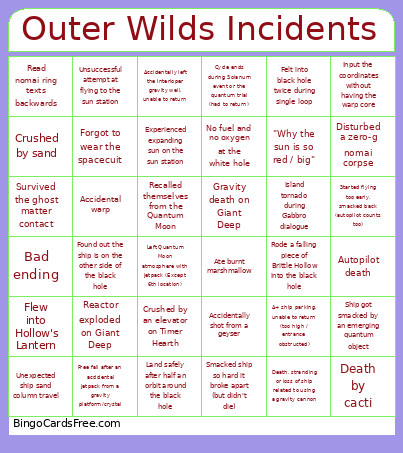 This Outer Wilds Incidents Bingo Cards Game contains following Words or Phrases: Island tornado during Gabbro dialogue, Recalled themselves from the Quantum Moon, Ate burnt marshmallow, Reactor exploded on Giant Deep, Smacked ship so hard it broke apart (but didn't die), Flew into Hollow's Lantern, Autopilot death, Left Quantum Moon atmosphere with jetpack (Except 6th location), Cycle ends during Solanum event or the quantum trial (had to return), Accidentally left the Interloper gravity well, unable to return, Gravity death on Giant Deep, Forgot to wear the spacecuit, Accidental warp, Unexpected ship sand column travel, Accidentally shot from a geyser, Crushed by sand, Death by cacti, Rode a falling piece of Brittle Hollow into the black hole, Free fall after an accidental jetpack from a gravity platform/crystal, Experienced expanding sun on the sun station, "Why the sun is so red / big", Land safely after half an orbit around the black hole, Unsuccessful attempt at flying to the sun station, Input the coordinates without having the warp core, Started flying too early, smacked back (autopilot counts too), Death, stranding or loss of ship related to using a gravity cannon, Found out the ship is on the other side of the black hole, No fuel and no oxygen at the white hole, Bad ending, Felt into black hole twice during single loop, A+ ship parking, unable to return (too high / entrance obstructed), Read nomai ring texts backwards, Ship got smacked by an emerging quantum object, Survived the ghost matter contact, Disturbed a zero-g nomai corpse, Crushed by an elevator on Timer Hearth.