
Physics/Env. Sci. Syllabus Bingo Cards - Print Free or Customize
Print free Physics/Env. Sci. Syllabus bingo cards or personalize, unlimited prints! Choose from 42,200+ templates or use our bingo card generator. Add numbers, phrases, pictures, or mix them all. Play using printable PDF, online bingo cards, and our online bingo caller, or combine all formats.
About: This bingo card is all about getting to know your course inside and out. Perfect for classroom orientations or syllabus scavenger hunts, it covers key details every student should understand about class rules, grading, policies, and procedures. It’s a fun and interactive way to make sure everyone starts the semester on the right foot!
How To: To save a PDF to print, click the Print button. You can adjust the card count and other print preferences on the Print tab. Grid items and free space text can be added on the Basic tab. Appearance can be highly customized on the corresponding tabs, or you can easily find any preference on the 🔍 tab.
How to play Physics/Env. Sci. Syllabus Bingo Cards?
- Paper Players: Print PDF bingo cards and manually scratch the cards.
- Paper Caller: Print PDF calling list & calling slips and manually pick the slips.
- Digital Caller: Click on the Play button above.
- Digital Players: Click on the Play button above, and then click on the 🎫 button.
- Combo Mode: Pick any combination above. For example, caller can be either Offline or Digital. And players can be Offline or Digital or a mix of both.
Step-By-Step:
- Start by getting the Physics/Env. Sci. Syllabus PDF by clicking on the "Print" button above.
- Open the PDF and print it.
- For random drawing, you can print another copy of the call list, cut, fold and then pick them randomly at play time.
- Cut the bingo cards at the cut lines if there are greater than 1 bingo cards per page.
- Give one card to each player. For marking, you can use pencils. Crayons cost the least.
- Pick one person to be the caller. If you are playing in a small group, the caller can as well play along with their own Bingo card.
- The caller starts the play by randomly pulling an item from the call list and saying it to everyone.
- The players look at their cards to see if they have the announced word. If they do, they cross off that word.
- The first player to finish a horizontal, vertical, or a diagonal line of marked items yells "Bingo!" and wins the play.
- The caller validates that the items marked form a correct line according to the Bingo card and call list.
- You can play for multiple patterns or a full card blackout for a longer play.
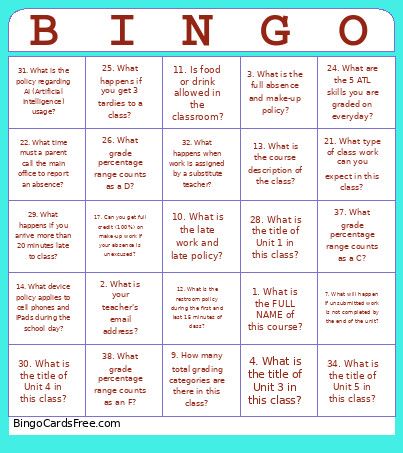 This Physics/Env. Sci. Syllabus Bingo Cards Game contains following Words or Phrases: 1. What is the FULL NAME of this course?, 2. What is your teacher's email address?, 3. What is the full absence and make-up policy?, 4. What is the title of Unit 3 in this class?, 5. What are the percentages for each of the 5 grading categories?, 6. What are the 3 parts, including the definitions, of the classroom conduct policy?, 7. What will happen if unsubmitted work is not completed by the end of the unit?, 8. What are the 4 parts of the ATL skill of self-management?, 9. How many total grading categories are there in this class?, 10. What is the late work and late policy?, 11. Is food or drink allowed in the classroom?, 12. What is the restroom policy during the first and last 15 minutes of class?, 13. What is the course description of the class?, 14. What device policy applies to cell phones and iPads during the school day?, 15. What is the percentage of attendance all students must maintain?, 16. If you are absent, what are the days and times scheduled for make-ups?, 17. Can you get full credit (100%) on make-up work if your absence is unexcused?, 18. What are you required to do upon returning from an absence to get make-up work?, 19. What are you required to do if you miss a lab day?, 20. Whose responsibility is it to make up missed work and check grades?, 21. What type of class work can you expect in this class?, 22. What time must a parent call the main office to report an absence?, 23. What is the Google Classroom code for your class?, 24. What are the 5 ATL skills you are graded on everyday?, 25. What happens if you get 3 tardies to a class?, 26. What grade percentage range counts as a D?, 27. What is the maximum grade percentage obtainable for unexcused absence make-up work?, 28. What is the title of Unit 1 in this class?, 29. What happens if you arrive more than 20 minutes late to class?, 30. What is the title of Unit 4 in this class?, 31. What is the policy regarding AI (Artificial Intelligence) usage?, 32. What happens when work is assigned by a substitute teacher?, 33. What is the title of Unit 2 in this class?, 34. What is the title of Unit 5 in this class?, 35. What is the title of Unit 0 in this class?, 36. What grade percentage range counts as a B?, 37. What grade percentage range counts as a C?, 38. What grade percentage range counts as an F?.