
R32FWC Bingo Cards - Print Free or Customize
Print free R32FWC bingo cards or personalize, limitless prints! Pick from 42,200+ templates or use our bingo card generator. Add numbers, phrases, images, or all of them. Play using PDF prints, digital bingo cards, and our digital bingo caller, or mix physical and digital.
About: Get ready for a high-stakes international soccer showdown with this bingo card, perfect for fans watching a Germany vs. Paraguay knockout clash at Boston Stadium. The vibe is electric and tense, with dramatic moments both on the pitch and in the stands. Use this card for a lively watch party or viewing event with friends who love all the drama of tournament football.
How To: To save a PDF to print, click the Print button. You can alter the card quantity and other print settings on the Print tab. Grid items and free space text can be edited on the Basic tab. Appearance can be exactly customized on the relevant tabs, or you can quickly search any preference using the 🔍 tab.
How to play R32FWC Bingo Cards?
- Virtual Players: Click on the Play button above, and then click on the 🎫 button.
- Printed Caller: Print PDF calling list & calling slips and manually select the slips.
- Printed Players: Print PDF bingo cards and manually cross off the cards.
- Virtual Caller: Click on the Play button above.
- Hybrid Play: Pick any combination above. For instance, caller can be either Offline or Virtual. And players can be Offline or Virtual or a mix of both.
Step-By-Step:
- Start by getting the R32FWC PDF by clicking on the "Print" button above.
- Open the PDF and print it.
- For random calling, you can print another copy of the call list, cut, fold and then pick them randomly at play time.
- Cut the bingo cards at the cut lines if there are greater than 1 bingo cards per page.
- Give one card to each player. For marking, you can use pens. Crayons are the cheapest.
- Pick one person to be the caller. If you are playing in a small group, the caller can also play along with their own Bingo card.
- The caller starts the play by randomly drawing an item from the call list and saying it to all players.
- The players check their cards to see if they have the called word. If they do, they mark that word.
- The first player to complete a horizontal, vertical, or a diagonal line of marked items shouts "Bingo!" and wins the game.
- The caller verifies that the items crossed off form a correct line as per the Bingo card and call list.
- You can play for different patterns or a full card blackout for an extended game.
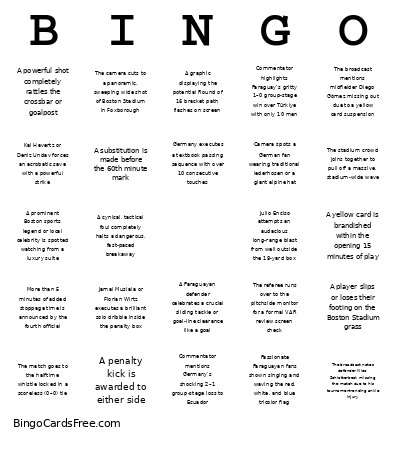 This R32FWC Bingo Cards Game contains following Words or Phrases: A cynical, tactical foul completely halts a dangerous, fast-paced breakaway, A graphic displaying the potential Round of 16 bracket path flashes on screen, A Paraguayan defender celebrates a crucial sliding tackle or goal-line clearance like a goal, A penalty kick is awarded to either side, A player is shown receiving treatment or stretching out a severe leg cramp on the pitch, A player slips or loses their footing on the Boston Stadium grass, A powerful shot completely rattles the crossbar or goalpost, A prominent Boston sports legend or local celebrity is spotted watching from a luxury suite, A substitution is made before the 60th minute mark, A yellow card is brandished within the opening 15 minutes of play, Camera spots a German fan wearing traditional lederhosen or a giant alpine hat, Commentator emphasizes the brutal "win or go home" stakes of the single-elimination bracket, Commentator highlights Paraguay's gritty 1–0 group-stage win over Türkiye with only 10 men, Commentator mentions Germany's shocking 2–1 group-stage loss to Ecuador, Commentator references the 2002 World Cup meeting where Germany edged out a 1–0 win, Commentator remarks on the New England summer heat or humidity at kickoff, Germany executes a textbook passing sequence with over 10 consecutive touches, Goalkeeper Orlando Gill pulls off a sensational point-blank or double save, Jamal Musiala or Florian Wirtz executes a brilliant solo dribble inside the penalty box, Julio Enciso attempts an audacious long-range blast from well outside the 18-yard box, Kai Havertz or Deniz Undav forces an acrobatic save with a powerful strike, Miguel Almirón is shown in a close-up as he returns from his one-game suspension, More than 5 minutes of added stoppage time is announced by the fourth official, Passionate Paraguayan fans shown singing and waving the red, white, and blue tricolor flag, The broadcast mentions midfielder Diego Gómez missing out due to a yellow card suspension, The broadcast notes defender Nico Schlotterbeck missing the match due to his tournament-ending ankle injury, The camera cuts to a panoramic, sweeping wide shot of Boston Stadium in Foxborough, The German manager is shown pacing intensely or gesturing wildly in the technical area, The match goes to the halftime whistle locked in a scoreless (0–0) tie, The referee runs over to the pitchside monitor for a formal VAR review screen check, The stadium crowd joins together to pull off a massive, stadium-wide wave.