
Leg wedding Bingo Cards - Print Free or Customize
Print free Leg wedding bingo cards or customize, unlimited cards! Select from 40,600+ designs or use our bingo card generator. Add numbers, words, photos, or any combination. Play using printed PDF, virtual bingo cards, and our virtual bingo caller, or combine all formats.
About: This bingo card is perfect for a lively get-together, possibly a multicultural vacation or family reunion in Brazil, where friends and relatives can discover quirky facts about each other and take part in fun beachside activities. With its mix of playful challenges and people-focused tasks, it's sure to spark laughter and connection among a diverse group.
How To: To download a printable PDF, click the Print button. You can modify the card count and other print preferences on the Print tab. Grid items and free space content can be added on the Basic tab. Appearance can be highly customized on the relevant tabs, or you can easily locate any preference using the 🔍 tab.
How to play Leg wedding Bingo Cards?
- Paper Caller: Print PDF calling list & calling slips and manually choose the slips.
- Online Players: Click on the Play button above, and then click on the 🎫 button.
- Online Caller: Click on the Play button above.
- Paper Players: Print PDF bingo cards and manually write on the cards.
- Combo Play: Choose any combination above. For example, caller can be either Paper or Online. And players can be Paper or Online or a combination of both.
Step-By-Step:
- Start by saving the Leg wedding PDF by clicking on the "Print" button above.
- Open the PDF and print it.
- For random calling, you can print another copy of the call list, cut, fold and then pull them randomly at play time.
- Cut the bingo cards at the cut lines if there are more than 1 bingo cards per page.
- Distribute one card per player. For marking, you can use pencils. Crayons are the cheapest.
- Choose one person to be the caller. If you are playing in a small group, the caller may as well play along with their own Bingo card.
- The caller opens the play by randomly picking an item from the call list and calling out it to all players.
- The players look at their cards to see if they have the announced word. If they do, they dab that word.
- The first player to finish a horizontal, vertical, or a diagonal line of crossed items announces "Bingo!" and wins the game.
- The caller validates that the items marked form a proper line according to the Bingo card and call list.
- You can play for multiple patterns or a full card blackout for a longer game.
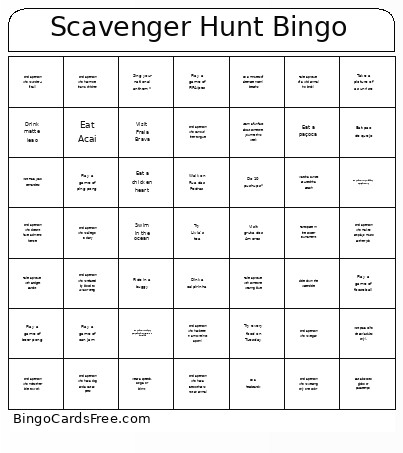 This Leg wedding Bingo Cards Game contains following Words or Phrases: Find a person who speaks a language other than English or Portuguese, Find a person who has a tattoo that is not an animal, Find a person who has more than 2 children, Find a person who has a dog and a cat as pets, Find a person who has been in a movie (not a porn), Find a person who is under 4 ft tall, Find a person who is on a soccer team, Find a person who is related by blood to Livia or Greg, Find a person who is or was on Greg's soccer team, Find a person who has done yoga with Livia, Find a person who has received a massage from Livia, Find a person who has been to Europe in the past 5 years, Find a person who is allergic to dairy, Find a person who is vegan, Find a person who Has been stung by a jellyfish, Do a headstand*, Visit praia Olho de Boi (adults only)., Play a game of ping pong, Play a game of can jam, Play a game of bottle bash, Play a game of beer pong, Play a game of fooseball, Play a game of FIFA/pes, Slide down the waterslide, Eat a chicken heart, Dink a caipirinha, Jump in the pool*, Ride in a buggy, Swim in the ocean, Rebola seu bunda*, Wear a speedo, sunga, or bikini*, Eat pao de quejo, Participate in the soccer tournament, Find a person who can curl their tongue, Find a person who is wearing only one color, Find a person who lives in California, Find a person who doesn't have a driver's license, Find a person who makes art/plays music as their job, Find a person who rides their bike to work, Find a person who wants to be president, Find a person who once had more than 5 pets at a time, Find a person who is more than 2 meters tall, Take a picture of a sunrise, Try every food on Tuesday, Take a picture of a wild animal (no birds), Do 25 jumping Jacks*, Do 10 pushups*, Sing your national anthem*, Learn a fun fact about someone you met this week, Take a picture with someone wearing blue, Do 5 minutes of alternate nostril breaths, Watch a sunset at Azedinha Beach, Visit gruta dos Amores, Visit Praia Brava, Take a picture with Bridget Bardot, Visit Praia Joao Fernandes, Eat Acai, Walk on Rua das Pedras, Visit Praia de Geriba, Visit Feira de Artesanato cultura e moda, Eat a biscoito globo or pasatempo, Drink matte leao, Eat a paçoca, Take a picture with Estatua dos Tres Pescadores.