Print free SDMT-O bingo cards or adjust them,
limitless cards! Pick from 42,600+ templates or use the bingo card generator.
Add numbers, phrases, pictures, or mix them all.
Play using PDF prints, virtual bingo cards,
and the virtual bingo caller, or go hybrid.
About: This bingo card captures all the memorable quirks and classic moments from college mock trial tryouts. It's perfect for anyone involved in the process, from anxious participants to seasoned coaches. The card adds a fun twist to tryout season, making it easy to spot common characters, inside jokes, and those unforgettable audition slip-ups.
How To: To download a PDF to print, click the Print button.
You can change the card quantity and other
printing preferences on the Print tab.
Grid items and free space text can be changed on the Basic tab.
Appearance can be fully customized on the
relevant tabs, or you can easily find any setting
on the 🔍 tab.
How to play SDMT-O Bingo Cards?
Printed Caller: Print PDF calling list & calling slips and manually pick the slips.
Virtual Players: Click on the Play button above, and then click on the 🎫 button.
Printed Players: Print PDF bingo cards and manually write on the cards.
Virtual Caller: Click on the Play button above.
Hybrid Mode: Pick any combination above.
For instance, caller can be either Paper or Virtual.
And players can be Paper or Virtual or a mix of both.
Step-By-Step:
Start by getting the SDMT-O PDF by clicking on the "Print" button above.
Open the PDF and print it.
For random calling, you can print another copy of the call list, cut, fold and then pick them randomly at play time.
Cut the bingo cards at the cut lines if there are more than 1 bingo cards per page.
Give one card to each player. For marking, you can use pencils. Crayons are the cheapest.
Pick one person to be the caller. If you are playing in a small group, the caller can as well play along with their own Bingo card.
The caller opens the game by randomly pulling an item from the call list and saying it to everyone.
The players check their cards to see if they have the announced word. If they do, they mark that word.
The first player to complete a horizontal, vertical, or a diagonal line of crossed items shouts "Bingo!" and wins the play.
The caller confirms that the items marked form a proper line according to the Bingo card and call list.
You can play for multiple patterns or a full card blackout for a longer play.
This SDMT-O Bingo Cards Game contains following Words or Phrases: Tears, White socks, Bombed the Chris improv challenge, Friends with someone else trying out, Lied about attending office hours, Rescheduled tryout because "too sick" on Saturday, "Personality concerns", Political candidate, Too big suit/mismatched suit, A name Tyler cant pronounce, Doesn't say hi back, Uses notes after being told not to, An actually good witness tryout, A retryout, A retryout who makes the same mistake as last time, Discount [former competitor], An awkward question from Sultan, Chris D. says "trust me", Coach bursts out laughing, Claiming they know the ROEs and then failing to respond correctly, Claiming they are excellent at ROEs and blowing a softball, "I competed at highschool nationals" and then delivers a 3.5 tryout, Debate voice, HC Simon Cowell moment, Diet Chris watching Red Zone, "Redo that section with double volume so the back row can hear" *continues to speak softly*, "But they have a car that seats >5…", Time commitment issues, Pretends to put notes down but still uses notes, Unavailable during practice times on both, Wednesdays and Saturdays, Gives the ick during office hours, "Where are you from", Tyler: "Tell us a little about that", Adam asking about missing son, Coach name drop in statement.

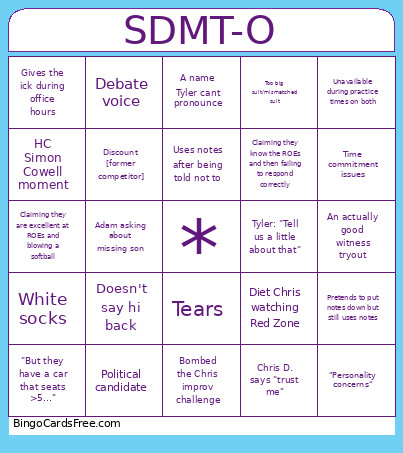 This SDMT-O Bingo Cards Game contains following Words or Phrases: Tears, White socks, Bombed the Chris improv challenge, Friends with someone else trying out, Lied about attending office hours, Rescheduled tryout because "too sick" on Saturday, "Personality concerns", Political candidate, Too big suit/mismatched suit, A name Tyler cant pronounce, Doesn't say hi back, Uses notes after being told not to, An actually good witness tryout, A retryout, A retryout who makes the same mistake as last time, Discount [former competitor], An awkward question from Sultan, Chris D. says "trust me", Coach bursts out laughing, Claiming they know the ROEs and then failing to respond correctly, Claiming they are excellent at ROEs and blowing a softball, "I competed at highschool nationals" and then delivers a 3.5 tryout, Debate voice, HC Simon Cowell moment, Diet Chris watching Red Zone, "Redo that section with double volume so the back row can hear" *continues to speak softly*, "But they have a car that seats >5…", Time commitment issues, Pretends to put notes down but still uses notes, Unavailable during practice times on both, Wednesdays and Saturdays, Gives the ick during office hours, "Where are you from", Tyler: "Tell us a little about that", Adam asking about missing son, Coach name drop in statement.