Print free Team Summit bingo cards or customize,
limitless cards! Select from 41,500+ designs or use the bingo card generator.
Add numbers, phrases, images, or all of them.
Play using printable PDF, digital bingo cards,
and the digital bingo caller, or combine all formats.
About: This bingo card captures the hilarious chaos and inside jokes of a ski team or freestyle club, perfect for keeping spirits high during long practices or team events. With plenty of playful jabs at coaches and teammates, it’s made for an audience that knows and loves the quirks of their crew. Expect lots of laughs and friendly competition!
How To: To get a PDF to print, click the Print button.
You can alter the card quantity and other
printing preferences on the Print tab.
Grid items and free space text can be changed on the Basic tab.
Appearance can be completely customized on the
relevant tabs, or you can quickly search any setting
using the 🔍 tab.
How to play Team Summit Bingo Cards?
Paper Caller: Print PDF calling list & calling slips and manually choose the slips.
Paper Players: Print PDF bingo cards and manually cross off the cards.
Virtual Caller: Click on the Play button above.
Virtual Players: Click on the Play button above, and then click on the 🎫 button.
Mixed Mode: Choose any combination above.
For example, caller can be either Offline or Virtual.
And players can be Offline or Virtual or a combo of both.
Step-By-Step:
Start by saving the Team Summit Bingo PDF by clicking on the "Print" button above.
Open the PDF and print a hard copy.
For random drawing, you can print another copy of the call list, cut, fold and then pull them randomly at play time.
Cut the bingo cards at the cut lines if there are greater than 1 bingo cards per page.
Give one card to each player. For marking, you can use markers. Crayons are the cheapest.
Choose one person to be the caller. If you are playing in a small group, the caller may also play along with their own Bingo card.
The caller begins the play by randomly drawing an item from the call list and announcing it to all players.
The players look at their cards to see if they have the announced word. If they do, they mark that word.
The first player to finish a horizontal, vertical, or a diagonal line of marked items announces "Bingo!" and wins the game.
The caller confirms that the items crossed off form a correct line according to the Bingo card and call list.
You can play for different patterns or a full card blackout for an extended game.
This Team Summit Bingo Cards Game contains following Words or Phrases: The big 'Thew does something illegal, Gurt doesn't show up to practice for 2 weeks or more, Jagger forgets the names of people he's known for 4 years, Rudy does something sick, Taylen says he's gonna throw someone in the river, Jimmy doesn't show up to practice cause he's hungover, Crosby says the most out of pocket shit and then acts like he didn't say anything, Jimmy mentions schmedium radius turns, The big 'Thew gets given a heart attack by Jimmy but then nothing happens, Jimmy or Rudy criticize Jagger for how his hands are too high on takeoff, A U19 asks if Jagger is an old or a young, Jimmy doesn't pay up on a bet or promise, The big 'Thew does or talks about doing something illegal right near a coach, Group of U19s show up 45min late for practice and get forced to do burpees, Gray (or Tommy or Jagger) calls it the "Penjamin Netanyahu", Mogul kids are seen suffering building the mogul course, Jimmy criticizes someone (bonus if Jagger) for not eating enough, Someone gets convinced to hit something that is NOT in, All of us have to do burpees for coming into the A-frame too fast, Gray accidentally brings up the Penjamin Netanyahu around U12s and gets yelled at by the big 'Thew, Jimmy makes everyone do a wild drill that does NOT help ski form, A U19 girl complains 3 times in a day to Jimmy for no reason, Any coach makes us do burpees for not cleaning up well enough at lunch, Rudy says "really".

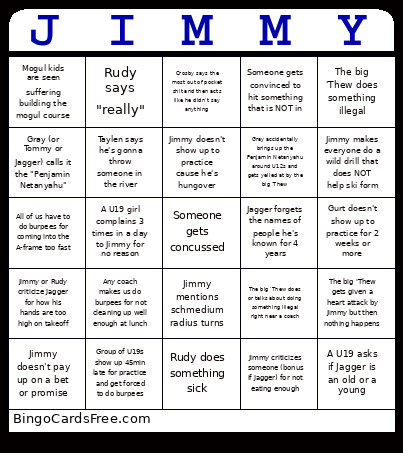 This Team Summit Bingo Cards Game contains following Words or Phrases: The big 'Thew does something illegal, Gurt doesn't show up to practice for 2 weeks or more, Jagger forgets the names of people he's known for 4 years, Rudy does something sick, Taylen says he's gonna throw someone in the river, Jimmy doesn't show up to practice cause he's hungover, Crosby says the most out of pocket shit and then acts like he didn't say anything, Jimmy mentions schmedium radius turns, The big 'Thew gets given a heart attack by Jimmy but then nothing happens, Jimmy or Rudy criticize Jagger for how his hands are too high on takeoff, A U19 asks if Jagger is an old or a young, Jimmy doesn't pay up on a bet or promise, The big 'Thew does or talks about doing something illegal right near a coach, Group of U19s show up 45min late for practice and get forced to do burpees, Gray (or Tommy or Jagger) calls it the "Penjamin Netanyahu", Mogul kids are seen suffering building the mogul course, Jimmy criticizes someone (bonus if Jagger) for not eating enough, Someone gets convinced to hit something that is NOT in, All of us have to do burpees for coming into the A-frame too fast, Gray accidentally brings up the Penjamin Netanyahu around U12s and gets yelled at by the big 'Thew, Jimmy makes everyone do a wild drill that does NOT help ski form, A U19 girl complains 3 times in a day to Jimmy for no reason, Any coach makes us do burpees for not cleaning up well enough at lunch, Rudy says "really".