
TX Challenge Bingo Cards - Print Free or Customize
Print free TX Challenge bingo cards or alter them, unlimited cards! Choose from 42,200+ designs or use our bingo card generator. Add numbers, phrases, pictures, or all of them. Play using PDF prints, virtual bingo cards, and our virtual bingo caller, or mix physical and digital.
About: This bingo card is all about celebrating hardcore geocachers and their epic adventures. It covers everything from hosting and attending events to tackling legendary geocaching challenges and milestones. Perfect for Mega events, block parties, or local gatherings, this card will get veteran cachers swapping stories while inspiring newbies to aim higher on their global treasure hunts.
How To: To save a printable PDF, click the Print button. You can change the number of cards and other printing settings on the Print tab. Grid items and free space text can be added on the Basic tab. Appearance can be entirely personalized on the relevant tabs, or you can easily locate any setting on the 🔍 tab.
How to play TX Challenge Bingo Cards?
- Online Caller: Click on the Play button above.
- Online Players: Click on the Play button above, and then click on the 🎫 button.
- Printed Players: Print PDF bingo cards and manually scratch the cards.
- Printed Caller: Print PDF calling list & calling slips and manually select the slips.
- Hybrid Mode: Select any combination above. For example, caller can be either Printed or Online. And players can be Printed or Online or a combination of both.
Step-By-Step:
- Start by saving the TX Challenge Bingo PDF by clicking on the "Print" button above.
- Open the PDF and print it.
- For random calling, you can print another copy of the call list, cut, fold and then pull them randomly at play time.
- Cut the bingo cards at the cut marks if there are more than 1 bingo cards per page.
- Distribute one card per player. For marking, you can use markers. Crayons cost the least.
- Select one person to be the caller. If you are playing in a small group, the caller can also play along with their own Bingo card.
- The caller begins the game by randomly pulling an item from the call list and announcing it to all players.
- The players check their cards to see if they have the called word. If they do, they dab that word.
- The first player to finish a horizontal, vertical, or a diagonal line of crossed items shouts "Bingo!" and wins the play.
- The caller validates that the items marked form a proper line as per the Bingo card and call list.
- You can play for varied patterns or a full card blackout for an extended play.
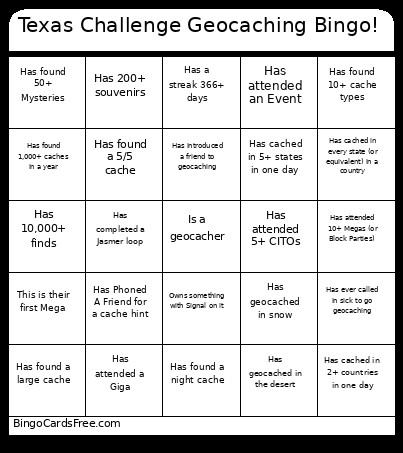 This TX Challenge Bingo Cards Game contains following Words or Phrases: Has hosted an Event, Has hosted 50+ Events, Has attended an Event, Has attended 100+ Events, Has Completed the Texas County Challenge, Flew to this Event, Has hosted a Mega (or Block Party), Has completed a Fizzy Loop, Has completed 10+ Fizzys, Has found 50+ caches in a day, Has completed a Jasmer loop, Has completed 2+ Jasmers, Is a Reviewer or Lackey, Owns (or has owned) 200+ caches, Has a streak 366+ days, Has been to HQ, Has attended an Event in a state they don't live in, This is their first Mega, Has attended 10+ Megas (or Block Parties), Has placed a gadget cache, Owns something with Signal on it, Has cached for 10+ years, Has attended a Giga, Is in the TXGA Hall of Fame, Has completed all the counties in 5+ states, Has cached in 5+ countries, Has ever called in sick to go geocaching, Has met another geocacher while caching, Has 10,000+ finds, Has less than 1000 finds, Has found a geocache on top of a mountain, Has found 100+ large caches, Has found a large cache, Has found 1,000+ caches in a year, Has found a 5/5 cache, Has attended 5+ CITOs, Has found a library cache, Has used a boat to find a cache, Has cached in 2+ countries in one day, Has cached in 5+ states in one day, Has used a UV light to find a cache, Has found a Webcam, Has found 10+ Webcams, Has Phoned A Friend for a cache hint, Has found 50+ Mysteries, Has been questioned by cops while caching, Has introduced a friend to geocaching, Has completed all the counties in a state other than Texas, Has cached in every state (or equivalent) in a country, Has cached on 3+ continents, Has received a favorite point, Has received 1,000+ favorite points, Has found a night cache, Has cached between midnight and dawn, Has geocached in the desert, Has geocached in snow, Has geocached in a forest, Has geocached in a swamp, Has a trackable vehicle or tattoo, Has found a cache below sea level, Has found 10+ caches owned by the same CO, Has cached in a county starting with Q or Z, Has 20+ more souvenirs, Has 200+ souvenirs, Has found 10+ cache types, Has found all 20 cache types.