Print free ViewSonic bingo cards or modify,
limitless cards! Pick from 41,500+ designs or use our bingo card generator.
Add numbers, phrases, images, or all of them.
Play using PDF prints, online bingo cards,
and our online bingo caller, or combine all formats.
About: This bingo card is perfect for a tech-focused event or training session, especially for education or government professionals exploring the latest in display technology and accessories. The terms cover everything from hardware features and brands to connectivity options and ergonomic considerations, making it a great icebreaker or engagement tool for anyone interested in interactive panels, monitors, and tech workspace solutions.
How To: To download a printable PDF, click the Print button.
You can adjust the card count and other
printing preferences on the Print tab.
Grid items and free space text can be edited on the Basic tab.
Appearance can be entirely personalized on the
relevant tabs, or you can quickly search any preference
on the 🔍 tab.
How to play ViewSonic Bingo Cards?
Paper Caller: Print PDF calling list & calling slips and physically draw the slips.
Online Caller: Click on the Play button above.
Online Players: Click on the Play button above, and then click on the 🎫 button.
Paper Players: Print PDF bingo cards and physically write on the cards.
Mixed Play: Choose any combination above.
For instance, caller can be either Paper or Online.
And players can be Paper or Online or a combination of both.
Step-By-Step:
Start by getting the ViewSonic PDF by clicking on the "Print" button above.
Open the PDF and print it.
For random drawing, you can print another copy of the call list, cut, fold and then pull them randomly at play time.
Cut the bingo cards at the cut lines if there are greater than 1 bingo cards per page.
Distribute one card per player. For marking, you can use pencils. Crayons are the cheapest.
Choose one person to be the caller. If you are playing in a small group, the caller may as well play along with their own Bingo card.
The caller begins the play by randomly drawing an item from the call list and saying it to everyone.
The players scan their cards to see if they have the called word. If they do, they mark that word.
The first player to complete a horizontal, vertical, or a diagonal line of marked items announces "Bingo!" and wins the play.
The caller validates that the items crossed off form a proper line according to the Bingo card and call list.
You can play for multiple patterns or a full card blackout for a longer play.
This ViewSonic Bingo Cards Game contains following Words or Phrases: birds, viewsonic, cde, ifp, VG series, portable, government, k12, mounts, carts, slot-in PC, EDLA, Windows, Apple, Docking, USB-C, hdmi, Pantone RGB, Ergonomics, IPS panel, Curved, Business-class, Erb, Spiffs.

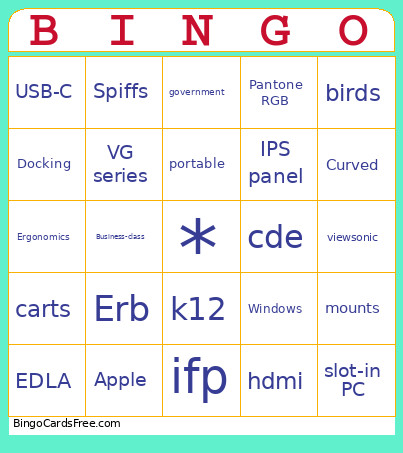 This ViewSonic Bingo Cards Game contains following Words or Phrases: birds, viewsonic, cde, ifp, VG series, portable, government, k12, mounts, carts, slot-in PC, EDLA, Windows, Apple, Docking, USB-C, hdmi, Pantone RGB, Ergonomics, IPS panel, Curved, Business-class, Erb, Spiffs.