
Home Visitor Celebration Bingo Cards - Print Free or Customize
Print free Home Visitor Celebration bingo cards or customize, limitless prints! Select from 41,500+ templates or use the bingo card generator. Add numbers, words, pictures, or mix them all. Play using PDF prints, online bingo cards, and the online bingo caller, or mix physical and digital.
About: This bingo card captures the real, messy, and heartwarming moments of early childhood professionals and home visitors. It highlights everyday wins, relatable challenges, and those small yet meaningful interactions that come with supporting families. Perfect for a team meeting or training session, it's meant to spark laughs, validation, and a sense of camaraderie among field staff.
How To: To save a PDF to print, click the Print button. You can change the card quantity and other printing settings on the Print tab. Grid items and free space content can be changed on the Basic tab. Appearance can be completely personalized on the relevant tabs, or you can quickly search any preference using the 🔍 tab.
How to play Home Visitor Celebration Bingo Cards?
- Virtual Caller: Click on the Play button above.
- Virtual Players: Click on the Play button above, and then click on the 🎫 button.
- Paper Caller: Print PDF calling list & calling slips and physically draw the slips.
- Paper Players: Print PDF bingo cards and physically cross off the cards.
- Mixed Mode: Select any combination above. For instance, caller can be either Offline or Virtual. And players can be Offline or Virtual or a mix of both.
Step-By-Step:
- Start by downloading the Home Visitor Celebration PDF by clicking on the "Print" button above.
- Open the PDF and print a hard copy.
- For random calling, you can print another copy of the call list, cut, fold and then pick them randomly at play time.
- Cut the bingo cards at the cut marks if there are greater than 1 bingo cards per page.
- Distribute one card per player. For marking, you can use pens. Crayons cost the least.
- Select one person to be the caller. If you are playing in a small group, the caller may as well play along with their own Bingo card.
- The caller begins the game by randomly pulling an item from the call list and announcing it to everyone.
- The players check their cards to see if they have the called word. If they do, they mark that word.
- The first player to finish a horizontal, vertical, or a diagonal line of crossed items shouts "Bingo!" and wins the play.
- The caller confirms that the items crossed off form a proper line according to the Bingo card and call list.
- You can play for different patterns or a full card blackout for a longer play.
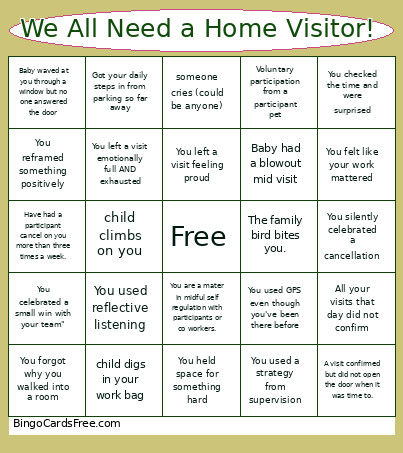 This Home Visitor Celebration Bingo Cards Game contains following Words or Phrases: You used a strategy from supervision, You said 'quick question' and it wasn't quick, You needed a snack immediately, You used GPS even though you've been there before, You wore something comfortable but work-appropriate, You clicked 'save' just in case, You reframed something positively, You said 'that's a great question' or "tell me more" to buy time or have an MSR moment., You finished documentation the same day (!!), You checked the time and were surprised, You attended a meeting that could've been shorter, You held space for something hard, You forgot why you walked into a room, You helped a coworker problem-solve, You used reflective listening, You left a visit emotionally full AND exhausted, Baby waved at you through a window but no one answered the door, You celebrated a small win with your team", You are a mater in midful self regulation with participants or co workers., A participant shared something meaningful, You opened a note and immediately got distracted, You ate lunch in your car, You left a visit feeling proud, You forgot to drink your coffee, You couldn't find parking, You laughed with a coworker about the chaos, You clapped for a milestone like it was the Olympics, You silently celebrated a cancellation, You sat on the floor for longer than planned, You thought about a family after hours, You validated a caregiver, A child smiled or lit up when they saw you, You felt like your work mattered, A visit confirmed but did not open the door when it was time to., All your visits that day did not confirm, You talked to a baby more than an adult in one day., Baby had a blowout mid visit, baby spit up on you, child hides from you, someone cries (could be anyone), child climbs on you, child digs in your work bag, awkward silence, child refuses to do planned activity, you made best friends with the family pet (willingly or unwillingly), have to park 5 or 6 blocks away from your participant's house, Voluntary participation from a participant pet, Got your daily steps in from parking so far away, Have had a participant cancel on you more than three times a week., The family bird bites you..