Print free Wedding bingo cards or alter them,
unlimited prints! Choose from 41,900+ designs or use our bingo card generator.
Add numbers, words, images, or any combination.
Play using PDF printouts, online bingo cards,
and our online bingo caller, or combine all formats.
About: This bingo card is your perfect companion for the ultimate Taylor Swift and Travis Kelce wedding watch party. Packed with playful nods to over-the-top celebrity moments, cheeky fan antics, and Swiftie Easter eggs, it’s ideal for fans following the spectacle—whether you’re at a viewing party or keeping up on social media with fellow pop culture enthusiasts.
How To: To get a PDF to print, click the Print button.
You can change the card count and other
printing options on the Print tab.
Grid items and free space text can be changed on the Basic tab.
Appearance can be exactly personalized on the
corresponding tabs, or you can quickly locate any preference
using the 🔍 tab.
How to play Wedding Bingo Cards?
Printed Caller: Print PDF calling list & calling slips and physically choose the slips.
Virtual Players: Click on the Play button above, and then click on the 🎫 button.
Virtual Caller: Click on the Play button above.
Printed Players: Print PDF bingo cards and physically scratch the cards.
Mixed Mode: Choose any combination above.
For instance, caller can be either Paper or Virtual.
And players can be Paper or Virtual or a combo of both.
Step-By-Step:
Start by getting the Wedding PDF by clicking on the "Print" button above.
Open the PDF and print a hard copy.
For random calling, you can print another copy of the call list, cut, fold and then draw them randomly at play time.
Cut the bingo cards at the cut marks if there are greater than 1 bingo cards per page.
Distribute one card per player. For marking, you can use pencils. Crayons are the cheapest.
Choose one person to be the caller. If you are playing in a small group, the caller may also play along with their own Bingo card.
The caller begins the game by randomly picking an item from the call list and saying it to everyone.
The players scan their cards to see if they have the announced word. If they do, they dab that word.
The first player to finish a horizontal, vertical, or a diagonal line of crossed items yells "Bingo!" and wins the game.
The caller verifies that the items marked form a correct line according to the Bingo card and call list.
You can play for multiple patterns or a full card blackout for an extended game.
This Wedding Bingo Cards Game contains following Words or Phrases: The wedding party comes down the aisle in a choreographed dance, Taylor is wearing a crown, There are at least three wedding dresses, Taylor walks down the aisle to one of her own songs, Travis says something awful that Swifties try to convince us is romantic, Taylor's dad gives a toast that is vaguely sinister, Bomb threat, A fan gets farther into the venue than quite frankly they should have, Swiftie camped outside gets medical evacuated due to dehydration, The cake has a figure that looks just like Taylor and one that only kinda looks like Travis, Wedding cake in the face, Taylor's something old / new / borrowed / blue are easter eggs somehow, Taylor announces a new album, Travis gets wasted, One of the giant set pieces breaks, One of the wedding guests is medical evacuated due to dehydration, Taylor cries, The bridesmaid dresses are surprisingly fine, The groomsmen tuxes are somehow a disaster, There are more than 20 people in the wedding party, Taylor gets wasted, The first dance song is wildly inappropriate if you actually listen to the lyrics, The ceremony wedding dress has an unnecessarily long train/veil, Something is blatantly ripped off from another celebrity wedding.

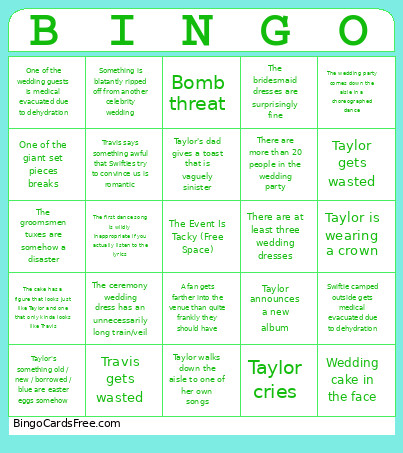 This Wedding Bingo Cards Game contains following Words or Phrases: The wedding party comes down the aisle in a choreographed dance, Taylor is wearing a crown, There are at least three wedding dresses, Taylor walks down the aisle to one of her own songs, Travis says something awful that Swifties try to convince us is romantic, Taylor's dad gives a toast that is vaguely sinister, Bomb threat, A fan gets farther into the venue than quite frankly they should have, Swiftie camped outside gets medical evacuated due to dehydration, The cake has a figure that looks just like Taylor and one that only kinda looks like Travis, Wedding cake in the face, Taylor's something old / new / borrowed / blue are easter eggs somehow, Taylor announces a new album, Travis gets wasted, One of the giant set pieces breaks, One of the wedding guests is medical evacuated due to dehydration, Taylor cries, The bridesmaid dresses are surprisingly fine, The groomsmen tuxes are somehow a disaster, There are more than 20 people in the wedding party, Taylor gets wasted, The first dance song is wildly inappropriate if you actually listen to the lyrics, The ceremony wedding dress has an unnecessarily long train/veil, Something is blatantly ripped off from another celebrity wedding.