
West Fraser Bingo Cards - Print Free or Customize
Print free West Fraser bingo cards or modify, limitless cards! Choose from 42,200+ templates or use the bingo card generator. Add numbers, phrases, pictures, or mix them all. Play using PDF printouts, digital bingo cards, and the digital bingo caller, or mix physical and digital.
About: This bingo card is perfect for spicing up your team's recurring meetings with a dose of fun and friendly competition. Packed with inside jokes, quirky habits, and classic moments everyone recognizes, it’s meant for coworkers who know each other well. Use it during staff meetings or team huddles to keep things lighthearted and engaging.
How To: To download a PDF to print, click the Print button. You can modify the card count and other print options on the Print tab. Grid items and free space text can be edited on the Basic tab. Appearance can be totally customized on the corresponding tabs, or you can easily find any preference on the 🔍 tab.
How to play West Fraser Bingo Cards?
- Virtual Players: Click on the Play button above, and then click on the 🎫 button.
- Printed Caller: Print PDF calling list & calling slips and physically pick the slips.
- Virtual Caller: Click on the Play button above.
- Printed Players: Print PDF bingo cards and physically write on the cards.
- Combo Mode: Select any combination above. For example, caller can be either Offline or Virtual. And players can be Offline or Virtual or a combination of both.
Step-By-Step:
- Start by saving the West Fraser PDF by clicking on the "Print" button above.
- Open the PDF and print a hard copy.
- For random drawing, you can print another copy of the call list, cut, fold and then pull them randomly at play time.
- Cut the bingo cards at the cut lines if there are more than 1 bingo cards per page.
- Give one card to each player. For marking, you can use pencils. Crayons are the cheapest.
- Select one person to be the caller. If you are playing in a small group, the caller can as well play along with their own Bingo card.
- The caller initiates the play by randomly drawing an item from the call list and announcing it to all players.
- The players check their cards to see if they have the called word. If they do, they cross off that word.
- The first player to complete a horizontal, vertical, or a diagonal line of crossed items announces "Bingo!" and wins the play.
- The caller confirms that the items crossed off form a proper line according to the Bingo card and call list.
- You can play for varied patterns or a full card blackout for an extended play.
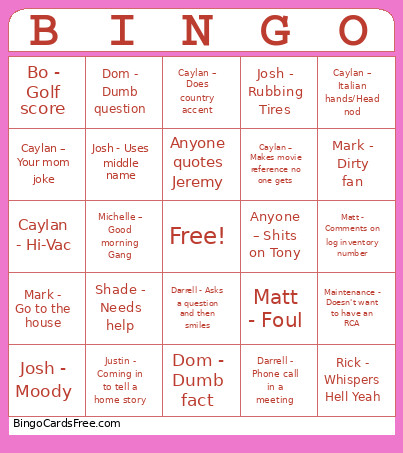 This West Fraser Bingo Cards Game contains following Words or Phrases: Get a hold of your meeting, Down Day Shortened, Bo - Golf score, Colton - Starts a conversation with "Yeah", Joe - No recordables, Caylan – Italian hands/Head nod, Josh - Asks about Bingo, Shade - Phone Quacks, Matt - Phone call in a meeting, Bo – Cash Cost, Dom - Dumb fact, Dom – Talks about Marathon, Caylan – Your mom joke, Amy - Shows up to a meeting and doesn't have anything to report, Matt - Comments on log inventory number, Mark - Go to work, Anyone - Normal Down Day, Anyone – Shits on Tony, Darrell - Asks a question and then smiles, Al - Raising voice to talk over someone, Amy - Shows up to a meeting, Shade - Needs help, Jerry – Hey now, Caylan – Does country accent, Heath - Phone call in a meeting, Josh - Moody, Guy – Abbreviates, Colton - Different country story, Rick - Decent day, Bo wears a hat in a meeting, Caylan - Opens Zyn Can in morning meeting, Maintenance - Doesn't want to have an RCA, Josh - Rubbing Tires, Caylan - Makes music reference no one gets, Michelle – Good morning Gang, Shade - Kids sports, Michelle asks how much longer maintenance is down, Darrell - Phone call in a meeting, Shade - Camo shirt, Caylan – Talks about Cavender's, Caylan - Asked Chat, Anyone - Mentions Jeremy, Al - Scratching face, Anyone quotes Jeremy, Dom – Tells college story, Josh - Uses middle name, Michelle - Grammar Nazi, Caylan – Makes movie reference no one gets, Rick - Whispers Hell Yeah, Colton - Starts a conversation with "It was pretty funny", Heath - Diet Dr Pepper in a meeting, Mark - Go to the house, Billy – Late to 7:15, Dom - Strap Dispenser, Dom - Dumb question, Rick - Nice shirt, Caylan – Doesn't answer the radio, Mark - Dirty fan, Matt - Foul, Shade - Borrows tools, More than 5 people have nothing to say in a meeting, Matt - Ship the wood Rick, Caylan - Hi-Vac, Justin - Coming in to tell a home story, Bo- Unsatisfied with report.