
Zelda and Nintendo Direct Bingo Cards - Print Free or Customize
Print free Zelda and Nintendo Direct bingo cards or modify, unlimited cards! Choose from 42,200+ templates or use the bingo card generator. Add numbers, words, pictures, or all of them. Play using printable PDF, digital bingo cards, and the digital bingo caller, or mix physical and digital.
About: This bingo card is the perfect companion for Nintendo Direct streams or big gaming reveal events, especially for diehard Nintendo fans. With references to Zelda anniversaries, surprise remakes, long-lost franchises, and celebrity cameos, it captures all the hype, rumors, and memorable moments that get the gaming community buzzing during major announcements.
How To: To save a PDF to print, click the Print button. You can modify the card count and other print options on the Print tab. Grid items and free space content can be added on the Basic tab. Appearance can be completely personalized on the relevant tabs, or you can quickly search any setting using the 🔍 tab.
How to play Zelda and Nintendo Direct Bingo Cards?
- Digital Players: Click on the Play button above, and then click on the 🎫 button.
- Digital Caller: Click on the Play button above.
- Printed Caller: Print PDF calling list & calling slips and physically pick the slips.
- Printed Players: Print PDF bingo cards and physically write on the cards.
- Combo Play: Select any combination above. For example, caller can be either Offline or Digital. And players can be Offline or Digital or a combination of both.
Step-By-Step:
- Start by getting the Zelda and Nintendo Direct PDF by clicking on the "Print" button above.
- Open the PDF and print it.
- For random calling, you can print another copy of the call list, cut, fold and then draw them randomly at play time.
- Cut the bingo cards at the cut lines if there are more than 1 bingo cards per page.
- Give one card to each player. For marking, you can use markers. Crayons are the cheapest.
- Select one person to be the caller. If you are playing in a small group, the caller can as well play along with their own Bingo card.
- The caller starts the play by randomly pulling an item from the call list and saying it to everyone.
- The players scan their cards to see if they have the announced word. If they do, they dab that word.
- The first player to finish a horizontal, vertical, or a diagonal line of marked items announces "Bingo!" and wins the play.
- The caller confirms that the items crossed off form a proper line as per the Bingo card and call list.
- You can play for different patterns or a full card blackout for a longer play.
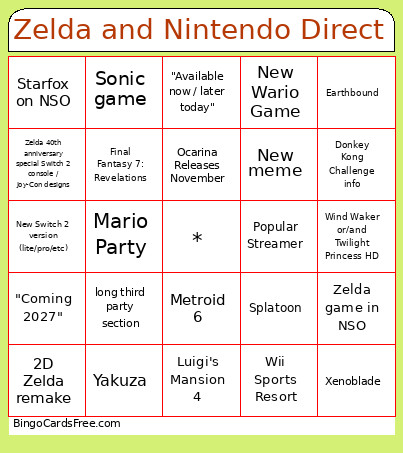 This Zelda and Nintendo Direct Bingo Cards Game contains following Words or Phrases: Ocarina of Time Remake 1:1, Ocarina of Time Remake not 1:1, Ganondorf reveal in zelda movie, Shigeru Miyamoto, Eiji Aonuma, Popular Streamer, Hollywood star, New 2D Zelda game, Yoshiaki Koizumi, New Zelda Amiibo, Next 3D Mario, Super Metroid Remake, Metroid 6, Fire Emblem, Xenoblade, Super Smash Bros 6, Super Smash Bros NSO, Pokemon news, Kid Icarus, F zero, New Wario Game, "One more thing...", New accessory, "It's been a while since...", Wind Waker or/and Twilight Princess HD, 2D Zelda remake, Zelda 40th anniversary multiplayer, Mario Party, Mario Sports, Paper Mario, Nintendo DS online, Wii online, New Nintendo IP, Mario Kart, New StarFox game, Starfox on NSO, Duskbloods, Zelda Universal Studios Theme Park, Adult Link design reveal, GTA, Call of Duty, NBA 2K, Farm Simulator, Punch Out, Final Fantasy 7: Revelations, Final Fantasy Resonance, Chrono Trigger, Farming Game, Ocarina Releases November, Yakuza, Zelda Challenge Event, Megaman dual override, Resident Evil port, Resident Evil Code Veronica, Monster Hunter, Castlevania, Just Dance, Zelda 40th anniversary special Switch 2 console / Joy-Con designs, Ace Attorney, New Animal Crossing, Luigi's Mansion 4, New amiibo not zelda, Switch 2 Edition upgrades, Unexpected revival of an old IP, Kingdom Hearts, "Coming 2027", NSO expansion, "Available now / later today", Overly long segment on a casual game, New meme, New Kirby game, Pokémon-related news, Zelda museum/exhibition, Echoes of Wisdom post-launch support or DLC tease, Hyrule Warriors, Twilight Princess NSO, Official live-action Zelda movie casting confirmation, Marvel Rivals, Crimson Desert, Pokémon Pokopia, New Switch 2 version (lite/pro/etc), "This is also coming to the original Switch", Tomodachi Life, long third party section, Golden Sun, Free Content Update, Tingle, Orchestal Medley, Time travel, Splatoon, Smash Bros Update, Dragon Quest, Pikmin game, Holiday Launch Date, Sonic game, New Donkey Kong game, Donkey Kong Challenge info, Expedition 33, Metaphor: Refantazio, Devon Pritchard, Zelda Movie Director, Rayman, Earthbound, Fornite, Fifa, Red Dead Redemption 2, Mario Maker, Spyro, Persona 6, Crash Bandicoot, Wii Sports Resort, New 3D Zelda, Stellar Blade, Zelda game in NSO, Minecraft, Kouichi Kawamoto.