
Banquet Bingo Cards - Print Free or Customize
Print free Banquet bingo cards or customize, unlimited prints! Pick from 42,200+ templates or use our bingo card generator. Add numbers, words, pictures, or all of them. Play using printed PDF, digital bingo cards, and our digital bingo caller, or combine all formats.
About: This bingo card is the perfect companion for a chaotic school formal or party where drama, wardrobe malfunctions, inside jokes, and unexpected moments are all but guaranteed. It captures everything from classic complaints to wild mishaps and quirky group antics, making it a must-have for friends who love keeping tabs on every memorable scene.
How To: To get a PDF to print, click the Print button. You can adjust the number of cards and other printing preferences on the Print tab. Grid items and free space content can be edited on the Basic tab. Appearance can be completely personalized on the relevant tabs, or you can quickly search any option using the 🔍 tab.
How to play Banquet Bingo Cards?
- Printed Players: Print PDF bingo cards and physically mark the cards.
- Virtual Players: Click on the Play button above, and then click on the 🎫 button.
- Printed Caller: Print PDF calling list & calling slips and physically draw the slips.
- Virtual Caller: Click on the Play button above.
- Hybrid Mode: Choose any combination above. For instance, caller can be either Paper or Virtual. And players can be Paper or Virtual or a combination of both.
Step-By-Step:
- Start by getting the Banquet Bingo PDF by clicking on the "Print" button above.
- Open the PDF and print a hard copy.
- For random calling, you can print another copy of the call list, cut, fold and then pick them randomly at play time.
- Cut the bingo cards at the cut lines if there are more than 1 bingo cards per page.
- Distribute one card per player. For marking, you can use markers. Crayons cost the least.
- Choose one person to be the caller. If you are playing in a small group, the caller can as well play along with their own Bingo card.
- The caller starts the play by randomly picking an item from the call list and saying it to everyone.
- The players look at their cards to see if they have the announced word. If they do, they mark that word.
- The first player to finish a horizontal, vertical, or a diagonal line of marked items announces "Bingo!" and wins the play.
- The caller checks that the items crossed off form a correct line as per the Bingo card and call list.
- You can play for different patterns or a full card blackout for an extended play.
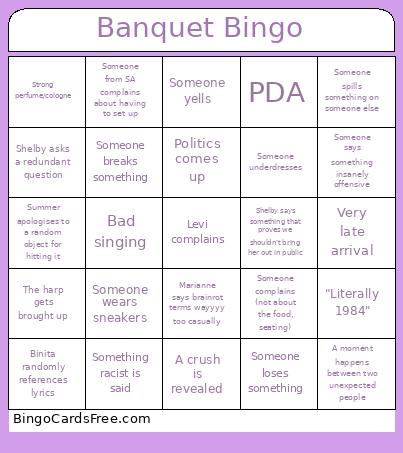 This Banquet Bingo Cards Game contains following Words or Phrases: Seating complaint, Someone complains (not about the food, seating), Complaint about the food, Someone from SA complains about having to set up, Wardrobe issue, Someone wears sneakers, "Interesting" hairstyle, Someone underdresses, Same/very similar dress, Someone wears an outfit too short and/or tight for comfort, Someone gets dress-coded, Someone takes off their heels, Dangerous or lethal looking high heels, Colourful suit (not black or grey), Someone wears headphones/earpods, Someone wears sunglasses, Strong perfume/cologne, "Interesting" colour combo, Music that doesn't match the vibe, Technical difficulties with the entertainment, Music is late, Decoration malfunction, Someone spills a drink on themselves, Someone spills something on someone else, Someone drops food on themselves, Someone falls off their chair, Someone breaks something, Someone cuts themselves, Jade manages to injure herself, Someone loses something, Someone trips, Summer apologises to a random object for hitting it, Someone gets lost, Someone falls asleep, A moment happens between two unexpected people, A secret is revealed, A fight happens, Argument, Someone yells, Someone does drugs, Group of more than four goes to the bathroom together, A crush is revealed, PDA, A teacher gets traumatised, Kaia and/or Jade plays Star Rail, Shelby says something that proves we shouldn't bring her out in public, Something racist is said, Someone swears, Ike and/or Soren gets brought up, The guys play Brawl Stars, Historical figures come up in a conversation, Jade (accidentally or not) brags about her grades, Jade says something really out of touch, The harp gets brought up, "Goon" or a variation, Joke about 15 year olds, Marianne makes reference to something super niche to TikTok and then gets surprised when nobody knows it on there, Marianne says brainrot terms wayyyy too casually, Binita starts singing, Binita randomly references lyrics, Jade starts singing, Politics comes up, Bad singing, Very late arrival, Jade threatens to drop-kick Shelby, Someone says something insanely offensive, Shelby bullies Jade, Jade bullies Shelby, Axel bullies Jade for absolutely no reason, Shelby asks a redundant question, Shelby learns something new that is common knowledge, Genesis does a Genesis thing, Kaia talks about chemistry, Axel starts talking about something insanely political randomly, Minecraft movie gets referenced, "Literally 1984", Someone accidentally finds out about the bingo card.