
Chemistry Syllabus Bingo Cards - Print Free or Customize
Print free Chemistry Syllabus bingo cards or personalize, limitless cards! Pick from 42,200+ designs or use our bingo card generator. Add numbers, phrases, images, or mix them all. Play using printed PDF, digital bingo cards, and our digital bingo caller, or go hybrid.
About: This bingo card is perfect for kicking off a new school year or semester, especially in a science or IB classroom. It encourages students to actively engage with the course syllabus, learn important class policies, and get familiar with expectations right from the start. Teachers can use it as a fun icebreaker activity for orientation sessions or syllabus review days.
How To: To save a printable PDF, click the Print button. You can change the card count and other printing preferences on the Print tab. Grid items and free space text can be added on the Basic tab. Appearance can be fully customized on the corresponding tabs, or you can quickly find any option using the 🔍 tab.
How to play Chemistry Syllabus Bingo Cards?
- Printed Players: Print PDF bingo cards and manually cross off the cards.
- Printed Caller: Print PDF calling list & calling slips and manually select the slips.
- Online Players: Click on the Play button above, and then click on the 🎫 button.
- Online Caller: Click on the Play button above.
- Combo Mode: Pick any combination above. For example, caller can be either Offline or Online. And players can be Offline or Online or a combo of both.
Step-By-Step:
- Start by saving the Chemistry Syllabus PDF by clicking on the "Print" button above.
- Open the PDF and print it.
- For random drawing, you can print another copy of the call list, cut, fold and then pick them randomly at play time.
- Cut the bingo cards at the cut marks if there are greater than 1 bingo cards per page.
- Give one card to each player. For marking, you can use markers. Crayons are the cheapest.
- Pick one person to be the caller. If you are playing in a small group, the caller may also play along with their own Bingo card.
- The caller initiates the game by randomly pulling an item from the call list and calling out it to all players.
- The players look at their cards to see if they have the announced word. If they do, they dab that word.
- The first player to finish a horizontal, vertical, or a diagonal line of marked items yells "Bingo!" and wins the game.
- The caller confirms that the items marked form a correct line according to the Bingo card and call list.
- You can play for different patterns or a full card blackout for an extended game.
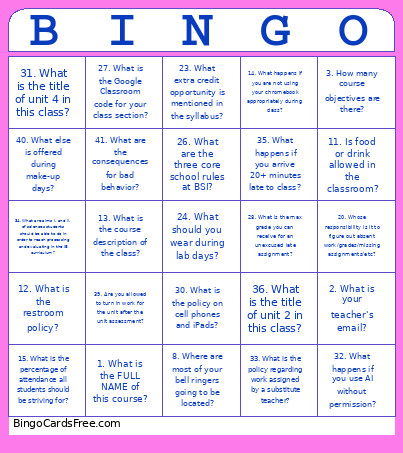 This Chemistry Syllabus Bingo Cards Game contains following Words or Phrases: 1. What is the FULL NAME of this course?, 2. What is your teacher's email?, 3. How many course objectives are there?, 4. What is the title of unit 3 in this class?, 5. What are the percentages for each category you're graded on?, 6. What course objective develops scientific knowledge and applies it to solve problems?, 7. What will happen if you don't do assignments on time?, 8. Where are most of your bell ringers going to be located?, 9. How many graded categories are there in this class?, 10. What do you have to do before you leave the classroom during class time?, 11. Is food or drink allowed in the classroom?, 12. What is the restroom policy?, 13. What is the course description of the class?, 14. What happens if you are not using your chromebook appropriately during class?, 15. What is the percentage of attendance all students should be striving for?, 16. If you are absent, do you have an opportunity to make up the work?, 17. Can you get full credit on the assignment if your absence is unexcused?, 18. What are you required to do if you miss this class?, 19. Are you allowed to make up work if you do not meet with your teacher FIRST?, 20. Whose responsibility is it to figure out absent work/grades/missing assignments/etc?, 21. What are the 3 aims of sciences students should be able to do in order to reach knowing and understanding in the IB curriculum?, 22. What days and periods are offered for make-up work?, 23. What extra credit opportunity is mentioned in the syllabus?, 24. What should you wear during lab days?, 25. What is the phone number parents must call to report an absence?, 26. What are the three core school rules at BSI?, 27. What is the Google Classroom code for your class section?, 28. What is the max grade you can receive for an unexcused late assignment?, 29. What is the quote at the top of page 1?, 30. What is the policy on cell phones and iPads?, 31. What is the title of unit 4 in this class?, 32. What happens if you use AI without permission?, 33. What is the policy regarding work assigned by a substitute teacher?, 34. What are aims i. and ii. of sciences students should be able to do in order to reach processing and evaluating in the IB curriculum?, 35. What happens if you arrive 20+ minutes late to class?, 36. What is the title of unit 2 in this class?, 37. What are the 5 ATL skills you are graded on everyday?, 38. What is the title of unit 1 in this class?, 39. Are you allowed to turn in work for the unit after the unit assessment?, 40. What else is offered during make-up days?, 41. What are the consequences for bad behavior?.